Shared hosting vs WordPress hosting at a glance
Shared Hosting vs WordPress Hosting is the first checkout fork most beginners hit when they want a website online fast. Pick shared hosting if you need a low cost home for mixed site types, simple HTML pages, or non WordPress apps and you are fine doing more of the install work yourself. Pick WordPress hosting if WordPress is your main platform and you want one click install, WordPress focused tools, and less setup friction from day one.
Both options can run a WordPress site. The real difference is how much WordPress convenience is built in, how performance is tuned, and how quickly a beginner can go from payment to a live page. On Hostinger, web hosting and WordPress hosting often sit close in price, so the better fit depends on your project more than on a single sticker number.
Below you will get a clear side by side comparison, who should buy which option, pricing and renewal notes, and a practical path to buy WordPress hosting when that is the right call for your site.
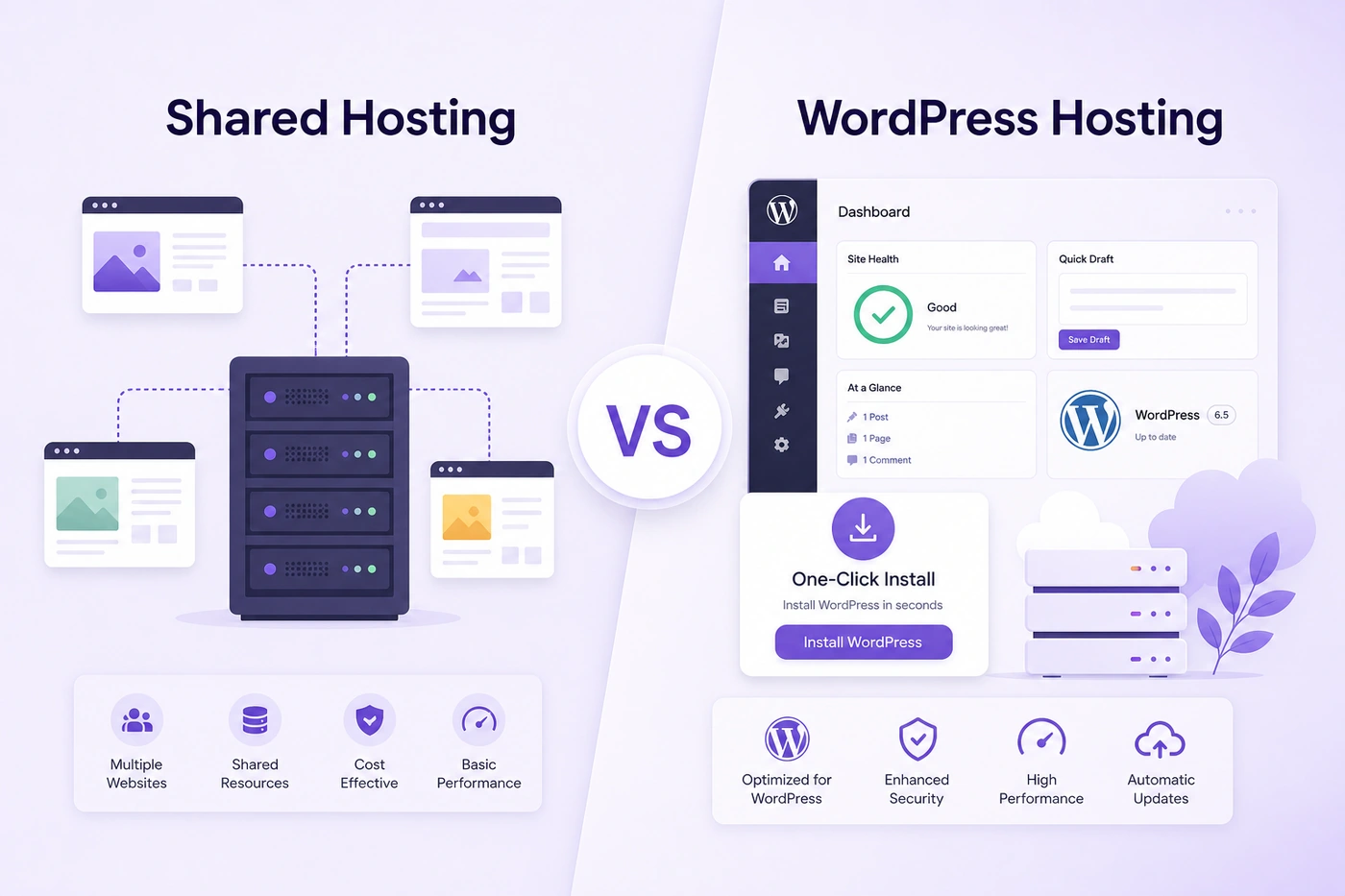
Shared hosting is general purpose. WordPress hosting is tuned for WordPress launch speed and day to day site work.
What shared hosting actually means for your website
Shared hosting means many websites share the same server resources. CPU, memory, and disk are portioned across accounts, which keeps entry pricing low and makes it a common first buy for personal projects and small business pages.
On a shared plan you usually get storage, bandwidth allowances, a control panel, email options, and support for common stacks such as PHP and MySQL. That stack is enough to run WordPress, static sites, and many simple scripts without needing a VPS.
The tradeoff is that the plan is not built around one CMS. You may install WordPress manually or with a generic installer, then handle more of the caching, update habits, and plugin choices yourself. Shared hosting is flexible, but it asks more from the site owner.
Shared hosting still works well when your budget is tight, your traffic is modest, and you do not need WordPress specific tooling every day. It is less ideal when your only goal is a fast WordPress launch with fewer moving parts.
What WordPress hosting means in practice
WordPress hosting is hosting shaped around WordPress as the primary use case. You still get server space and a control panel, but the product path is designed so WordPress install, updates, and common site tasks feel shorter.
On Hostinger WordPress hosting, that usually includes one click WordPress install, WordPress aware dashboard flows in hPanel, free SSL, and plan extras such as eligible free domain and email on qualifying annual terms. Many plans also include caching and CDN options that help WordPress pages load faster for visitors.
Important clarification: WordPress hosting is not always a completely separate machine type from shared hosting. Many WordPress plans still use shared infrastructure. The product difference is the WordPress tooling layer and the support path aimed at WordPress sites.
If you want a deeper look at how Hostinger packages that experience, our Hostinger WordPress hosting review covers features, plan tiers, and who should buy each one.
In short, WordPress hosting is the product to buy when your website will live on WordPress for the foreseeable future. Shared hosting remains useful when WordPress is only one of several options you might try.
Side by side comparison: shared hosting vs WordPress hosting
Use this comparison when you are stuck between a general web hosting plan and a WordPress focused plan. The table is directional. Always confirm live plan details before you pay.
| Factor | Shared hosting | WordPress hosting |
|---|---|---|
| Best for | Mixed site types, simple sites, budget starts | WordPress blogs, business sites, stores |
| WordPress install | Manual or generic installer | One click WordPress install |
| Optimization | General web stack | WordPress tuned tools and caching paths |
| Beginner speed | Slower first launch | Faster path to a live WordPress site |
| Flexibility | Higher for non WordPress apps | Highest value when WordPress is the main CMS |
| Typical buyer | Experiments, mixed projects | Bloggers, freelancers, small business owners |
If WordPress is already decided, WordPress hosting usually wins on time saved. If you are still testing several site types and may not stay on WordPress, shared hosting keeps more room to experiment.
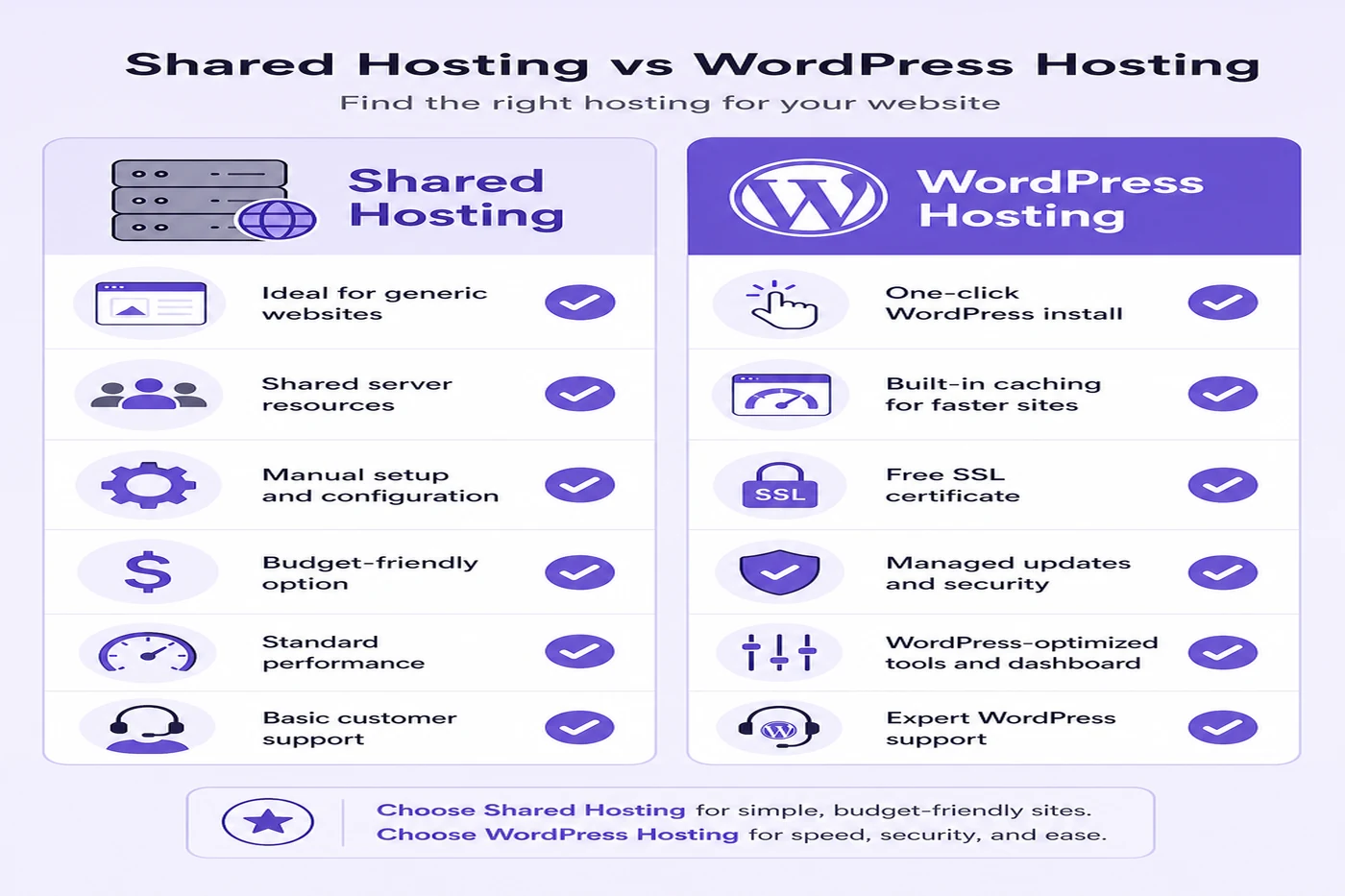
A quick feature style view of general shared hosting versus WordPress focused hosting tools.
Performance and speed differences that visitors notice
Shared hosting performance depends heavily on how busy the server neighborhood is and how well your site is built. A light brochure site can feel fine. A plugin heavy WordPress theme with large images can feel slow on the same plan.
WordPress hosting often includes caching helpers and WordPress aware performance defaults that reduce that friction. That does not replace good page design. It does give beginners a better starting point for fast WordPress hosting than a bare shared account with no WordPress tuning.
Visitor experience is the real test. If pages open slowly on mobile, bounce rates rise even when your content is strong. Choosing a plan with WordPress caching and CDN options usually protects that first impression better than a generic shared slot with no WordPress focus.
For small business sites, speed also affects trust. A clean, quick load looks more professional than a beautiful theme that stalls on every navigation click. That is one reason many buyers move toward WordPress hosting plans once the site becomes a real marketing channel.
Practical tip: after launch, test your homepage on a phone using regular mobile data, not only office Wi Fi. If the first screen takes too long, compress images and remove unused plugins before you assume you need a higher plan.
Security, SSL, and updates: who handles what
Free SSL is common on modern shared and WordPress plans, including Hostinger. An HTTPS padlock is table stakes now, not a premium add on. Confirm it is active after you connect your domain.
Security work beyond SSL still sits partly with you. You choose plugins carefully, keep WordPress core updated, use strong admin passwords, and avoid abandoned themes. Hosting can block many attacks at the server layer, but it cannot undo a weak password or a neglected plugin.
WordPress hosting often makes update and backup workflows easier to find. Managed WordPress hosting style tooling can reduce the chance that beginners leave sites unpatched for months. Shared hosting can be secure too, but the owner must be more deliberate about routine care.
If your risk tolerance is low because the site holds leads, appointments, or orders, lean toward WordPress hosting with clear backup cadence. Daily backups on higher tiers shrink the damage window if something breaks.
Setup time: one click WordPress install vs manual shared setup
Setup time is where beginners feel the difference first. On WordPress hosting, one click WordPress install can put a blank site in place within minutes after DNS and domain steps settle.
On generic shared hosting, you may still get an installer, but the path can include more manual database and directory choices. Experienced users do not mind. New site owners often stall here and delay publishing for days.
Faster setup is not only convenience. It is also fewer chances to misconfigure PHP versions, file permissions, or database users. A clean one click path reduces those early support tickets.
If your goal is to launch a WordPress website hosting project this week, WordPress hosting is usually the shorter route. If you enjoy tinkering and may not stay on WordPress, shared hosting keeps the learning curve broader.
A simple test helps: if you want to publish your first page today, choose the one click path. If you are happy spending an evening learning control panel details, shared hosting will not block you.
Pricing, renewals, and cheap WordPress hosting value
Entry pricing for shared hosting and WordPress hosting can look almost identical on promo terms. That is why sticker price alone is a weak decision tool. Look at term length, renewal rate, and what extras are included.
Cheap WordPress hosting can still be a strong deal when free SSL, eligible free domain, email, and backups are bundled. Those extras matter more than a few cents of monthly difference between plan labels.
Renewals almost always rise above the intro promo. Read the order summary before you buy Hostinger WordPress hosting or any shared plan. A two or four year term can lower the average monthly cost, but only if you are confident you will keep the site that long.
For current discount behavior and checkout tips, see our Hostinger coupon guide. Confirm the live promo at checkout rather than assuming any code lasts forever.
When you are ready to compare live offers, open the current Hostinger WordPress hosting plans page and check term length next to renewal price before you commit.
Who should buy shared hosting
Buy shared hosting if your project is not locked to WordPress yet. Examples include a temporary landing page, a school project, a simple brochure site, or a sandbox for several different scripts.
Shared hosting also fits owners who already know how to install WordPress manually and want maximum flexibility for non WordPress apps on the same account. If you are comfortable with control panel details, the WordPress convenience layer may matter less to you.
Skip shared hosting as your first buy if WordPress is certain and you want the shortest path to publish. In that case, paying for WordPress hosting convenience is usually worth more than saving a tiny amount on a generic plan.
Shared hosting is not a bad product. It is simply the wrong default for many people searching for best WordPress hosting for a blog or small business site.
If your project is a temporary page for an event, or a non WordPress tool demo, shared hosting still earns its place. Just avoid using it as a long term WordPress home when you already know WordPress is permanent.
Who should buy WordPress hosting plans
Buy WordPress hosting if you are starting a blog, portfolio, agency client site, or small business page on WordPress. The product assumes WordPress is the center of the workflow, which matches how most of those sites are built and maintained.
It is also the better fit for beginners who want WordPress hosting for beginners style simplicity: install, pick a theme, publish. You still learn WordPress basics, but you do not also fight hosting install mechanics on day one.
Freelancers and small teams benefit when several WordPress sites share one account. Premium style tiers that allow multiple websites reduce the need to open a new hosting bill for every client project.
If you want managed style convenience without learning server admin work, managed WordPress hosting style plans on Hostinger keep install and common site tasks closer to the dashboard.
If your site will sell products, pair this decision with a look at WordPress hosting for WooCommerce so store traffic and backups are sized correctly from the start.
How to choose the best plan for your website type
Start with the CMS decision. If the answer is WordPress, choose WordPress hosting first, then pick the tier. If the answer is mixed or unknown, shared hosting can keep options open while you test.
Next, estimate site count and backup needs. One personal blog can live on a starter tier. Multiple client sites or a media heavy brand site usually need Premium or Business style headroom. Daily backups matter more once content or orders change every day.
Then check traffic expectations. A quiet local business site rarely needs the top tier on day one. A campaign site that expects spikes should buy more headroom early or plan a quick upgrade path.
Finally, compare Premium vs Business inside the WordPress lineup if you already know WordPress hosting is the product. Our Hostinger Premium vs Business guide shows the upgrade triggers without repeating every feature list twice.
A practical rule: buy the lowest plan that covers your real needs for the next 6 to 12 months, not an imaginary five year peak. Upgrading later is normal and usually easier than overpaying for unused capacity.
Mistakes to avoid before you buy hosting
The first mistake is choosing only by intro price. Two plans can share a similar launch rate and differ a lot in backups, site limits, and renewal cost. Read the full order summary.
The second mistake is buying shared hosting for a WordPress only project just because the label looks cheaper. If you spend half a weekend on install issues, that discount was expensive.
The third mistake is ignoring domain and email eligibility rules. Free domain offers usually need a qualifying annual term. Monthly billing can remove that perk even when the plan name looks identical.
The fourth mistake is skipping renewal math. Affordable WordPress hosting on year one can feel different at renewal. Budget for the standard rate or choose a longer term only if cash flow allows.
The fifth mistake is overbuying Business features for a brand new brochure site. Start sensibly, measure real usage, then upgrade when storage, traffic, or backup needs prove themselves.
How to start WordPress hosting on Hostinger
Once you decide WordPress hosting fits, the checkout path is straightforward. Open the Hostinger plan page, choose a term length you can afford, and confirm whether free domain eligibility applies to that term.
At WordPress hosting checkout, review the renewal price line carefully. Then complete payment and open hPanel. Use the one click WordPress installer, set a strong admin password, and connect your domain DNS if it is not already pointed.
After WordPress is installed, enable SSL if it is not already active, install only essential plugins, and pick a lightweight theme. Publish a first page quickly so the site is not left as an empty install.
To get WordPress hosting live faster, complete domain pointing before you spend hours on theme demos. A site that resolves on your real domain builds momentum better than a temporary URL you keep postponing.
If you want a lower entry cost path while you learn, compare options in our cheap WordPress hosting guide before you lock a long term. The goal is a plan you understand, not the longest possible commitment on day one.
When you are ready to claim the current promo, use the official buy WordPress hosting checkout flow and verify free SSL plus any free domain line item on the order summary.
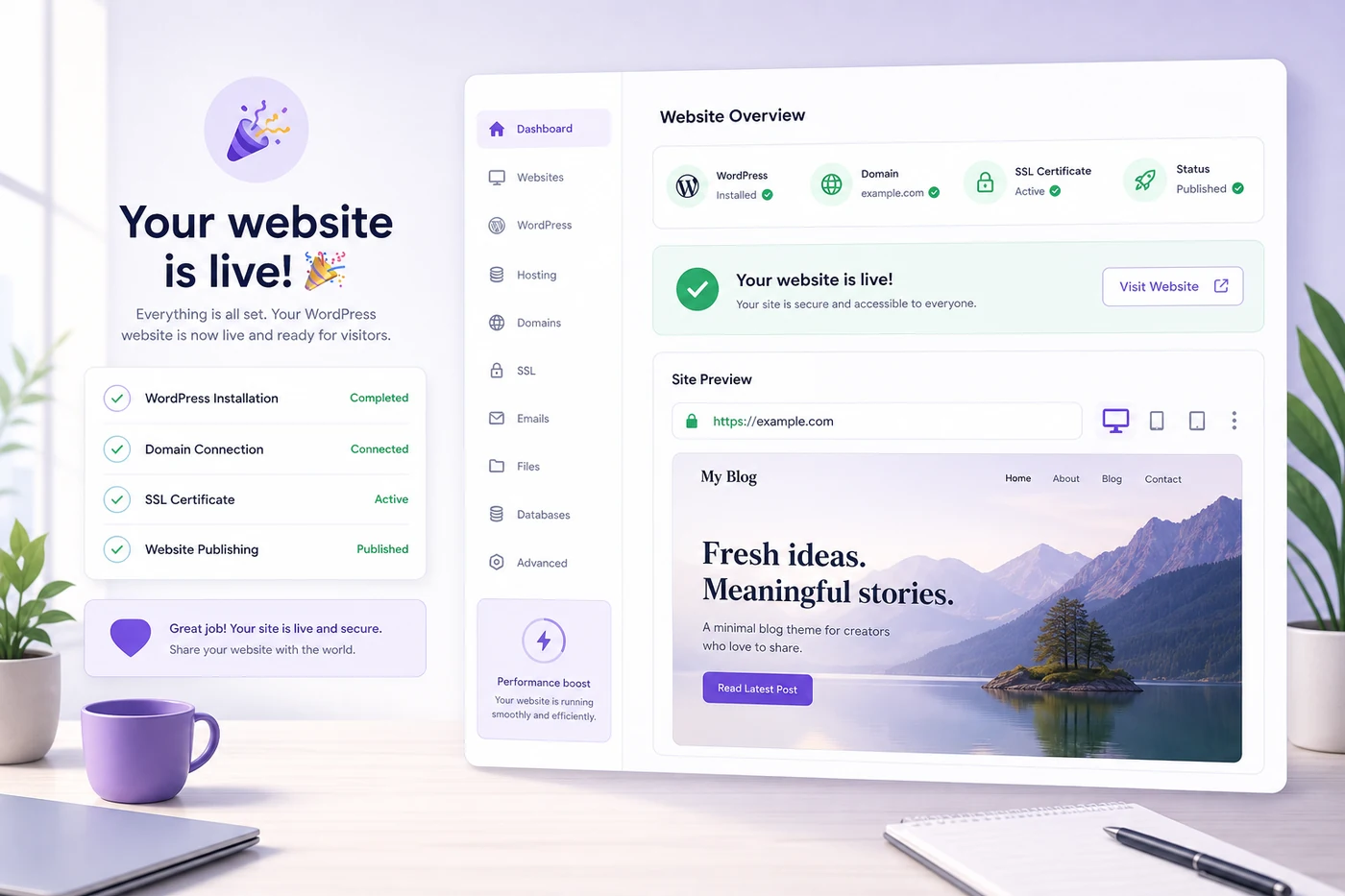
After checkout, one click install and SSL setup turn a hosting plan into a live WordPress website.
Feature checklist: what you get vs what you still handle
Hosting covers the server, uptime monitoring, SSL issuance on eligible plans, and account level tools. You still handle content quality, plugin choices, brand design, and legal pages such as privacy or terms when your site needs them.
On WordPress hosting you typically get easier install paths and WordPress oriented controls. You still choose themes carefully, remove unused plugins, and keep backups in mind before major updates.
On shared hosting you get broader stack flexibility. You still own more of the WordPress install and optimization decisions unless you add your own tooling.
Thinking in this split prevents disappointment. Hosting is infrastructure. Your website quality still depends on what you publish and maintain after the plan is active.
Final verdict: which hosting plan fits your website
Shared hosting vs WordPress hosting comes down to platform certainty. If WordPress is the plan, buy WordPress hosting. If your site type is still mixed or experimental, shared hosting remains a fair first step.
For most readers of this site, WordPress is already the answer. That makes Hostinger WordPress hosting the clearer buy: faster launch, better day to day WordPress workflow, and plan tiers that scale from a first blog to a small business site.
Choose Premium when you want multiple sites and solid beginner value. Choose Business when storage headroom and daily backups matter now. Confirm live pricing, then start WordPress hosting with a term that matches your budget and confidence.
If you still feel unsure after reading, default to WordPress hosting on a mid tier rather than a bare shared plan. You can upgrade resources later. You cannot recover the time spent fighting an install path that never matched your CMS.
Browse more plan tips and comparisons across our WordPress hosting blogs when you want related buying guides in one place.
You can also return to the best WordPress hosting homepage for the full Hostinger overview before checkout.
Buy WordPress Hosting on Hostinger
Shared hosting vs WordPress hosting FAQ
These answers cover the questions people ask most often while comparing shared hosting and WordPress hosting before they buy.
Is WordPress hosting the same as shared hosting?
Not exactly. Many WordPress hosting plans still run on shared infrastructure, but they add WordPress focused tools such as one click install, caching, and easier updates. Generic shared hosting is built for many site types, while WordPress hosting is tuned for WordPress sites.
Which is better for a beginner blog, shared hosting or WordPress hosting?
WordPress hosting is usually better for a beginner blog because setup is faster and WordPress tools are built in. You spend less time on install steps and more time publishing posts.
Can I run WordPress on regular shared hosting?
Yes. WordPress can run on many shared hosting plans if PHP and MySQL requirements are met. The difference is convenience and optimization. WordPress hosting typically makes install, updates, and performance tuning easier.
Is WordPress hosting more expensive than shared hosting?
Entry prices are often similar, especially on promo terms. WordPress hosting can look slightly higher on some tiers because of bundled WordPress features. Always compare renewal rates and included extras, not only the intro monthly price.
Do both shared hosting and WordPress hosting include free SSL?
On Hostinger, free SSL is commonly included across eligible web hosting and WordPress hosting plans. Confirm the live checkout summary for your selected plan and term before you pay.
Should a small business buy WordPress hosting?
Yes, if the business site will run on WordPress. WordPress hosting gives faster launch, clearer WordPress tooling, and a smoother path for plugins, themes, and content updates that small teams handle themselves.
When should I skip shared hosting and choose WordPress hosting instead?
Skip generic shared hosting when WordPress is your main platform and you want one click install, WordPress aware support paths, and performance tools aimed at WordPress pages. Shared hosting still fits simple static sites or mixed non WordPress projects.
What Hostinger plan should I buy after choosing WordPress hosting?
Most beginners start on Premium for multiple sites and weekly backups. Choose Business if you need more storage headroom and daily backups. Confirm current plan details and renewal pricing on the live order page before checkout. You can also review the best Hostinger WordPress hosting plans breakdown for tier picks.
Can I move from shared hosting to WordPress hosting later?
Yes. Many hosts support migration between related plans in the same account. If you start on shared hosting and later want WordPress focused tooling, you can usually upgrade or migrate without rebuilding the entire site from scratch.