Cheap WordPress Hosting Hostinger: what you actually get
Cheap WordPress Hosting Hostinger is not just a discount badge on a checkout page. It describes a specific set of promo plans, Single, Premium, and Business, priced low on the first term and bundled with free SSL, and on eligible terms, free domain eligibility. If you are searching for cheap WordPress hosting right now, the honest answer is that Hostinger earns the label mainly through what the promo price includes, not just how low the number looks.
This guide breaks down exactly what you get for that price, which plan actually fits a beginner budget, how the promo pricing works at checkout, and what happens once the renewal date arrives. It sits alongside our full Hostinger WordPress hosting review and our Hostinger Premium vs Business comparison, but focuses specifically on the budget angle rather than the full feature set.
Everything below is written to help you buy WordPress hosting with a clear picture of the tradeoffs, not to talk you into the cheapest possible number on the page. Sometimes the cheapest plan is the right call, and sometimes a slightly higher tier is the actual bargain once you count what it includes.
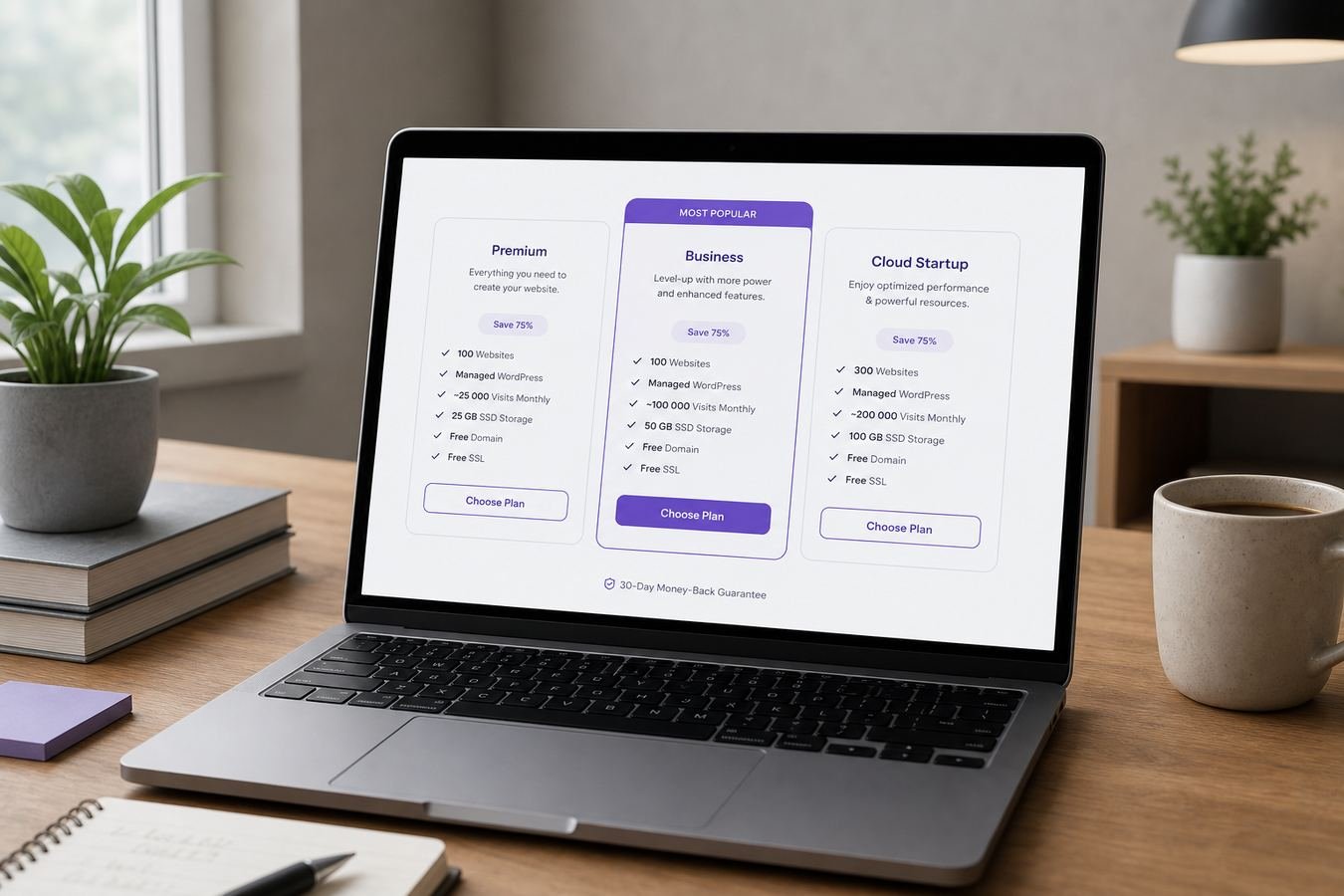
Hostinger's promo plans bundle free SSL and eligible free domain terms into a low first term price.
Who cheap WordPress hosting with Hostinger is for
This guide is written for people who already want to host on Hostinger and are trying to figure out which promo plan actually fits a limited budget, rather than people still comparing every hosting company on the market. If that broader comparison is what you need, our best WordPress hosting overview is a better starting point.
You are in the right place if you are a beginner launching a first blog, portfolio, or small business site and want the lowest reasonable entry cost without sacrificing free SSL or basic reliability. You are also in the right place if you already know you want Hostinger WordPress hosting and are simply deciding between Single, Premium, and Business on a tight budget.
This is not written for agencies managing dozens of client sites or stores with heavy daily order volume. Those cases usually justify paying more for extra storage and daily backups, which is covered in more depth in our Premium vs Business comparison rather than here.
One more honest note before the details: plan names, bundled extras, and exact pricing can be updated by Hostinger over time. Treat the specifics in this guide as an accurate current snapshot and always confirm the live details on the plan page before you buy WordPress hosting.
What Hostinger promo plans usually include
Across the current lineup, Hostinger promo plans generally share a common foundation regardless of tier. That includes free SSL on every plan, one click WordPress installation, the hPanel dashboard, and access to caching and CDN options that keep page loads reasonably quick for visitors outside your primary server region.
Where the tiers actually diverge is website count, storage headroom, backup frequency, and free domain eligibility. Single is built around one website, while Premium and Business both support many websites on one account. Free domain eligibility is generally tied to annual or longer terms rather than every billing length, so it is worth checking before you assume it applies.
Beginners often assume the cheapest plan strips out something essential like security or WordPress compatibility, but that is not how Hostinger promo plans are structured. The core WordPress experience, free SSL, and basic security tooling are present across the lineup. What changes with price is capacity, not the fundamentals.
Understanding that distinction matters more than the sticker price itself. A cheap WordPress hosting plan that includes free SSL and a usable dashboard is a genuinely different value proposition than a cheap plan that nickel and dimes you for basics later, and Hostinger's promo structure leans toward the former.
Single, Premium, and Business on a beginner budget
Single is the entry point of the lineup and the cheapest way into wordpress hosting on Hostinger. It covers one website, includes free SSL, and is genuinely enough for a first small site with modest traffic and a normal amount of images and pages, without asking you to pay for multi site support you do not need yet.
Premium sits one step up and is where free domain eligibility and support for multiple websites typically enter the picture on eligible annual terms. For many beginners this is the more sensible buy even on a budget, because the jump in price is often modest compared to what it adds, particularly if you might want a second site later.
Business raises storage headroom further and generally moves backup frequency from weekly to daily. On a strict beginner budget this tier is usually more than a brand new small site needs, and the extra cost is better spent elsewhere until traffic or storage actually demand it.
| Feature | Single | Best value Premium | Business |
|---|---|---|---|
| Websites supported | 1 website | Up to 100 websites | Up to 100 websites |
| Free SSL | Included | Included | Included |
| Free domain eligible | Depends on term | Yes on eligible annual terms | Yes on eligible annual terms |
| Backup frequency | Basic | Weekly | Daily |
| Best for | One small first site | Beginners wanting more room | Stores and busier sites |
| Beginner budget value | Lowest entry price | Strongest overall value | Overkill for most first sites |
Exact storage figures and included extras can change. Confirm current specifications on the live Hostinger plan page before you buy.
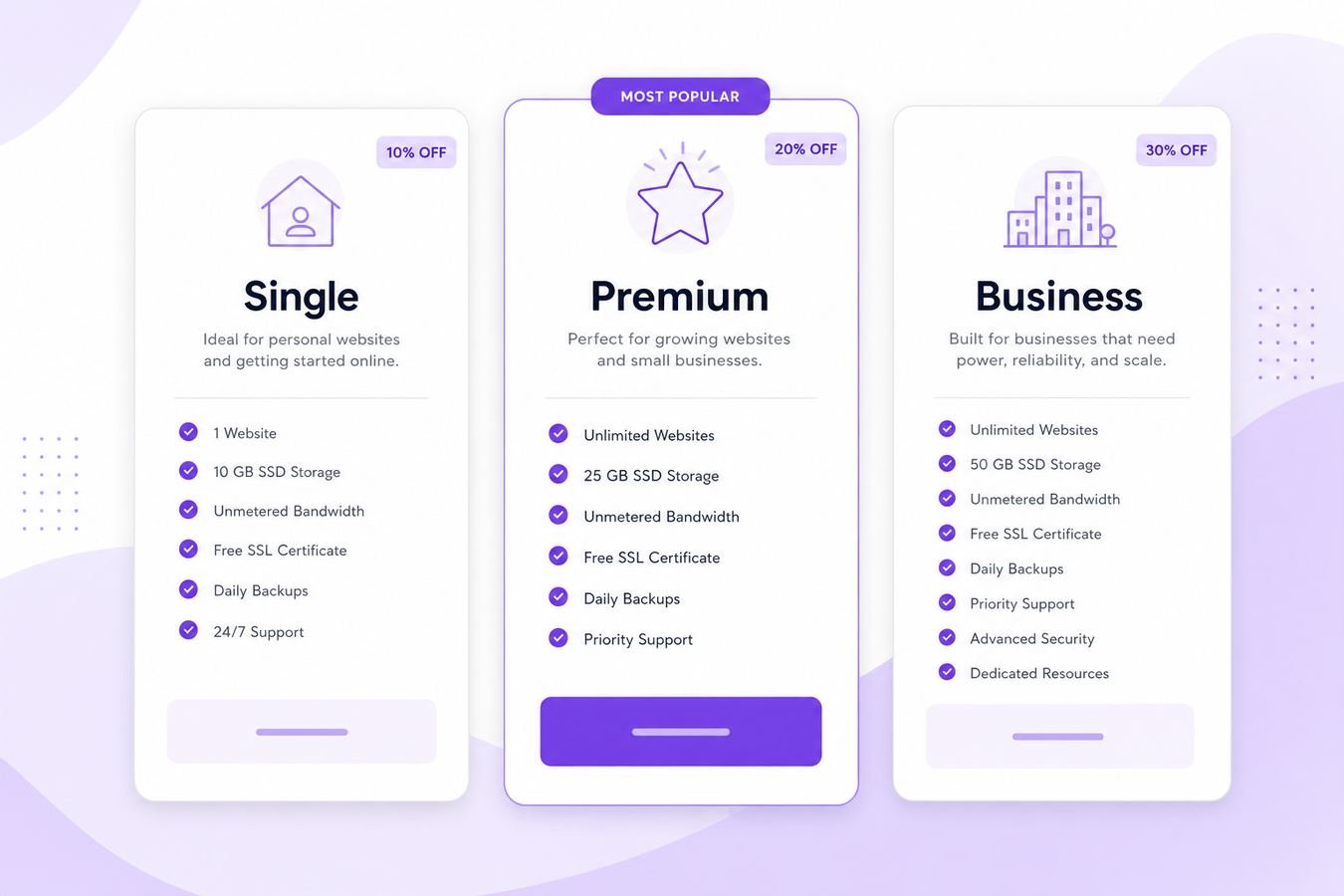
Single, Premium, and Business cover different budget and capacity needs within the same promo lineup.
Free SSL, free domain, and extras that lower real cost
Free SSL is the extra that matters most on day one, because buying a certificate separately used to be a real recurring cost for small sites. Every plan in the current lineup includes it, so HTTPS is not something a cheap WordPress hosting buyer needs to budget for separately regardless of tier.
Free domain eligibility is the second big lever on real cost, since a domain purchased elsewhere is an annual expense on its own. When it applies on your chosen term, it directly offsets part of what you are paying for hosting, which is why term length matters as much as the plan tier when you are calculating true first year cost.
Professional email under your own domain, available on Premium and Business, is another extra that would otherwise cost money through a separate provider. It is easy to overlook when comparing raw hosting prices, but it is a real line item you are not paying for elsewhere if your plan includes it.
The practical takeaway is to compare total value, not just the monthly number on the page. A plan with free domain, free SSL, and email eligibility can be cheaper in real terms than a lower priced plan missing those extras, once you add back what you would otherwise pay separately.
How Hostinger promo pricing works at checkout
Hostinger promo pricing is applied automatically on most current offers, meaning the discounted rate is usually what you see displayed on the plan page before entering any code. The discount depth is generally tied to billing term length, with longer terms showing a lower effective monthly rate during that first period.
At checkout, the order summary shows your selected term, the total charged today, any add ons you selected, and importantly, the renewal rate that applies after the promo term ends. Reading that summary line by line before entering payment details is the single most useful habit for any cheap WordPress hosting buyer.
If you want more detail on how current discount codes and checkout mechanics work specifically, our guide to Hostinger coupon and discount codes walks through exactly how the promo is applied and what to check before paying.
Once you have picked a plan and term, the fastest path to buy WordPress hosting at the live promo rate is to open the plan page directly, select your term, and review that order summary before finishing payment.
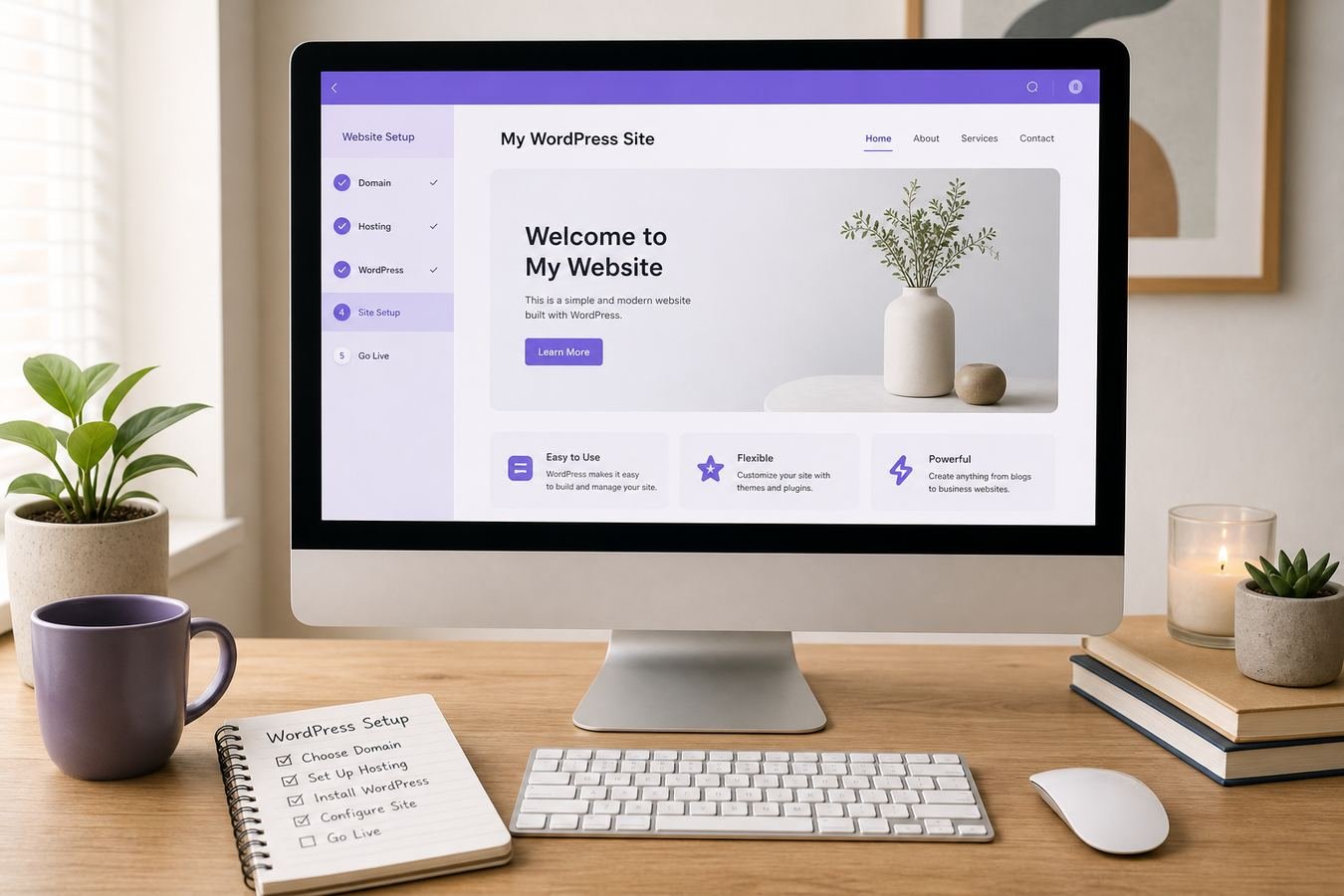
The order summary at checkout shows both today's charge and the renewal rate before you pay.
Cheap vs cheapest: picking value not just the lowest sticker
Cheapest and best value are not the same question, even though they look similar on a pricing page. The cheapest option is whichever plan and term shows the smallest number today. The best value option is whichever plan and term gets you the most usable capacity and extras per dollar over the time you actually plan to keep the site running.
A common trap is picking the absolute lowest tier and shortest term to minimize today's charge, then discovering the site needs a second website or a domain within a few months, at which point upgrading costs more in total than choosing Premium from the start would have. Cheapest today is not always cheapest over a year.
The opposite trap also happens: buying a longer term purely because the discount percentage looks bigger, on a project you are not actually sure you will keep running. A steep discount on three years is not a bargain if you abandon the site after four months.
A useful test before buying: estimate how long you realistically expect this specific site to matter to you, then pick the shortest term inside that window rather than the longest term with the biggest discount badge on the Hostinger plan page. That single habit prevents most of the value mistakes buyers make on cheap WordPress hosting decisions.
Best Hostinger plan for beginners on a budget
For most beginners, Premium is the plan that balances a tight budget against real usefulness better than Single or Business. It typically costs only a modest amount more than Single per month on matching terms, while adding free domain eligibility, multi site support, and email, which a genuinely new site owner is likely to want within the first year anyway.
If your budget is truly at its lowest possible point and you are certain you only need one small site with no domain purchase required, Single remains a reasonable and cheap WordPress hosting choice. It still includes free SSL and the same core WordPress experience, just without the multi site and domain extras Premium adds.
Business is rarely the right beginner pick purely on budget grounds. It is priced for capacity a brand new, low traffic site does not yet need, and that extra cost is better spent on a longer term of a lower tier, a theme, or a bit of marketing budget for an actual first project.
A simple rule that works for most people: start on Premium if your budget allows the small step up from Single, watch your actual usage inside hPanel for a few months, and only consider Business once real numbers, not guesses, say you need it.
Premium is the plan most beginners end up choosing once budget and real usefulness are weighed together.
Renewal pricing after the promo ends
The number that decides whether cheap WordPress hosting stays cheap over time is the renewal price, not the intro rate. Hostinger's promo pricing applies to your first billing term only, and every plan renews at a standard rate that is higher than what you paid initially.
That renewal rate is not hidden. It is shown directly on the checkout order summary before you pay, and it is also visible inside your account dashboard well before your renewal date arrives. The mistake is not that the information is unavailable, it is that buyers skip reading it in the moment of checking out.
A practical habit is to screenshot or note the renewal figure for your specific plan and term the day you buy, and set a personal reminder a month before the renewal date. That gives you time to decide whether to renew as is, switch terms, or reconsider the plan tier with a clear head rather than under a deadline.
Longer terms generally soften the renewal jump because you are locking in more time at the promo adjacent rate before the standard price applies, but they do not eliminate the increase entirely. Confirm live checkout and renewal numbers for your region and term before assuming any figure from a previous purchase still applies.
Mistakes to avoid when buying cheap WordPress hosting
The most common mistake is buying based on the monthly number shown in large text without checking whether that number reflects a short promo term. Always look at the total charged today and the separate renewal rate, since the two can differ significantly depending on the term length you select.
A second mistake is assuming free domain applies automatically. It is typically tied to eligible annual or longer terms, not every billing length, so a shorter term buyer expecting a free domain can be surprised when checkout does not include one for their selection.
A third mistake is under buying capacity to save a small amount, then hitting resource limits within a few months and paying for a rushed upgrade under pressure. Matching the plan to a realistic near term need, not just the absolute cheapest option, usually saves money over the full first year.
A fourth mistake is ignoring add ons at checkout that are easy to skip if you do not need them yet. Review each optional extra on the order page individually rather than accepting a bundled total, since some add ons can be purchased later if they turn out to be necessary.
Who should buy Hostinger promo plans and who should wait
Buy now if you have a specific site you want live this month, a domain name in mind or ready to register, and a budget that comfortably covers at least a year of hosting without strain. Cheap WordPress hosting deals are most valuable to people ready to actually use them right away.
Wait if you are still deciding on a niche, a business idea, or a domain name, and buying hosting today would just mean an account sitting unused while you figure out the rest. A promo discount on a plan you are not ready to use yet is not really a bargain, it is just an earlier expense.
Also wait, or at least pause, if you are choosing a term length purely because the discount percentage looks larger, without a real plan to keep the site running that long. It is generally better to buy a shorter term you are confident about than a longer one chosen mainly for the discount math.
If you are ready and simply narrowing down the tier, reviewing WordPress hosting plans side by side one more time, alongside this guide, is a reasonable last step before checkout.
Cheap WordPress Hosting Hostinger pros and cons
No pricing tier is perfect for every situation, so here is a straightforward look at where Hostinger's cheap WordPress hosting promo plans hold up well and where the tradeoffs show up once you look past the headline price.
Pros
- Low first term price across Single, Premium, and Business
- Free SSL included on every plan in the lineup
- Free domain eligibility on qualifying annual terms
- Simple hPanel dashboard and one click WordPress install
- Multiple website support starting from Premium
Cons
- Renewal price is higher than the promo intro rate
- Free domain not guaranteed on every billing length
- Single plan is capacity limited to one website
- Longer terms lock in commitment for a bigger discount
Cheap WordPress Hosting Hostinger FAQ
These are the most common questions people ask before buying Hostinger's cheap WordPress hosting promo plans. For a broader feature breakdown of the full lineup, see our Hostinger WordPress hosting review.
Is Hostinger actually cheap WordPress hosting or just a low intro price?
The intro price is genuinely low on longer terms, but it is a discounted first term rate, not a permanent price. Hostinger is cheap WordPress hosting in the sense that the promo rate plus included extras like free SSL beat most starter plans, as long as you check the renewal rate before buying.
Which Hostinger plan is the cheapest for WordPress?
Single is typically the cheapest Hostinger plan and covers one WordPress website with free SSL included. It is a reasonable starting point for a single small site, though Premium is often better value once you add free domain eligibility and multi site support into the comparison.
Do Hostinger promo plans include a free domain?
A free domain for the first year is commonly available on eligible annual terms on Premium and Business, and sometimes on Single depending on current offer structure. Free domain eligibility is not guaranteed on every billing length, so confirm it on the order summary before paying.
Is free SSL included on every Hostinger WordPress hosting plan?
Yes, free SSL is included across the Single, Premium, and Business plans, so HTTPS is not something you need to buy separately regardless of which cheap WordPress hosting tier you choose from Hostinger's current lineup.
Will my Hostinger price go up after the promo period ends?
Yes. Every Hostinger plan renews at a standard rate that is higher than the discounted intro price shown at checkout. The exact renewal figure is displayed on the order summary before you pay, so review it there instead of assuming the promo rate repeats.
Is the cheapest Hostinger plan good enough for a beginner?
For a single small site with modest traffic, the cheapest Single plan is usually good enough. Beginners planning more than one site, or wanting free domain eligibility bundled in, often find Premium a better overall value despite the slightly higher price.
How long does a Hostinger promo discount usually last?
The discount applies to your first billing term only, and the depth of the discount often depends on how long that term is. Longer terms tend to show a larger percentage off the monthly rate, but the discount itself does not extend past that first term.
Can I switch to a cheaper Hostinger plan later if I overbought?
Plan changes within the same Hostinger account are generally possible, though moving down a tier is less common and more limited than upgrading. It is usually easier to start on the plan that matches your current needs than to plan on downgrading later.
Does buying a longer term make Hostinger cheaper overall?
Longer terms typically show a lower effective monthly rate during the promo period, which lowers your per month cost while that term runs. It does not lower the renewal rate, so a longer term is a bet that you will keep the site running past the intro period anyway.
Final verdict: is Hostinger worth it for cheap WordPress hosting
For most beginners and small site owners, Hostinger's promo plans deliver real value on the cheap WordPress hosting search, not just a low number on a landing page. Free SSL across the lineup, free domain eligibility on eligible terms, and a straightforward setup process add up to more than the sticker price suggests once you count what you would otherwise pay separately.
Premium is the sensible default for most beginners weighing budget against usefulness, Single remains a fair choice for a single small site on the tightest possible budget, and Business is worth its higher price only once real traffic or storage needs justify it. None of that changes the core fact that the renewal price, not the intro price, is what determines whether this stays a good deal for you long term.
If you want a deeper look at current discount mechanics before you buy, our guide to Hostinger coupon and discount codes covers exactly how checkout pricing is applied, and our Hostinger Premium vs Business comparison goes deeper if you are choosing between those two specific tiers.
The honest bottom line: Hostinger is worth it for cheap WordPress hosting when you buy the plan that matches your actual site today, confirm the renewal rate before you pay, and treat the promo price as a genuine first term discount rather than a permanent number.