Which Hostinger WordPress hosting plan should you buy?
Best Hostinger WordPress Hosting Plans is the decision most people are actually making before they open a checkout page: out of Single, Premium, and Business, which one should you buy today. Hostinger WordPress hosting is built around those three tiers, and the right pick depends far less on which plan sounds most impressive and far more on what your specific site needs this month.
This guide walks through each plan on its own, compares all three side by side, and gives direct guidance for beginners, freelancers, and small business owners trying to buy WordPress hosting without overpaying for capacity they will not use. It also covers free SSL, free domain eligibility, promo pricing, renewals, and the mistakes that lead people to pick the wrong tier in the first place.
If you already know the general Hostinger feature set and just want the plan decision made clearly, keep reading. If you want the broader picture first, our full Hostinger WordPress hosting review covers setup, performance, and support in more depth than this plan focused guide does.
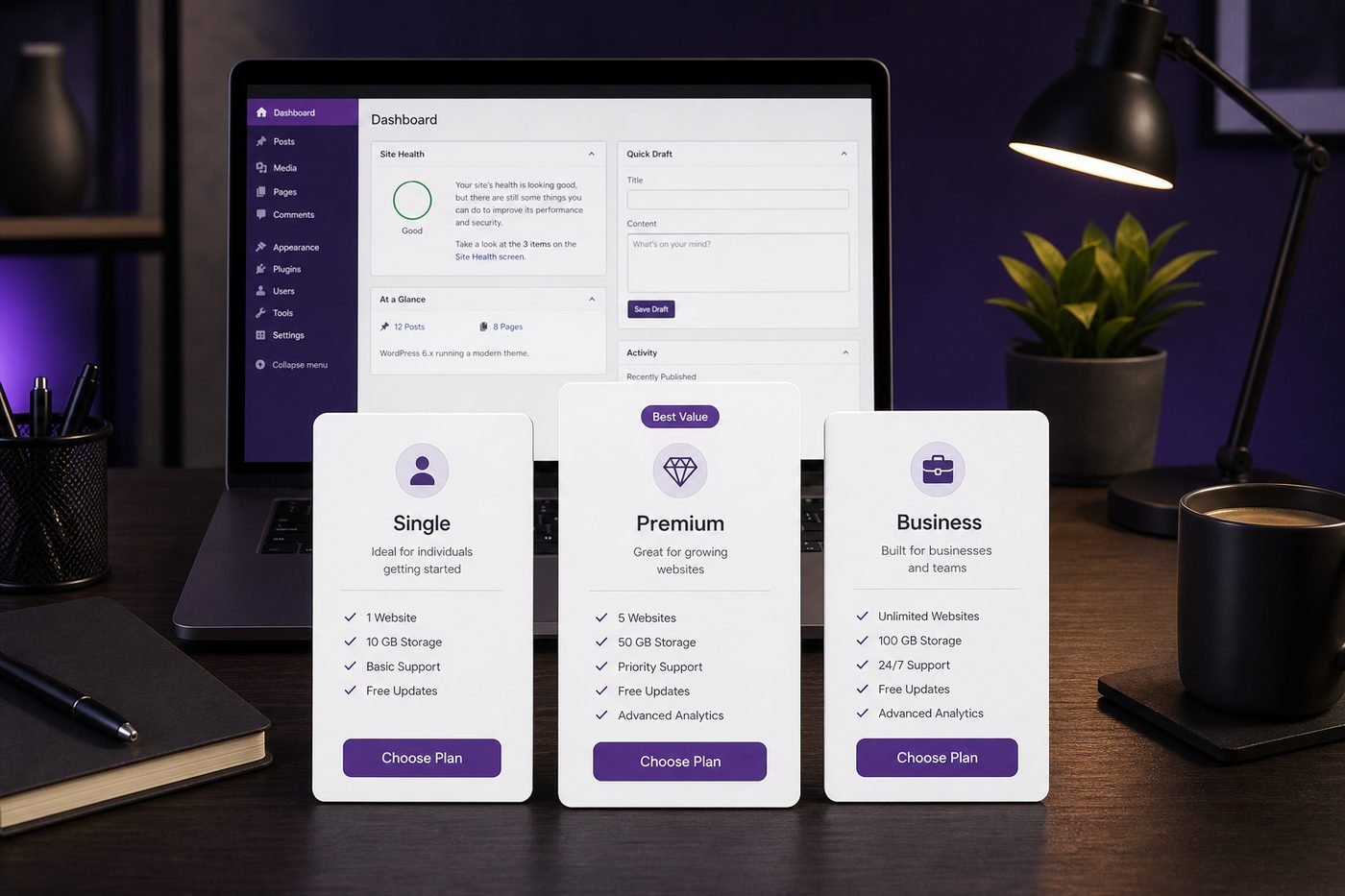
Single, Premium, and Business share the same WordPress foundation, but capacity and extras set them apart.
Who these Hostinger WordPress hosting plans fit
This guide is written for people who have already decided to host on Hostinger and now need to pick a specific tier, rather than people still comparing hosting companies broadly. If you are earlier in that process, our best WordPress hosting overview is a better starting point before narrowing down to one provider's plans.
You are in the right place if you are a beginner launching a first blog, portfolio, or small business site and want a clear answer instead of guessing between three similar sounding names. You are also in the right place if you already run a small site and are wondering whether it has outgrown its current plan.
This is not written for large agencies managing dozens of client accounts or stores with heavy daily order volume that likely need dedicated resources beyond any shared plan. Those cases are covered in more depth in our dedicated Hostinger Premium vs Business comparison.
One honest note before the details: plan names, included storage, and bundled extras can be updated by Hostinger over time. Treat the specifics here as an accurate current snapshot, and confirm live details on the plan page before you buy WordPress hosting.
Hostinger Single plan: when it is enough
The Single plan is the entry point of the lineup and the cheapest way into Hostinger WordPress hosting. It is built around one website, includes free SSL, and gives a beginner enough room for a normal amount of pages, images, and modest monthly traffic without paying for multi site support that a first project usually does not need.
Single is enough when your plan is genuinely one site, you are not planning a second project in the near term, and your budget is the deciding factor over extra headroom. A personal blog, a simple portfolio, or a one page business site for a local service all fit comfortably within what Single provides.
Single stops being enough the moment you want a second website, need free domain eligibility bundled into your term, or expect traffic that regularly pushes toward the upper end of a shared hosting allowance. At that point the price gap to Premium is often small enough that starting there directly saves you an upgrade step later.
A simple test before choosing Single: if you can answer yes to "just one site, right now, on the smallest reasonable budget," it is a sound pick. If you are unsure whether a second site or a domain purchase is coming within the next year, Premium is usually the safer default.
Hostinger Premium plan: the best pick for most buyers
The Hostinger Premium plan sits one step above Single and is where the value proposition shifts noticeably. It typically supports many websites on a single account, adds free domain eligibility on qualifying annual terms, includes professional email under your own domain, and moves backups to a weekly schedule.
For most beginners, freelancers, and small business owners, Premium is the best pick precisely because the step up in price from Single is usually modest compared to what it adds. Free domain eligibility alone offsets a real annual cost most site owners would otherwise pay a separate registrar for.
Premium also removes the single site ceiling. If you ever want a second project, a landing page for a promotion, or a demo site for a client, having room for multiple websites under one login and one renewal date is a meaningful convenience that Single simply does not offer.
The tradeoff is a slightly higher price than Single and a resource ceiling that, while comfortable for most sites, is lower than Business. For the vast majority of new and small WordPress hosting buyers, that tradeoff is easily worth it, which is why Premium is consistently the plan most people should buy WordPress hosting on by default.
Hostinger Business plan: when you need more power
The Hostinger Business plan keeps the same broad website count allowance as Premium but raises storage and resource headroom further, and moves backup frequency from weekly to daily. That daily cadence is the single biggest practical difference, shrinking the potential data loss window from up to a week down to about a day.
Business earns its higher price once a site's real usage justifies the extra capacity. A clear signal is steady, growing traffic that pushes close to Premium's resource ceiling, or an early WooCommerce store where order data and customer records make daily backups genuinely valuable rather than a nice to have.
Agencies and freelancers managing several active client sites under one account also tend to benefit from Business, since more storage headroom means less juggling of media libraries, and daily backups reduce operational risk across multiple properties sharing the same infrastructure.
Business is rarely the right first purchase for a brand new, low traffic site. It is priced for capacity that project does not need yet, and the extra spend is usually better redirected toward design, content, or marketing until real numbers, not guesses, say the upgrade is warranted.
Best Hostinger WordPress hosting plans side by side
Numbers are easier to weigh in one place, so here is a direct side by side look at how Single, Premium, and Business typically compare once the marketing language is stripped away and you are left with what each plan is actually built for.
| Feature | Single | Best pick Premium | Business |
|---|---|---|---|
| Websites supported | 1 website | Up to 100 websites | Up to 100 websites |
| Free SSL | Included | Included | Included |
| Free domain eligible | Depends on term | Yes on eligible annual terms | Yes on eligible annual terms |
| Professional email | Not included | Included | Included |
| Backup frequency | Basic | Weekly | Daily |
| Storage and resources | Entry level | Comfortable headroom | Highest headroom |
| Best for | One small first site | Beginners, freelancers, small business | Stores, agencies, busier sites |
Exact storage figures and included extras can change. Confirm current specifications on the live Hostinger plan page before you buy.
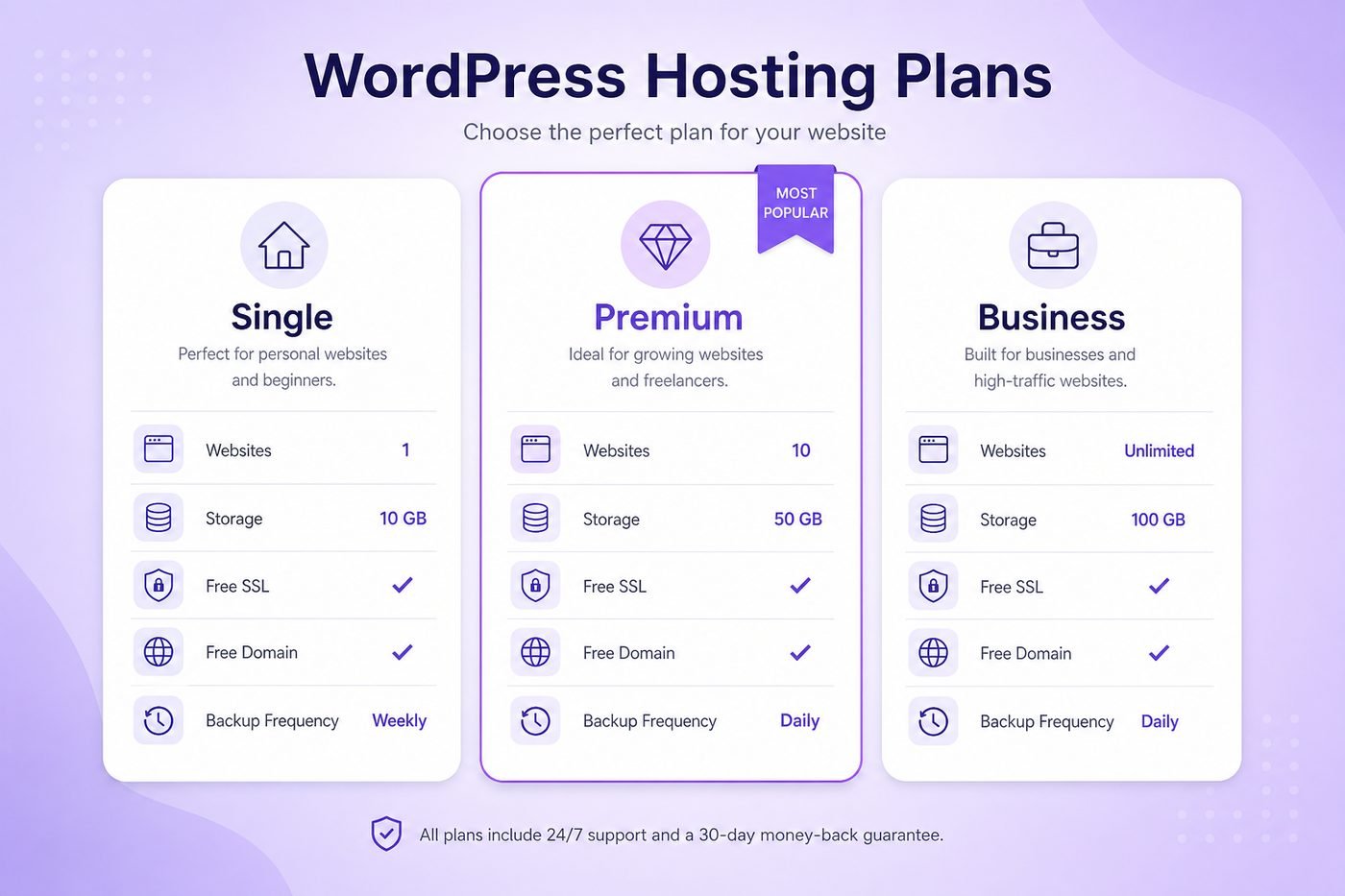
Free SSL is consistent across every tier. The real differences are capacity, email, and backup frequency.
Free SSL, free domain, and extras that change plan value
Free SSL is included across Single, Premium, and Business, so HTTPS is not a factor that should sway your decision between tiers, it is a shared baseline. Where plan value actually diverges is free domain eligibility, professional email, and how much storage and backup frequency you get for the price.
Free domain eligibility is typically tied to annual or longer terms rather than every billing length, and it applies to more of the lineup than people assume. A domain purchased separately is a real annual cost, so when it applies on your chosen term, it directly offsets part of what you pay for hosting.
Professional email under your own domain, available on Premium and Business, is another extra worth counting into plan value. It is easy to overlook next to raw storage numbers, but it is a real line item you are not paying a separate provider for if your plan includes it.
The practical takeaway is to compare total value rather than the sticker price alone. A plan that includes free domain, email, and a longer backup window can be a better deal in real terms than a cheaper plan missing those extras, once you add back what you would otherwise pay elsewhere.
How to choose the best plan for your WordPress site
Start with a simple count: how many websites do you actually need hosted right now, not someday. One site with no near term plan for a second points toward Single. Any real possibility of a second project within the next year points toward Premium, since the price gap is usually small compared to the flexibility gained.
Next, look at your content type and expected traffic. A text and image heavy blog or small business site with steady, moderate visitors is well matched to Premium. A store taking orders daily, or a site with a large and growing media library, is better matched to Business for the storage headroom and daily backup coverage.
Then check what you actually need beyond hosting itself. If you need a domain and you have not registered one yet, free domain eligibility on an annual Premium or Business term can offset that cost directly. If you already own a domain, that particular factor matters less in your decision.
Finally, be honest about your commitment level. If you are testing an idea and not sure it will stick, a shorter term on a matching plan is smarter than a long term on a bigger plan chosen mainly for the discount badge. You can always upgrade your Hostinger plan later once real usage tells you it is time.
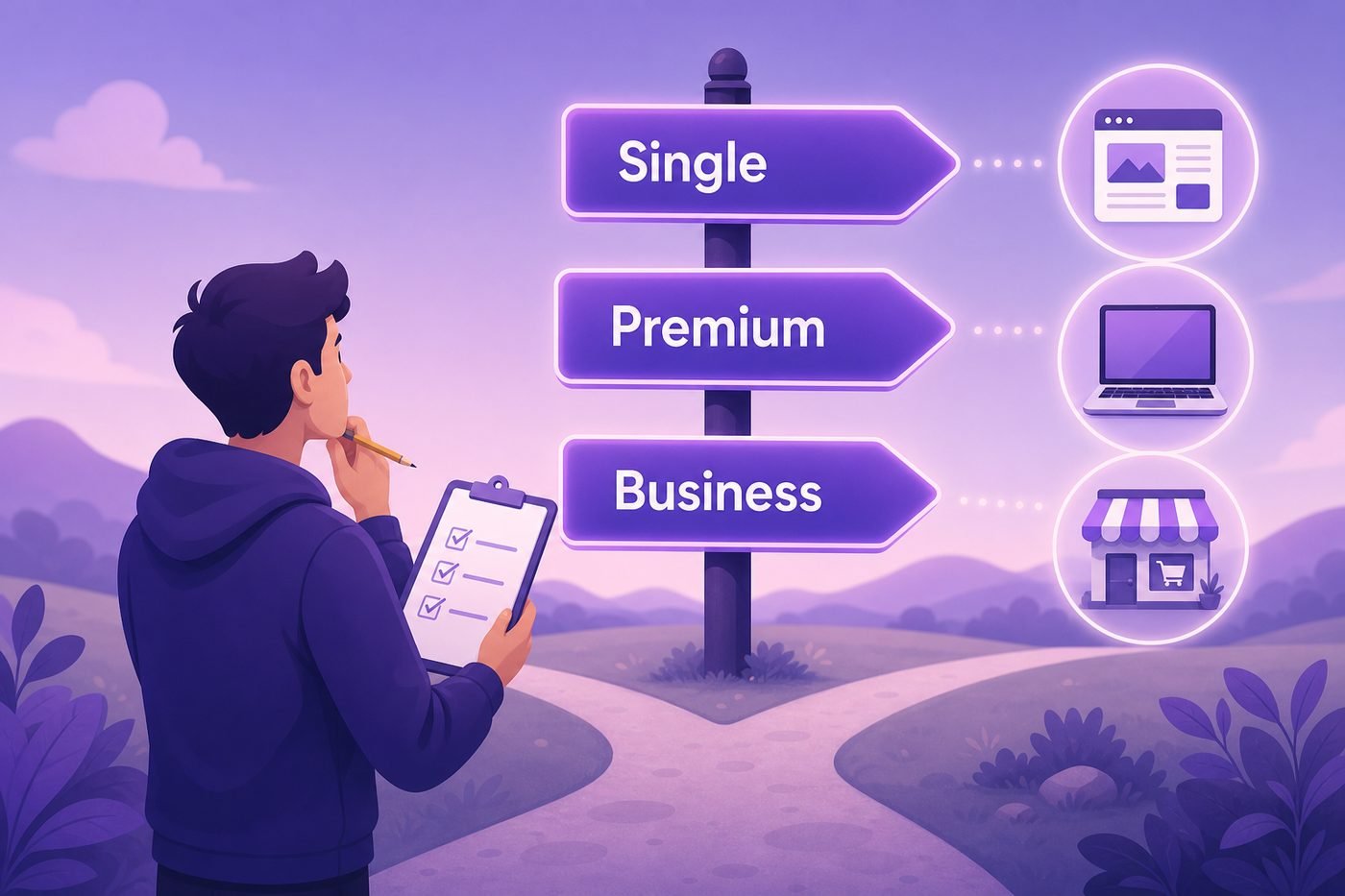
Matching the plan to your actual site count and content type beats guessing based on price alone.
Promo pricing and renewals when you buy WordPress hosting
Hostinger's promo pricing is generally applied automatically on the plan page, meaning the discounted rate is usually what you see displayed before entering any code. Discount depth is typically tied to billing term length, with longer terms showing a lower effective monthly rate during that first period.
At checkout, the order summary shows your selected term, the total charged today, any add ons you selected, and the renewal rate that applies once the promo term ends. Reading that summary line by line before entering payment details is the single most useful habit for anyone about to buy WordPress hosting.
The renewal price, not the intro price, is what determines whether your chosen plan stays a good deal over time. Every tier in this lineup renews at a standard rate higher than its discounted first term price, and that figure is always visible on the order summary and inside your account dashboard well before renewal.
If you want more detail on how current discount codes and checkout mechanics work, our guide to Hostinger coupon and discount codes walks through exactly how the promo is applied and what to confirm before paying.

Confirm the live checkout total and renewal rate before you finish payment on any plan.
Best plan for blogs, freelancers, and small business
Bloggers publishing regularly on a single site are usually well served by Single if the budget is the top priority, or by Premium if a domain purchase or a future second blog is part of the plan. The content itself, mostly text and images, rarely stresses either plan's resource allowance.
Freelancers building a personal portfolio plus one or two demo pages for prospective clients tend to fit Premium best. Multi site support means those extra demo pages do not require separate hosting purchases, which keeps early costs lower while a client base is still being built.
Small business owners running a marketing site, a local service page, or a simple booking page also tend to land on Premium. Typical small business traffic and content demands rarely require Business level headroom on day one, and the savings can go toward design or marketing instead.
Small business owners already running an active online store, or a service business with steady daily traffic, are the clearer case for Business, since daily backups and extra storage directly reduce operational risk once a site is doing real business rather than just getting started.
Common mistakes picking Hostinger WordPress hosting plans
The most common mistake is buying the absolute cheapest plan and shortest term to minimize today's charge, then discovering within months that a second site or a domain purchase is needed, at which point upgrading costs more in total than starting on Premium would have.
A second mistake is assuming free domain applies automatically regardless of term length. It is typically tied to eligible annual or longer terms, so a shorter term buyer expecting a free domain can be surprised when checkout does not include one for their specific selection.
A third mistake is buying Business purely because it sounds more capable, without checking whether the current site would ever use the extra storage or the daily backup cadence. Paying for headroom that sits unused for a year is an avoidable expense, not a safety net.
A fourth mistake is ignoring the renewal price entirely and focusing only on the discounted total shown today. Confirm the renewal figure for the specific plan and term you are choosing on the Hostinger order summary before you pay, not after your first renewal date arrives.
Best Hostinger WordPress Hosting Plans pros and cons
No single plan is the right answer for every situation, so here is a straightforward look at where this lineup holds up well and where the tradeoffs show up once you look past the plan names themselves.
Pros
- Free SSL included across Single, Premium, and Business
- Free domain eligibility on qualifying annual terms
- Clear upgrade path within the same account and login
- Premium balances price and usefulness well for most buyers
- Business offers daily backups for genuinely growing sites
Cons
- Renewal price is higher than the promo intro rate
- Free domain not guaranteed on every billing length
- Single plan is capacity limited to one website
- Business is overkill for most brand new, low traffic sites
Best Hostinger WordPress Hosting Plans FAQ
These are the most common questions people ask before choosing between Single, Premium, and Business. For a full feature by feature breakdown, see our Hostinger WordPress hosting review.
Which Hostinger WordPress hosting plan is the best to buy?
For most buyers, Premium is the best Hostinger WordPress hosting plan because it balances price against real usefulness, adding multi site support and free domain eligibility over Single without the extra cost of Business. Single is best for one small site on the tightest budget, and Business is best once traffic or storage needs actually justify it.
What is the difference between Hostinger Single, Premium, and Business plans?
Single supports one website with a lower storage allowance, Premium supports multiple websites with more storage and weekly backups, and Business raises storage further while moving backups to a daily schedule. All three include free SSL and one click WordPress installation as a shared foundation.
Is the Hostinger Premium plan enough for a small business site?
Yes, for most small business sites with a normal amount of pages, images, and steady but not extreme traffic, Premium is enough. Businesses running an active store with daily orders or a large media library are usually better matched to Business instead.
Do all Hostinger WordPress hosting plans include free SSL?
Yes, free SSL is included across Single, Premium, and Business, so HTTPS is not something you need to purchase separately regardless of which plan you choose from the current lineup.
Is a free domain included with every Hostinger WordPress hosting plan?
A free domain for the first year is commonly available on eligible annual or longer terms across the lineup, not on every billing length. Free domain eligibility should always be confirmed on the order summary at checkout before you pay.
Which Hostinger plan is best for a beginner on a budget?
Single is the cheapest entry point and works for one small first site, but Premium is usually the better value for beginners once free domain eligibility and multi site support are counted, since the price difference is often modest.
Will my Hostinger WordPress hosting plan price increase after renewal?
Yes. Every Hostinger plan renews at a standard rate higher than the discounted intro price shown at checkout. The exact renewal figure is displayed on the order summary before you pay, so review it there rather than assuming the promo rate repeats.
Can I upgrade my Hostinger WordPress hosting plan later?
Yes. Upgrading from Single to Premium, or Premium to Business, inside the same account is generally straightforward and preserves your existing WordPress installs and domains, so starting on a matching plan and upgrading later is a reasonable strategy.
Is Hostinger Business worth buying for a growing blog or store?
Business becomes worth its higher price once a blog or store has real traffic, a large media library, or order data where daily backups meaningfully reduce risk. For a brand new or low traffic project, that extra cost is usually better spent elsewhere for now.
Final verdict: which Hostinger WordPress hosting plan to buy
After comparing what each tier actually includes, the verdict is straightforward for most people searching for the best Hostinger WordPress hosting plans. Premium is the sensible default for beginners, freelancers, and small business owners, since the step up from Single is usually modest while the added free domain eligibility, email, and multi site support cover what a real project needs within its first year.
Single remains a fair choice if you are certain your budget needs to be as low as possible and you genuinely only need one small site with no domain purchase required. Business is worth its higher price once a site already has real traffic, an active store, or storage needs that Premium's ceiling cannot comfortably absorb, and that decision should be based on actual usage rather than a guess about the future.
Whichever tier fits your project, confirm the live price and renewal rate at checkout, since both can change over time. Our cheap WordPress hosting Hostinger guide digs deeper into promo pricing if budget is your top constraint, and our WordPress hosting hub has more comparisons if you want a broader view before checkout.
The honest bottom line: the best Hostinger WordPress hosting plan is the one that matches your actual site today, not the one with the most features on paper. Buy WordPress hosting based on your current site count, content type, and comfort with the term length, and treat the upgrade path as the safety net it is designed to be.