Managed WordPress hosting Hostinger: what buyers actually get
Managed WordPress Hosting Hostinger means Hostinger runs the server side work for your WordPress site so you can focus on pages, posts, and design instead of server setup. On the Single, Premium, and Business plans you get one click WordPress install, free SSL, an hPanel dashboard built for WordPress, platform security updates, and scheduled backups, which is the practical difference most beginners are looking for when they search for managed hosting.
If your question is which plan to buy, start here: choose Single for one small site on the lowest budget, choose the Hostinger Premium plan if you want more than one website plus free domain eligibility on qualifying annual terms, and choose the Hostinger Business plan when you need more storage headroom and daily backups for a busier site or store. Confirm the live price and renewal rate at checkout before you pay, since promo rates apply to the first term only.
Still deciding after that short plan pick? Keep reading for what Hostinger manages for you day to day, what you still handle yourself on plugins and content, and a closer look at Single, Premium, and Business for managed WordPress sites. For a wider feature walkthrough after you choose a tier, see our Hostinger WordPress hosting review. That review covers setup, speed notes, and support in more depth once your plan choice is clear.
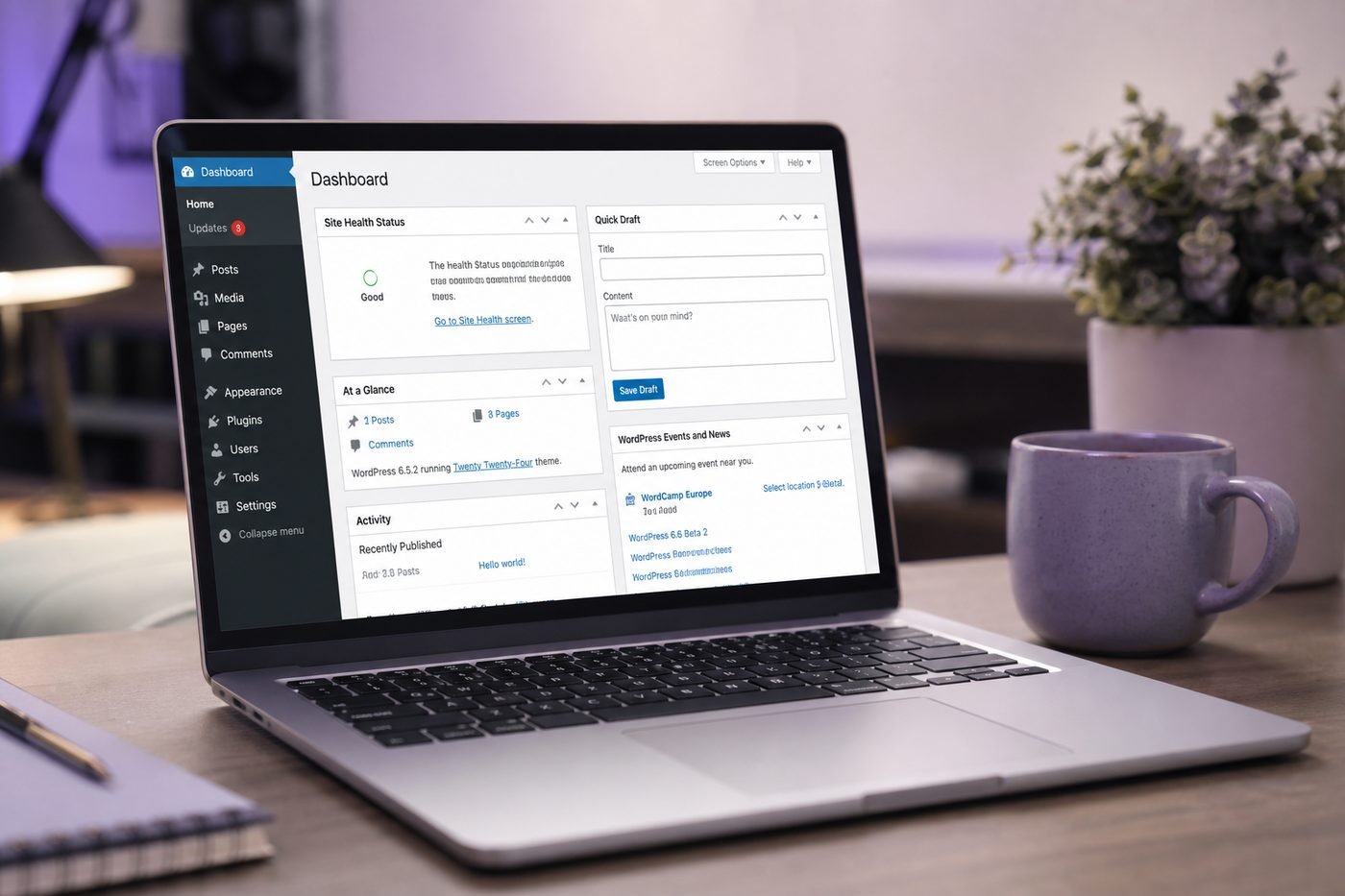
Hostinger positions Single, Premium, and Business as managed WordPress hosting, not bare server hosting you configure yourself.
Is Hostinger managed WordPress hosting
Yes, in the sense most beginners care about. Hostinger managed WordPress hosting means the platform handles server configuration, core software setup, and a meaningful chunk of ongoing maintenance, so you are not manually patching a raw server the way you would on unmanaged infrastructure or a self administered virtual machine.
It is worth being precise about what managed means in this specific context, since the word gets used loosely across the hosting industry. On Hostinger, managed does not mean a staff member personally edits your theme files or hand tunes your database for you. It means the platform layer, the control panel, and the WordPress specific tooling are pre configured so a beginner can launch a working site without touching server configuration files at all.
That is a lighter definition of managed than boutique fully managed WordPress hosting from specialist providers that charge considerably more and offer hands on staging environments and proactive plugin audits. Hostinger sits in a middle position, more hands off than a bare server, less hands on than premium managed specialists, and priced closer to shared hosting rates than to those boutique tiers, which is exactly why checking current plan pricing directly matters before you compare it against pricier alternatives.
What managed WordPress hosting includes on Hostinger
The practical management extras are what actually matter to a buyer, more than the label printed on the plan page. On Hostinger, that starts with one click WordPress install, so a site can go from an empty account to a working WordPress dashboard in a few minutes rather than requiring a manual software installation process.
Beyond the initial install, the management layer on Hostinger WordPress hosting plans typically covers a consistent set of tasks across Single, Premium, and Business:
- Core server setup and configuration handled before you ever log in
- Free SSL applied automatically so HTTPS works without a separate certificate purchase
- Security patching at the platform and server level, not left to the site owner
- hPanel, a dashboard built specifically to manage WordPress without command line work
- Backup routines that run on a schedule rather than requiring manual triggers
What does not come bundled at this price point deserves an honest mention too. Plugin updates, theme choices, and content decisions remain entirely on the site owner, and support generally focuses on hosting and platform issues rather than custom WordPress development work. Setting that expectation correctly upfront avoids disappointment for anyone picturing a fully hands on service.
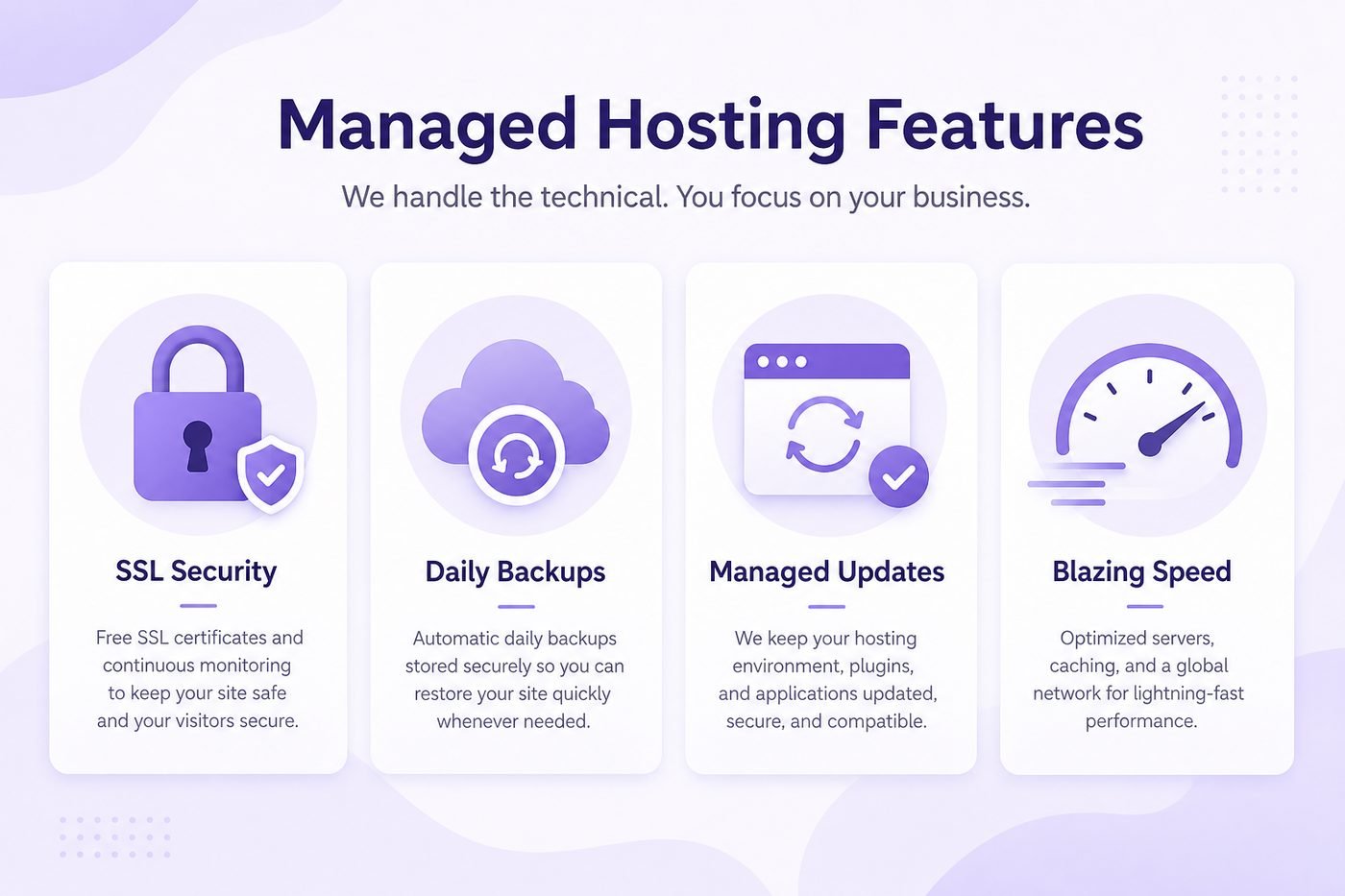
One click install, free SSL, security patching, and scheduled backups are the core managed extras across every plan tier.
Best Hostinger plans for managed WordPress hosting
Once the management basics are clear, the real decision is which plan tier fits the project in front of you. All three plans, Single, Premium, and Business, share the same managed foundation described above, so the differences that matter most are website limits, resource headroom, and backup frequency rather than whether management exists at all.
Comparing current plan details directly on the order page is the most reliable way to confirm limits, since specifications can be adjusted over time and this guide intentionally avoids locking in numbers that might already be outdated by the time you are reading it.
| Managed feature | Single | Best pick Premium | Business |
|---|---|---|---|
| Websites managed | 1 website | Up to 100 websites | Up to 100 websites |
| One click WordPress install | Included | Included | Included |
| Free SSL | Included | Included | Included |
| Free domain eligible | Depends on term | Yes on eligible annual terms | Yes on eligible annual terms |
| Backup cadence | Scheduled | Scheduled | Daily on most terms |
| Best fit | One simple first site | Beginners, freelancers, small business | Stores and busier sites |
Exact limits and inclusions can change. Confirm current specifications on the live Hostinger plan page before you buy.
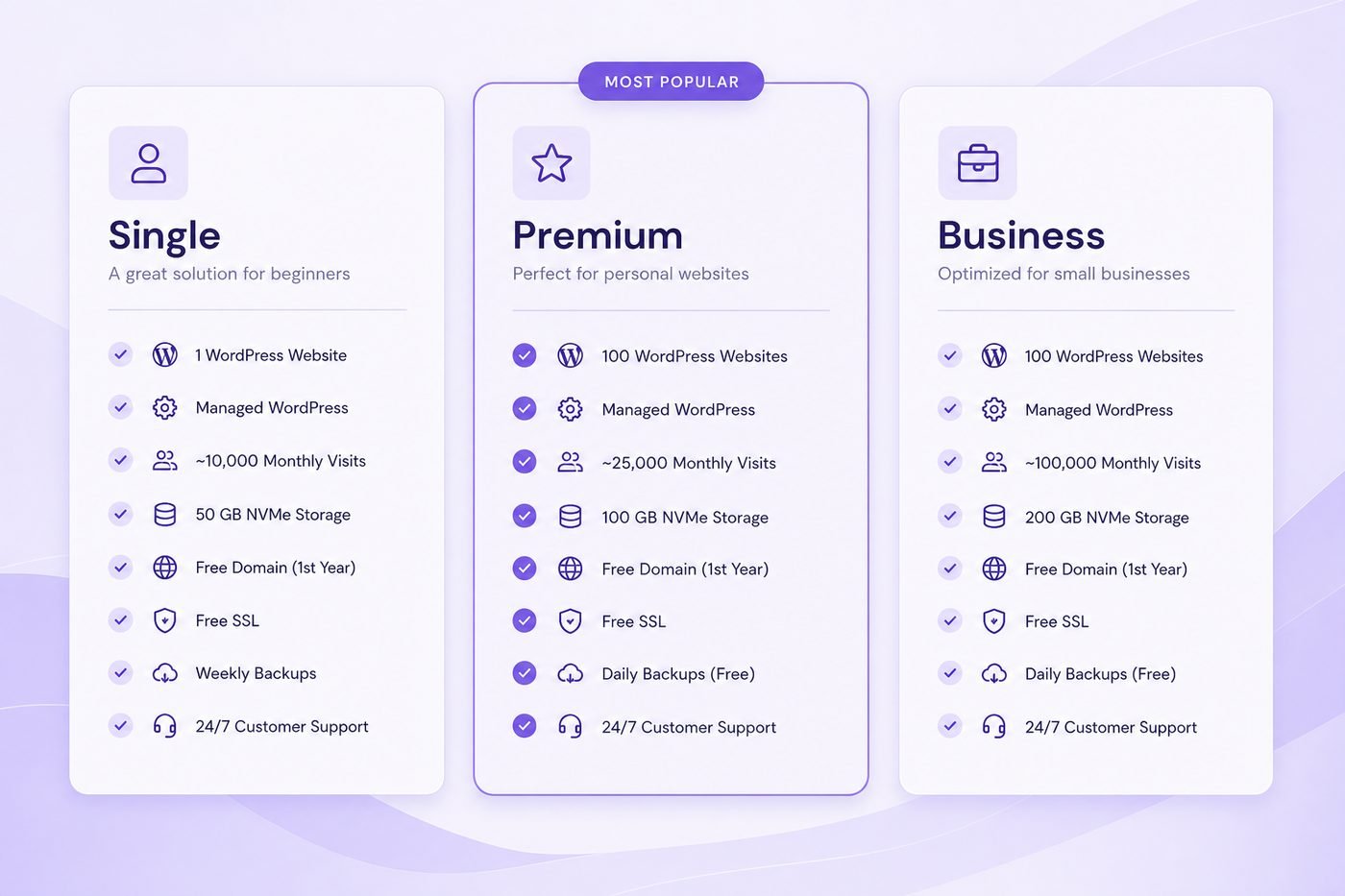
All three plans share the same managed foundation, but website limits and backup cadence separate them.
Single plan for simple managed WordPress sites
The Single plan is the entry point into Hostinger WordPress hosting, built around exactly one website, with free SSL included by default and the same one click WordPress install as the higher tiers. For a genuinely simple project, a personal blog, a portfolio, or a single landing page, it delivers the full managed foundation without paying for headroom you do not need yet.
It is a fair choice for beginners who want the lowest entry cost into managed hosting and are confident they will not need a second website or professional email under their own domain in the near term. The tradeoff is straightforward: if your plans expand even slightly beyond one site, you will likely outgrow Single faster than the other tiers.
Single still qualifies as real managed WordPress hosting rather than a stripped down alternative. The management layer, security patching, and backup scheduling described earlier apply here just as they do on Premium and Business, only the website count and some resource limits are more modest. Reviewing the current Single plan specifications directly on the order page is worth doing before you commit, since exact storage and bandwidth figures can shift over time.
Hostinger Premium plan: best managed pick for most buyers
The Hostinger Premium plan is the tier most beginners, freelancers, and small business owners land on once they weigh the managed extras against the price step up from Single. It typically adds support for multiple websites, free domain eligibility on eligible annual terms, and professional email, while staying close in price to the base plan.
Premium fits well if you want to host more than one WordPress site eventually, if a bundled domain genuinely matters to your budget, or if email under your own domain is something you plan to use for a small business or freelance brand. Freelancers building a portfolio alongside a couple of demo sites for prospective clients are a typical fit here.
Premium is less necessary if you are certain you will only ever run one very simple site with no email requirement and no interest in a bundled domain. In that narrow case, Single may save a small amount without costing you anything you would have actually used day to day.
Hostinger Business plan when managed sites need more power
The Hostinger Business plan targets a different buyer than Premium even though both sit under the same managed foundation. It generally increases storage headroom, strengthens backups to a daily cadence, and suits sites with more consistent traffic or more plugins and media than a starter blog typically carries.
Consider Business if you are running an early stage WooCommerce store, a content site publishing frequently with a growing media archive, or several client installs where daily backups meaningfully reduce risk. If your current site is small, new, and low traffic, Business is not a mistake, but it is also not required yet.
A reasonable pattern is to start on Premium, monitor real resource usage inside hPanel as the site grows, and upgrade to Business later once the numbers, not guesses, justify the higher tier. For a deeper side by side breakdown of exactly where that line sits, our Hostinger Premium vs Business comparison covers the tradeoffs in more detail.
Free SSL, free domain, and managed extras that change value
A managed label only tells part of the story. What actually raises the real value of managed WordPress hosting is what gets bundled alongside the platform work. Free SSL is the most universal extra, included across the lineup, so your site can run on HTTPS from launch day without buying a certificate separately.
Free domain eligibility is the extra that moves the needle most for new buyers, since domain registration is a real annual cost you would otherwise pay elsewhere. It is generally tied to eligible annual Premium and Business terms rather than every plan or every billing length, so it deserves a direct check on the order summary instead of an assumption that it automatically applies to your selection.
Beyond SSL and domain coverage, backup frequency and included professional email do not always get top billing in marketing banners, yet they materially change how much value the managed price actually delivers. A plan with a slightly higher price that includes a free domain and daily backups can genuinely beat a cheaper option that includes neither.
Support access rounds out the list of extras worth weighing alongside the discount itself. All three plans include 24/7 support, which matters more than it sounds once something breaks late on a weekend and you need a response rather than a ticket sitting untouched until Monday. Checking the current support and extras list for your exact plan before you buy avoids assuming a feature applies when it is actually tier specific.
How to start managed WordPress hosting on Hostinger
Starting is simpler than most beginners expect, mainly because the management layer is already configured by the time you reach the dashboard. Start from a current plan page so you can see accurate pricing and inclusions before you commit to a term.
From there, pick the plan tier that matches your project honestly, choose a billing term you are genuinely comfortable committing to, and register or connect a domain during the same flow if you want to try for free domain eligibility. Review the order summary carefully before entering payment details, paying attention to the total charge, the renewal price listed below it, and any extras marked included for your exact term.
- Open a current plan page to confirm managed features and pricing.
- Pick Single, Premium, or Business based on how many sites you plan to run.
- Select a billing term that matches your real budget and commitment comfort.
- Connect or register your domain during checkout for possible free domain eligibility.
- Read the order summary total and renewal price before entering payment details.
- Complete checkout, then use the one click WordPress install from hPanel right away.
If you are ready to buy WordPress hosting today, that final step is where you complete payment and receive account access. Beginners can usually have a basic managed WordPress site live within about fifteen minutes of finishing the order.
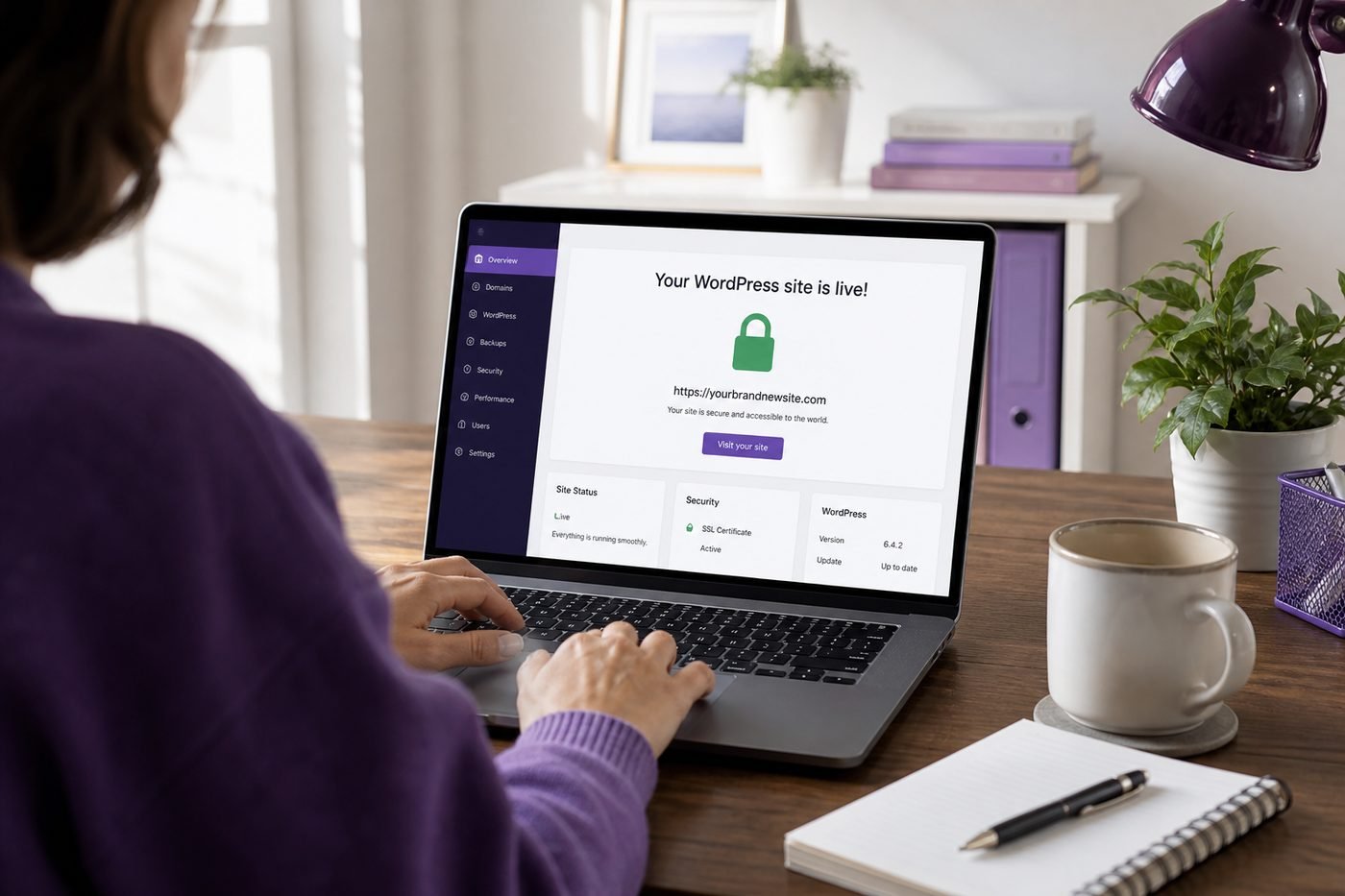
A managed WordPress site can typically go live within about fifteen minutes of completing checkout.
Pricing and renewals for managed WordPress hosting Hostinger
Pricing for managed WordPress hosting on Hostinger is live checkout pricing rather than a fixed number that stays the same across every visit. The rate shown on the plan page reflects your selected term at that moment, so it is worth confirming the current figure directly rather than relying on a price quoted in an older article.
The renewal price is the part worth reading slowly. Your first billing term is typically discounted, and once that term ends, Hostinger renews the plan at its standard rate, which is higher than the initial price, sometimes by a wide margin depending on how deep the original discount was. This pattern is close to universal across the hosting industry, not unique to one provider.
The renewal figure is shown directly on the checkout order summary, typically right below the discounted total you are about to pay today, and it also appears inside your account dashboard well before the renewal date arrives. If you specifically want to understand how current percentage based offers work at checkout, our guide to WordPress Hosting 20% Off covers that mechanic in more depth.
Who should buy managed WordPress hosting on Hostinger
Managed WordPress hosting on Hostinger fits beginners launching a first site who want the server side work handled without paying for a boutique fully managed provider. It also fits freelancers, small business owners, and bloggers who value one click WordPress install, hPanel, and scheduled backups more than granular server control.
It is a weaker fit for developers who specifically want raw server access, custom software stacks, or full root control, since the managed layer intentionally limits how deep you can reach into server configuration. If budget is the dominant factor in your decision rather than the management layer itself, our breakdown of cheap WordPress hosting Hostinger plans looks at that angle specifically.
A simple test: if the idea of touching a command line or editing a server configuration file sounds unappealing rather than exciting, managed WordPress hosting on Hostinger is very likely the right category for you, and the remaining decision is only which plan tier matches your project size.
Agencies and consultants managing several small client sites often land here too, since hPanel makes it realistic to oversee a handful of separate WordPress installs without hiring dedicated server administration help. The tradeoff is the same one covered earlier: deep custom server tuning is not part of the package, so a client project with unusual infrastructure requirements may still need a different hosting category entirely.
Managed WordPress Hosting Hostinger pros and cons
No hosting setup is without tradeoffs. Here is a direct breakdown of where managed WordPress hosting on Hostinger genuinely helps, and where the limits show up once you look past the marketing language.
Pros
- One click WordPress install removes manual setup work entirely
- Free SSL included regardless of which managed plan you choose
- Security patching and server upkeep handled at the platform level
- hPanel dashboard keeps management beginner friendly, no command line needed
- Free domain and email potential on eligible annual Premium and Business terms
Cons
- Not the same depth of service as boutique fully managed WordPress hosting
- Plugin and content management still fall entirely on the site owner
- Renewal price is meaningfully higher than the discounted intro rate
- Free domain is not automatically included on every plan or term
- Limited root level server control compared to unmanaged hosting
Managed WordPress Hosting Hostinger FAQ
These are the most common questions buyers ask before choosing managed WordPress hosting on Hostinger. For a full feature by feature breakdown, see our Hostinger WordPress hosting review.
Is Hostinger actually managed WordPress hosting?
Yes, in the sense most beginners need. Hostinger handles server setup, core platform maintenance, and security patching on its Single, Premium, and Business plans, so you are not manually configuring a raw server. It is not the same as boutique fully managed WordPress hosting with hands on staff support, but it is genuinely managed compared to unmanaged hosting.
What does managed WordPress hosting on Hostinger actually include?
It includes one click WordPress install, free SSL applied automatically, platform level security patching, scheduled backups, and the hPanel dashboard built specifically for managing WordPress without command line work. Plugin choices and content decisions remain up to the site owner.
Which Hostinger plan is best for managed WordPress hosting?
Premium tends to be the best fit for most buyers, since it adds support for multiple websites and free domain eligibility on eligible annual terms while staying close in price to Single. Business suits stores and busier sites that need more resource headroom and daily backups.
Do I need technical skills to use Hostinger managed WordPress hosting?
No. The one click WordPress install and the hPanel dashboard are built for beginners, so a working site can go live without editing server configuration files or touching a command line at any point in the setup process.
Is free SSL included on every Hostinger managed WordPress hosting plan?
Yes. Free SSL is included across the Single, Premium, and Business plans, so your site can run on HTTPS from launch day without buying a certificate separately, regardless of which plan tier you choose.
Does Hostinger managed WordPress hosting include a free domain?
Free domain eligibility is generally tied to eligible annual terms on Premium and Business rather than every plan or every billing length. Confirm it on the order summary at checkout before you pay, since it is not automatic on every selection.
How do backups work on Hostinger managed WordPress hosting?
Backups run on a scheduled cadence rather than requiring you to trigger them manually, with Business generally moving to a daily schedule while Single and Premium typically run on a less frequent cycle. Confirm the exact current cadence on the live plan page.
Will my price increase after I buy managed WordPress hosting on Hostinger?
Yes. Every Hostinger plan renews at a standard rate higher than the discounted first term price. The renewal figure is shown on the checkout order summary before you pay, so review it there rather than assuming today's rate repeats indefinitely.
Can I upgrade plans later if my managed WordPress site grows?
Yes. Moving from Single to Premium, or Premium to Business, is generally a straightforward upgrade path inside your account as traffic, storage, or website count grows, which is why starting modest and upgrading later is a reasonable approach for most beginners.
Final verdict: best Hostinger plan for managed WordPress hosting
Managed WordPress hosting on Hostinger is a genuine middle ground: more hands off than a bare server, more affordable than boutique fully managed providers, and consistent across Single, Premium, and Business in the core management extras it delivers. Once you understand that baseline, the plan choice becomes a question of website count and growth expectations rather than whether management exists at all.
For most beginners, freelancers, and small business owners, Premium remains the plan that balances price against usefulness best, thanks to free domain eligibility and multi site support on eligible terms. Business earns its higher price once real traffic, media, or store activity justify the extra headroom and daily backups, and Single remains a sensible entry point for one truly simple site.
If you want the full picture beyond this managed angle, our best WordPress hosting overview compares providers more broadly rather than focusing on one company's management layer alone, which is useful context if you have not fully committed to Hostinger yet.
If you need a managed WordPress hosting environment running on real cloud infrastructure with your choice of provider, Cloudways managed cloud hosting is a strong alternative to compare. It offers fully managed WordPress on DigitalOcean, AWS, Google Cloud, Vultr, and Linode, with built-in staging, Redis caching, and agency-friendly multi-site management from one dashboard.
For more Hostinger specific comparisons like this one, our wordpress hosting blog collects reviews, coupon guides, and plan breakdowns in one place, which pairs well with the plan and pricing details covered throughout this article.
If you are ready to move forward, review the plan comparison above one more time, pick the tier that matches your project honestly, and get started with managed WordPress hosting through a current offer while the promotional pricing is live rather than waiting and paying the standard rate later.