Hostinger VPS Hosting: What This Guide Covers
Hostinger VPS hosting is one of the more popular entry points into dedicated server resources because it pairs genuinely low introductory pricing with full root access and NVMe SSD storage across every plan tier. Whether it is actually the right buy depends on your technical setup, your workload, and whether VPS infrastructure fits what you are trying to run.
This guide covers what Hostinger VPS includes, the honest pros and cons based on how the plans actually work, the current pricing tier structure, and a clear breakdown of who should buy versus who should look at a different plan type. There are no soft answers here: VPS is a strong product for a specific type of buyer and the wrong product for another, and this article tells you which one you are.
If you want to check plan specs and current pricing while you read, open Hostinger VPS hosting plans in a second tab and follow along as each section explains what the plan numbers actually mean for your project.
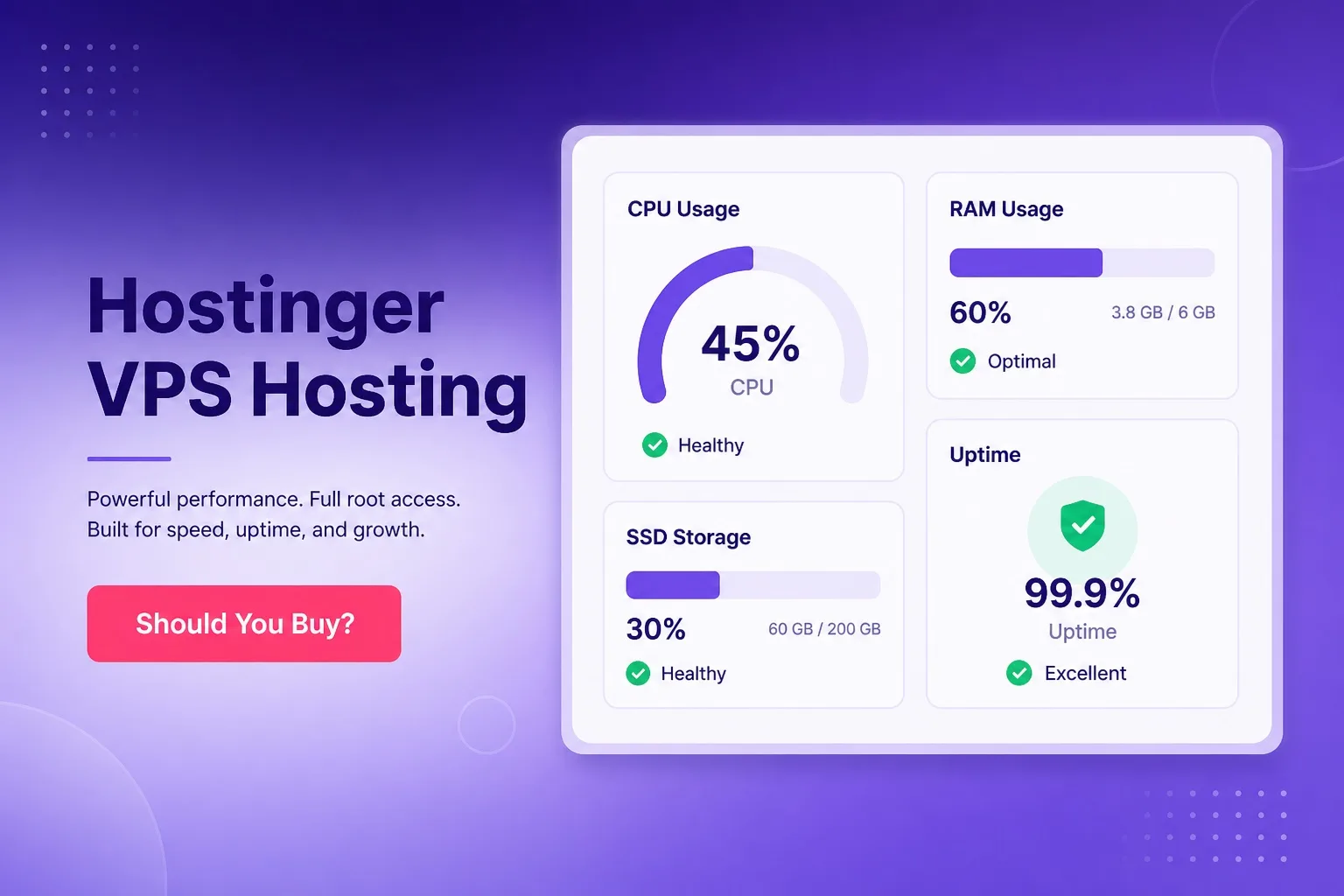
Dedicated vCPU, RAM, and NVMe SSD on every Hostinger VPS plan. Full root access included from the entry tier.
What Hostinger VPS Hosting Actually Includes
Hostinger VPS hosting runs on KVM virtualization, which gives each plan a fully isolated operating environment with dedicated resource allocations that do not fluctuate based on what other accounts on the same physical host are doing. Every plan tier includes dedicated vCPU cores, a fixed RAM allocation, NVMe SSD storage, and a dedicated IPv4 address.
Full root access comes standard on every VPS plan from the entry tier upward. You can choose from multiple Linux OS templates at provisioning including Ubuntu, Debian, CentOS, and AlmaLinux, and reinstall the OS at any point through the management panel. That level of server-level access is what separates VPS from every shared and managed hosting plan Hostinger offers.
Hostinger provides a VPS management panel where you can monitor resource usage, restart the server, access the OS console, manage snapshots where available, and handle basic network configuration. The panel is not a full cPanel replacement: application-level management such as setting up websites, databases, and email accounts is done through command-line tools or a third-party control panel you install yourself.
Bandwidth allocation varies by plan tier, and Hostinger includes 24/7 support for infrastructure-level questions. The support team handles issues with the physical server, network connectivity, and plan provisioning. Application configuration, software installation, and security hardening are your responsibility as the account holder, since VPS is sold as an unmanaged product.
Hostinger VPS Pricing: Plan Tiers Explained
Hostinger VPS plans follow a KVM tier structure that steps up in vCPU count, RAM, and NVMe storage as you move from entry to higher configurations. The entry tier starts at competitive introductory pricing and represents one of the more affordable ways to get dedicated virtual server resources with root access among major hosting providers.
The KVM 1 entry plan delivers 1 vCPU and a modest RAM allocation paired with NVMe storage, which covers single-application workloads, development environments, and low-traffic custom deployments. KVM 2 doubles the CPU and RAM for buyers running heavier applications or expecting more concurrent connections. Higher KVM tiers step up further for agencies, multi-site deployments, and resource-intensive workloads.
Promotional pricing applies to the first billing term and renewal rates are higher. This pattern is consistent across Hostinger's product line and is worth confirming before you commit to a longer term. The effective monthly cost over the full term is what matters for your budget, not just the headline rate shown during checkout.
Always verify current plan specs and confirm the renewal rate on the live Hostinger VPS checkout page before finalizing a purchase. Plan configurations and promotional pricing windows change, and the numbers on a third-party comparison page may not reflect what is currently available.
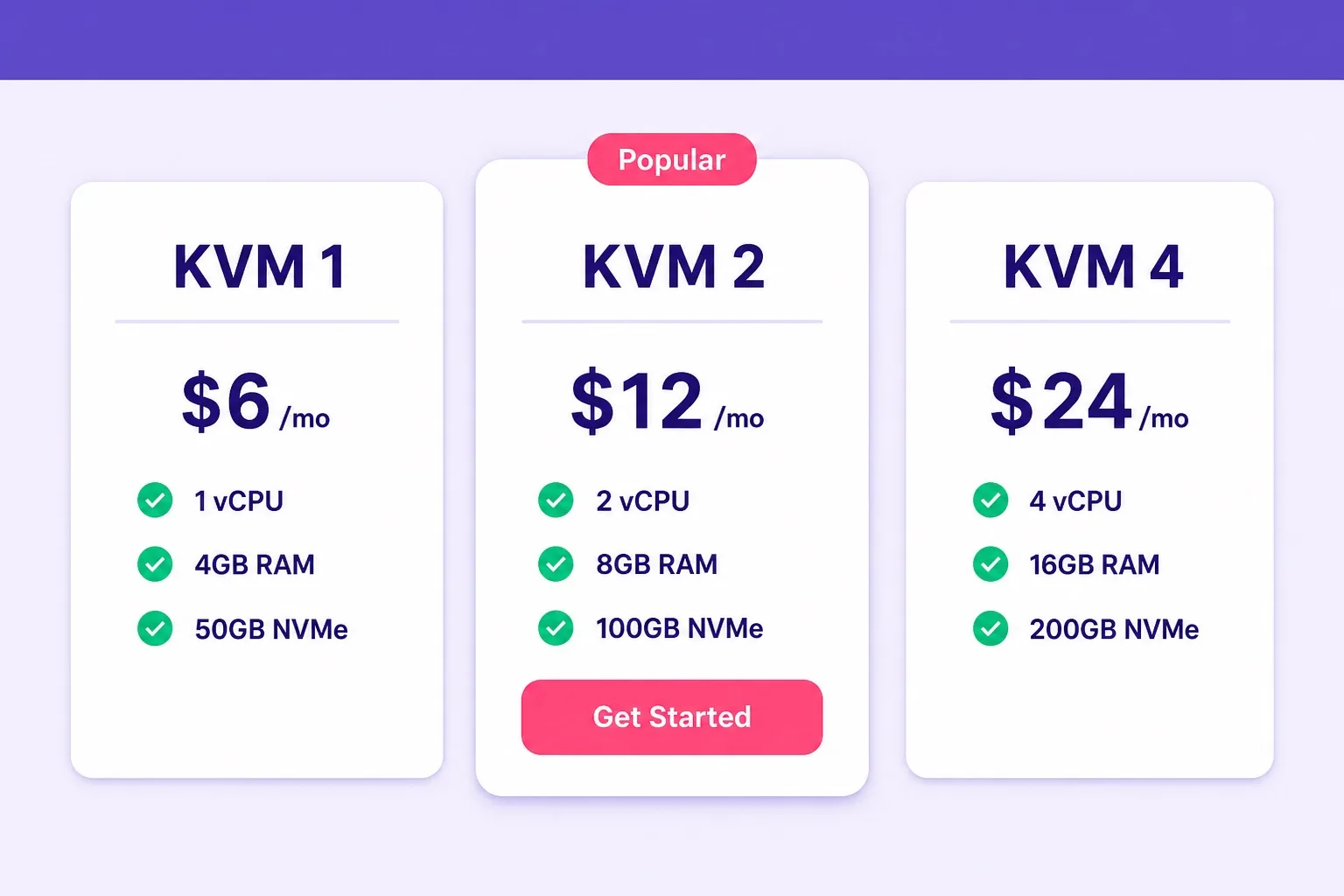
Confirm current vCPU, RAM, NVMe storage specs and renewal pricing on the live Hostinger VPS plan page before purchase.
Hostinger VPS Pros: What It Does Well
Dedicated resources at a low entry price is the headline advantage of Hostinger VPS. The KVM virtualization model means your vCPU and RAM are not shared with other accounts, unlike a shared hosting environment where every account on the server competes for the same resource pool. That isolation produces consistent performance under steady workloads that shared hosting cannot match at the same price point.
Full root access from the entry tier is a genuine differentiator. Many hosting providers restrict root access or charge a premium for it. Hostinger includes it by default across every KVM plan, which gives you full control over the software stack, firewall rules, user management, and server-level configuration from day one.
NVMe SSD storage on all plans is a meaningful speed advantage over providers still using SATA-based storage on entry VPS plans. NVMe read and write speeds are significantly faster than standard SSD, which benefits database-heavy applications, media-rich WordPress sites, and any workload with frequent disk I/O operations.
The range of available OS templates makes Hostinger VPS flexible enough for a wide variety of use cases. You can deploy a fresh Ubuntu environment for a custom web app, spin up Debian for a database server, or use an AlmaLinux template for an enterprise-compatible application stack. Reinstalling the OS from a different template takes minutes through the management panel.
Hostinger's data center network covers multiple global locations, which lets you pick server proximity based on where your primary audience sits. Lower latency between your server and your visitors is a real performance factor that shared hosting rarely lets you control directly. Choosing a data center region close to your target audience is a simple optimization step that is easy to execute at VPS provisioning time.
Hostinger VPS Cons: What to Expect Going In
Unmanaged setup is the most significant practical limitation. Hostinger does not configure your application stack for you on VPS plans. Installing a web server, PHP, a database, SSL certificates, a firewall, and any control panel is entirely your responsibility after the OS is provisioned. For users without prior Linux administration experience this represents a real time investment before the server is production-ready.
No auto-scaling is a structural limitation compared to cloud hosting. When a Hostinger VPS plan hits its resource ceiling during a traffic event, performance degrades until traffic normalizes or you manually upgrade to a higher tier. Cloud hosting routes around this problem automatically. If your traffic is unpredictable or you run campaigns that drive sudden traffic spikes, the fixed resource model of VPS works against you at those moments.
Security hardening is your responsibility on an unmanaged VPS. A fresh Linux server provisioned from a Hostinger template is a functional OS, not a hardened production environment. Configuring fail2ban, setting up UFW or iptables, disabling unnecessary services, enforcing SSH key-only login, and running regular security updates are tasks that managed hosting handles for you but VPS does not. Skipping any of those steps on a public-facing server is a genuine risk.
Backups require your own setup on most entry VPS tiers. If you lose data due to accidental file deletion, a bad deploy, or a security incident, there is no automatic restore point unless you have configured one yourself. Establishing a backup routine to an off-server location should be one of the first tasks after provisioning, before any production traffic reaches the server.
Support scope is limited to infrastructure issues on an unmanaged plan. If a plugin conflict crashes your WordPress installation or a misconfigured Nginx block returns 502 errors, Hostinger support cannot resolve that for you. The scope boundary between infrastructure support and application support is clear, but it surprises buyers who are used to the broader support coverage of managed WordPress hosting plans.
Hostinger VPS Pros and Cons: Quick Reference
Use this summary before you read the detailed sections if you want a fast orientation on what Hostinger VPS does well and where the real limitations sit.
| Pros | Cons |
|---|---|
| Dedicated vCPU and RAM from entry tier | Fully unmanaged: you configure everything |
| Full root access on all plans | No auto-scaling on traffic spikes |
| NVMe SSD storage across the range | Security hardening is your responsibility |
| Multiple Linux OS templates | Backups not automatic on all tiers |
| Competitive introductory pricing | Renewal pricing higher than promo rate |
| Global data center choice | Support limited to infrastructure issues |
VPS suits technical users with server admin experience. Managed hosting suits buyers who want a fast site without server configuration overhead.
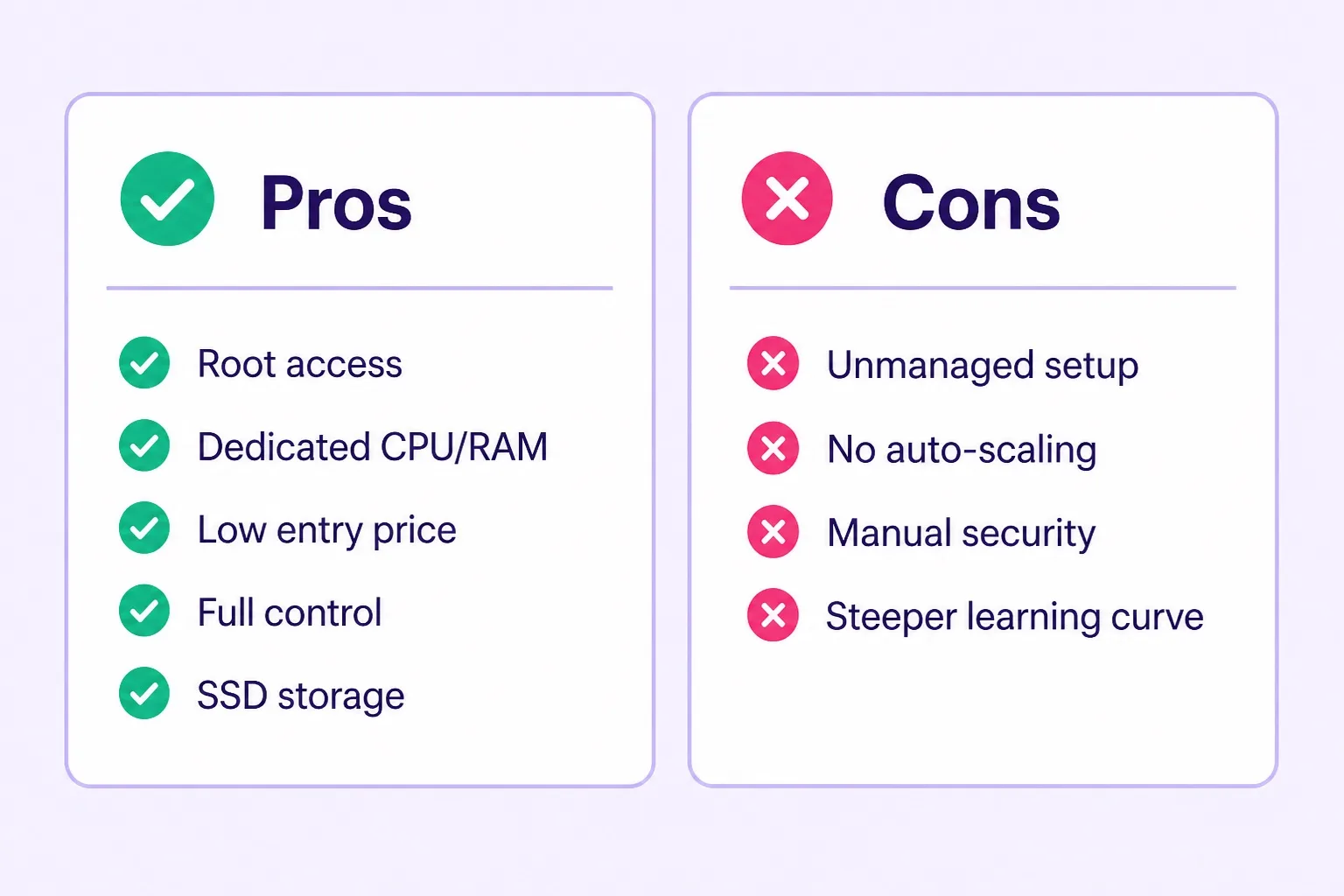
Root access and dedicated resources are the strongest advantages. Unmanaged setup and no auto-scaling are the main trade-offs to accept.
What VPS Performance Looks Like in Practice
A Hostinger VPS plan on NVMe SSD with dedicated CPU cores handles steady-traffic web applications without the resource contention that shared hosting creates. Database query times are faster because the disk I/O is not shared with hundreds of other accounts, and CPU response times stay consistent because the allocated cores are yours exclusively.
WordPress on a properly configured Hostinger VPS with a caching layer like LiteSpeed or Redis, a tuned PHP-FPM configuration, and query caching enabled on MariaDB can return sub-second load times for cached pages under moderate traffic. That level of performance is achievable on managed WordPress hosting too, but VPS gives you more granular control over every layer that affects that number.
Under high concurrent traffic, the fixed resource model means VPS performance is consistent up to the ceiling of your plan tier and then degrades past it. A KVM 1 plan serving several hundred concurrent visitors simultaneously will eventually hit its CPU or RAM ceiling. The practical lesson is to monitor actual resource usage after launch and upgrade the plan tier before hitting that ceiling rather than discovering it during a traffic event.
Network performance depends on the data center you select at provisioning. Hostinger's server network covers locations in Europe, North America, Asia, and other regions. Picking the data center closest to your primary audience is one of the simplest and highest-impact performance decisions you make at setup, and it is easier to get right on day one than to change after your DNS has propagated globally.
Hostinger VPS for WordPress: Is It Worth It?
Running WordPress on Hostinger VPS is worth it if you have a specific reason that shared WordPress hosting cannot meet. Those reasons include needing custom PHP configurations, running a headless WordPress setup, serving a multi-site network with heavy traffic across several domains, or running WordPress alongside other applications that need server-level access.
For a standard WordPress blog, portfolio, or small business site, Hostinger's managed WordPress hosting plans deliver equivalent or better WordPress-specific performance at a lower price with none of the server configuration overhead. The LiteSpeed caching, one-click install, and pre-configured PHP environment on WordPress hosting plans handle everything a normal WordPress site needs without touching the command line.
The honest answer for most WordPress site owners is that WordPress hosting is the better buy and VPS is overkill until the site genuinely outgrows what a Business-tier WordPress plan provides. At that point, the management overhead of VPS is justified by the level of control it gives you over an application that has grown complex enough to need it.
If you want a clear picture of what Hostinger WordPress hosting plans include before comparing them against a VPS spec, our Hostinger WordPress hosting review covers performance, setup, and plan features in enough detail to make that comparison direct.
Who Should Buy Hostinger VPS Hosting
Developers who need a clean Linux environment for custom application development, staging, or production deployment are the core buyer for Hostinger VPS. The combination of root access, NVMe storage, and competitive pricing makes it a practical choice for spinning up app servers, API backends, database servers, or self-hosted tooling without paying enterprise server prices.
Technical teams running tools like n8n, Nextcloud, Ghost, custom Node.js applications, or Python-based services will find that VPS gives them the environment flexibility those workloads need. Managed hosting plans restrict what software you can install and run at the OS level, which rules them out for these use cases regardless of how competitive the price is.
Agencies managing multiple client sites on a single server often find a well-specified VPS more cost-effective than multiple individual shared hosting accounts once the client count reaches a certain threshold. The management overhead is higher, but the per-site cost drops significantly once you are running four or more clients on the same VPS instance with a multi-site control panel.
WordPress developers building and testing custom themes, plugins, or staging environments benefit from a VPS because they can replicate production environments accurately, run custom PHP versions, and test server-level configurations without affecting a live site. That workflow fits VPS naturally and does not require the auto-scaling or managed environment of cloud hosting.
Who Should Skip Hostinger VPS and Look Elsewhere
Bloggers and small business owners who want a WordPress site live quickly and do not have server administration experience should skip VPS entirely. The unmanaged setup means you either spend hours configuring the server correctly or risk running a poorly secured production server. Hostinger's WordPress hosting plans exist precisely for this group and deliver a better outcome at a lower price for WordPress-only workloads.
Buyers whose main requirement is handling unpredictable traffic spikes without slowdowns should consider cloud hosting instead of VPS. The auto-scaling infrastructure of cloud hosting solves that problem structurally in a way that a fixed-resource VPS partition cannot, regardless of how well the VPS is configured. For a detailed comparison of those two options, our Hostinger VPS vs cloud hosting breakdown walks through every key difference.
Buyers who want managed WordPress hosting with automatic updates, security scans, and staging environments handled by the host should look at Hostinger's managed WordPress products rather than VPS. The unmanaged VPS model puts all of that responsibility on you, which defeats the purpose of managed hosting for buyers who want that service layer.
Teams without an in-house Linux administrator should think carefully before committing to a VPS plan for a critical production environment. A misconfigured VPS running a production WordPress site without proper backups, a firewall, or regular security updates is a liability rather than an asset. If no one on your team can maintain the server confidently, a managed hosting option is the responsible choice.
Hostinger VPS Setup Checklist: What to Do After Provisioning
Getting a Hostinger VPS into a production-ready state requires a predictable set of steps that are easy to miss when you are focused on deploying your application rather than the server baseline underneath it.
- Log in via SSH with the root credentials provided in your welcome email
- Change the root password and create a non-root sudo user immediately
- Disable password authentication and enable SSH key-only login
- Configure a firewall: allow only the ports your application needs (typically 22, 80, 443)
- Run a full system update to patch any OS vulnerabilities in the base image
- Install your web server stack: Nginx or Apache, PHP version of choice, MariaDB or MySQL
- Configure SSL: install Certbot and set up a Let's Encrypt certificate for your domain
- Set up automated backups to a remote location such as an S3-compatible storage service
- Install fail2ban or equivalent to protect against brute-force SSH and web login attempts
- Test the server response under a representative load before sending real traffic
Running through that checklist before your first deploy is the difference between a hardened production server and a provisioned server that happens to have your application on it. The extra hour spent on setup pays back every time you avoid a security incident or a data loss event.
Hostinger VPS vs WordPress Hosting: Which Is Right for You
The practical choice between Hostinger VPS and Hostinger WordPress hosting comes down to a single question: does your project require server-level control, or does it require a fast, managed WordPress environment?
WordPress hosting wins for most people reading this because it handles WordPress setup, caching, SSL, and support for WordPress-specific questions without requiring any server administration. The performance is already tuned for WordPress, the setup path is short, and the price is lower than VPS on comparable configurations. For a side-by-side comparison of what each WordPress hosting plan tier includes, our Hostinger Premium vs Business breakdown covers the exact resource and feature differences between the two most popular plans.
VPS wins for developers, technical teams, and agency operators who have outgrown managed hosting or need an environment that a control panel cannot provide. The root access, OS flexibility, and NVMe storage make VPS the better tool for those workloads, and the Hostinger entry price makes it accessible without committing to cloud infrastructure pricing before the workload demands it.
If you are genuinely unsure which direction fits, start with WordPress hosting and note the points at which you hit limitations. Real technical constraints are a clear signal that VPS is the next move. A growing list of plugins and pages is not.
Hostinger VPS Hosting FAQ
These are the questions buyers ask most often before purchasing Hostinger VPS hosting. Review the ones relevant to your project before finalizing a plan decision.
Is Hostinger VPS hosting good for beginners?
Hostinger VPS is primarily unmanaged, which means beginners without Linux server experience will face a steep setup curve. Beginners who want a fast WordPress site without server admin work are better served by Hostinger WordPress hosting plans. VPS suits users who are comfortable with command-line server management.
What is included in Hostinger VPS hosting?
Hostinger VPS plans include dedicated vCPU cores, RAM, NVMe SSD storage, full root access, choice of OS template, dedicated IPv4, and 24/7 support for infrastructure issues. The application layer, security hardening, and software stack are managed by you.
How much does Hostinger VPS hosting cost?
Hostinger VPS plans start at competitive introductory pricing for entry KVM tiers and step up based on vCPU count, RAM, and NVMe storage. Renewal pricing is higher than the promotional rate. Always confirm current pricing and renewal rates on the live Hostinger checkout page before purchase.
Does Hostinger VPS come with cPanel or a control panel?
Hostinger VPS plans do not include cPanel by default. Hostinger provides hPanel for account-level management. For server-level control you typically use SSH or install a third-party control panel such as CyberPanel or Plesk separately.
Can I host WordPress on Hostinger VPS?
Yes. WordPress runs on Hostinger VPS once you configure your web server, PHP, and database manually or via a server control panel template. If your only goal is to run WordPress, Hostinger's dedicated WordPress hosting plans offer a simpler path with one-click install and pre-configured caching already in place.
Is Hostinger VPS hosting managed or unmanaged?
Hostinger VPS hosting is primarily unmanaged. Hostinger handles the physical infrastructure and network uptime. You are responsible for OS updates, security patches, software installation, firewall rules, and application management.
Does Hostinger VPS include backups?
Automatic backups are not included by default on all Hostinger VPS plans. Backup availability depends on the plan tier and add-ons selected at checkout. Setting up your own backup routine using server-side scripts or a third-party tool is recommended regardless of plan inclusion.
How does Hostinger VPS compare to Hostinger cloud hosting?
Hostinger VPS gives you a fixed dedicated resource partition on a single physical server with full root access. Cloud hosting distributes your site across multiple nodes for auto-scaling and uptime resilience with a more managed setup experience. VPS is better for control and custom stacks; cloud is better for managed reliability and scalability.
What operating systems are available on Hostinger VPS?
Hostinger VPS supports multiple Linux distributions through OS templates including Ubuntu, CentOS, Debian, and AlmaLinux. Available options vary by plan and can be selected or reinstalled from the Hostinger VPS management panel.
Final Verdict: Should You Buy Hostinger VPS Hosting?
Hostinger VPS hosting is worth buying if you are a developer, technical team member, or agency operator who needs dedicated server resources with full root access at a competitive entry price. The NVMe SSD storage, KVM virtualization, and multiple data center options make it a genuinely strong product for the buyer it is designed for.
It is not worth buying if your only goal is a fast WordPress site without server management work. For that use case, Hostinger WordPress hosting plans deliver better WordPress-specific performance, a simpler setup path, and broader support coverage at a lower price. The mismatch between VPS and a WordPress-only use case is real, and choosing VPS for that reason usually means paying for control you never use while managing overhead you did not expect.
The clearest buying signal for VPS is a workload that a managed hosting control panel cannot serve: custom application stacks, root-level configuration requirements, non-WordPress software, or agency deployments that benefit from running multiple client environments on a single server. If your project fits any of those descriptions, Hostinger VPS is a competitive option and the entry pricing makes it worth starting there rather than at a higher cloud tier.
For buyers still deciding between hosting types, our wordpress hosting blog covers comparison guides across every Hostinger plan type including managed WordPress, cloud, and VPS options so you can place this decision in the context of the full product line.
When you are ready to move forward, you can review current tiers and buy Hostinger VPS hosting directly while promotional pricing is active. Confirm plan specs, renewal rates, and data center location on the order summary before completing payment.
For a wider view of Hostinger's full hosting range including plans better suited for WordPress-only projects, the best WordPress hosting homepage covers every plan type with buying guidance you can apply immediately.
For buyers who want dedicated cloud resources with a managed dashboard instead of an unmanaged VPS, Cloudways managed cloud hosting is worth a look. It runs on DigitalOcean, AWS, Google Cloud, Vultr, and Linode and gives you server-level performance through a managed control panel without requiring root-level server administration.