Cloudways vs Hostinger WordPress Hosting: The Real Buying Choice
Cloudways vs Hostinger WordPress hosting is the decision most buyers face once they leave basic shared plans behind and ask which host actually fits their budget, traffic, and growth plan. Both platforms run WordPress well, but they solve different problems and price out very differently at checkout.
Hostinger WordPress hosting is built for affordable launches: cheap WordPress hosting promo rates, free SSL, one click install, and a beginner friendly hPanel. Cloudways is managed cloud hosting. You pick DigitalOcean, AWS, Google Cloud, Vultr, or Linode, then manage WordPress from a dashboard with dedicated resources and easier scaling.
The short buying answer is simple. Choose Hostinger if you want the best WordPress hosting entry price for a blog or small business site. Choose Cloudways if you need dedicated cloud performance for growing traffic, agencies, or a busy WooCommerce store.
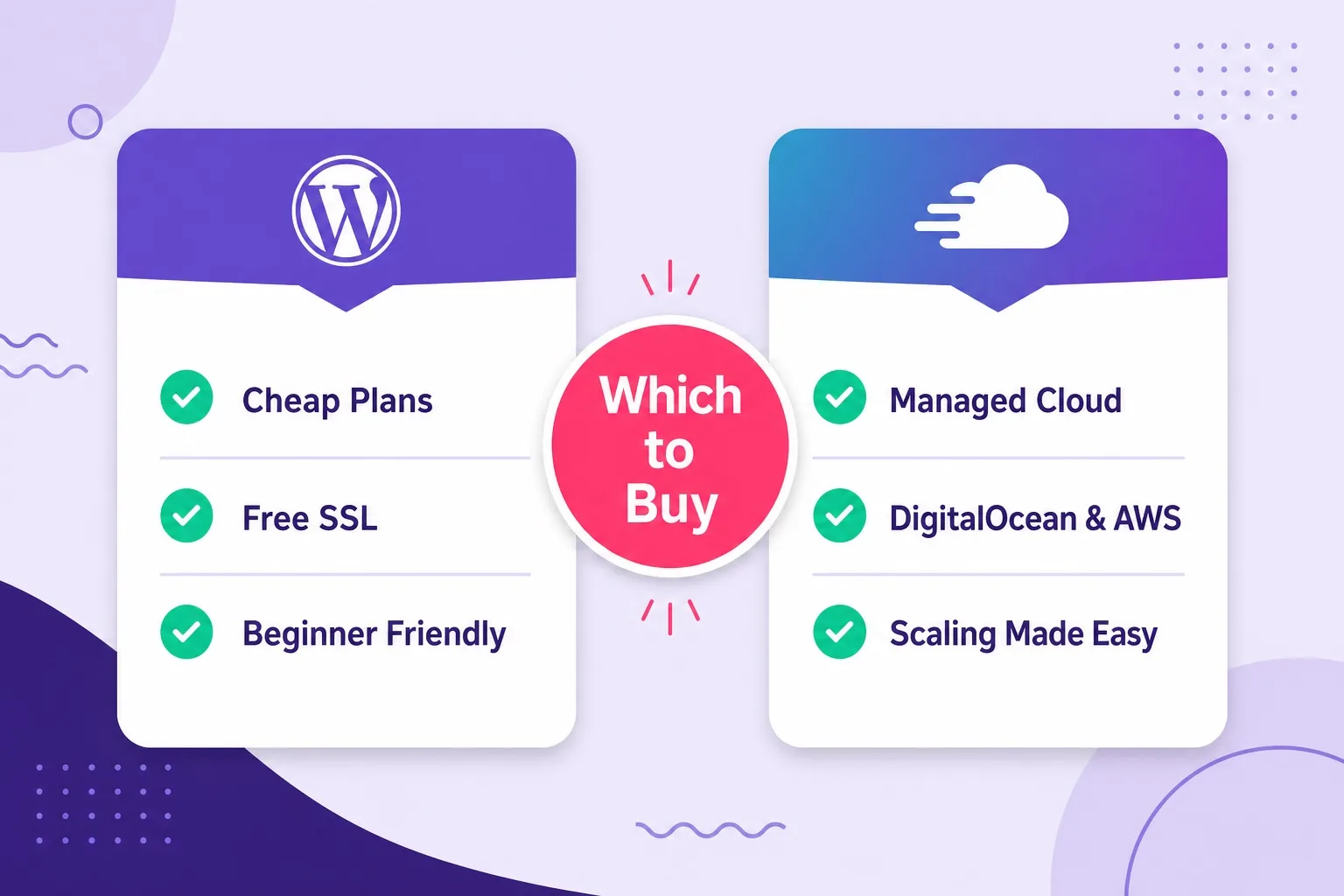
Hostinger wins on entry price and setup ease. Cloudways wins on dedicated cloud resources and scaling.
What Hostinger WordPress Hosting Gives You
Hostinger WordPress hosting is a WordPress optimized plan line with Single, Premium, and Business tiers. You get LiteSpeed style caching, SSD storage, free SSL, and one click WordPress install without managing a raw server.
Premium is the practical first buy for most people. It supports more than one website, fits blogs and small business sites, and often includes free domain eligibility on qualifying annual terms. Business adds more resources for heavier sites and small stores.
The value pitch is clear: buy WordPress hosting at a low promo rate, launch fast, and keep management simple inside hPanel. That is why Hostinger is often the first host for beginners who want cheap WordPress hosting without learning cloud dashboards.
The tradeoff is shared style resource limits on WordPress hosting plans. Under quiet traffic, performance feels strong. Under heavy concurrent load, shared resources can slow down sooner than dedicated cloud servers. Confirm promo price and renewal rate before you pay.
Hostinger also keeps WordPress specific extras close to the plan cards: free SSL across tiers, optional free domain eligibility on qualifying annual Premium and Business terms, and email hosting that many beginners expect in one account. Those extras matter when you compare total year one cost, not only the advertised monthly promo line.
If you need a quick live look while reading this section, keep current Hostinger WordPress hosting pricing open and note the exact plan name, term length, and renewal figure on the order summary.
What Cloudways Managed Cloud Hosting Gives You
Cloudways is managed cloud hosting for WordPress and other PHP apps. You choose a cloud provider, pick server size, and manage sites from one platform with staging, backups, cloning, and vertical scaling tools.
Flexible plans suit buyers who want dedicated RAM and CPU on DigitalOcean or another provider while still avoiding full unmanaged VPS work. Autonomous plans target high traffic WordPress and ecommerce sites that need auto scaling style capacity.
Cloudways usually includes strong caching layers such as Redis and Varnish style stacks, plus staging and cloning that agencies use every week. You pay for the server resources you use rather than locking into a multi year shared promo term.
The tradeoff is higher entry cost and fewer beginner extras. Cloudways does not usually bundle email hosting the way Hostinger does. For many buyers that is fine, but it matters if you want one account for hosting plus inbox.
Cloudways also shines when you need provider choice. DigitalOcean is a common starter cloud for cost and simplicity. AWS and Google Cloud help when you need broader regions or stricter enterprise style infrastructure. Vultr and Linode fill other performance and budget niches without leaving the same managed dashboard.
That flexibility is why agencies and growing stores often compare Cloudways even when they still like Hostinger for lighter sites. You are buying dedicated cloud capacity with a managed control layer, not a beginner shared style WordPress plan with a different logo.
Side by Side Comparison Table
Use this Cloudways vs Hostinger WordPress hosting table before you open either checkout page. It maps the buying factors that actually change your decision.
| Factor | Best starter Hostinger | Cloudways |
|---|---|---|
| Hosting type | WordPress optimized hosting | Managed cloud hosting |
| Entry price | Lower promo rates | Higher dedicated cloud cost |
| Setup ease | Best for beginners | Simple, more cloud choices |
| Resources | Shared style plan limits | Dedicated cloud RAM and CPU |
| Scaling | Upgrade plan tier | Vertical scale / Autonomous |
| Email hosting | Usually included | Usually separate provider |
| Best for | Blogs, small business, budget | Agencies, growth, WooCommerce load |
Confirm live features and pricing on each checkout page before you buy. Plan details can change by promo and region.
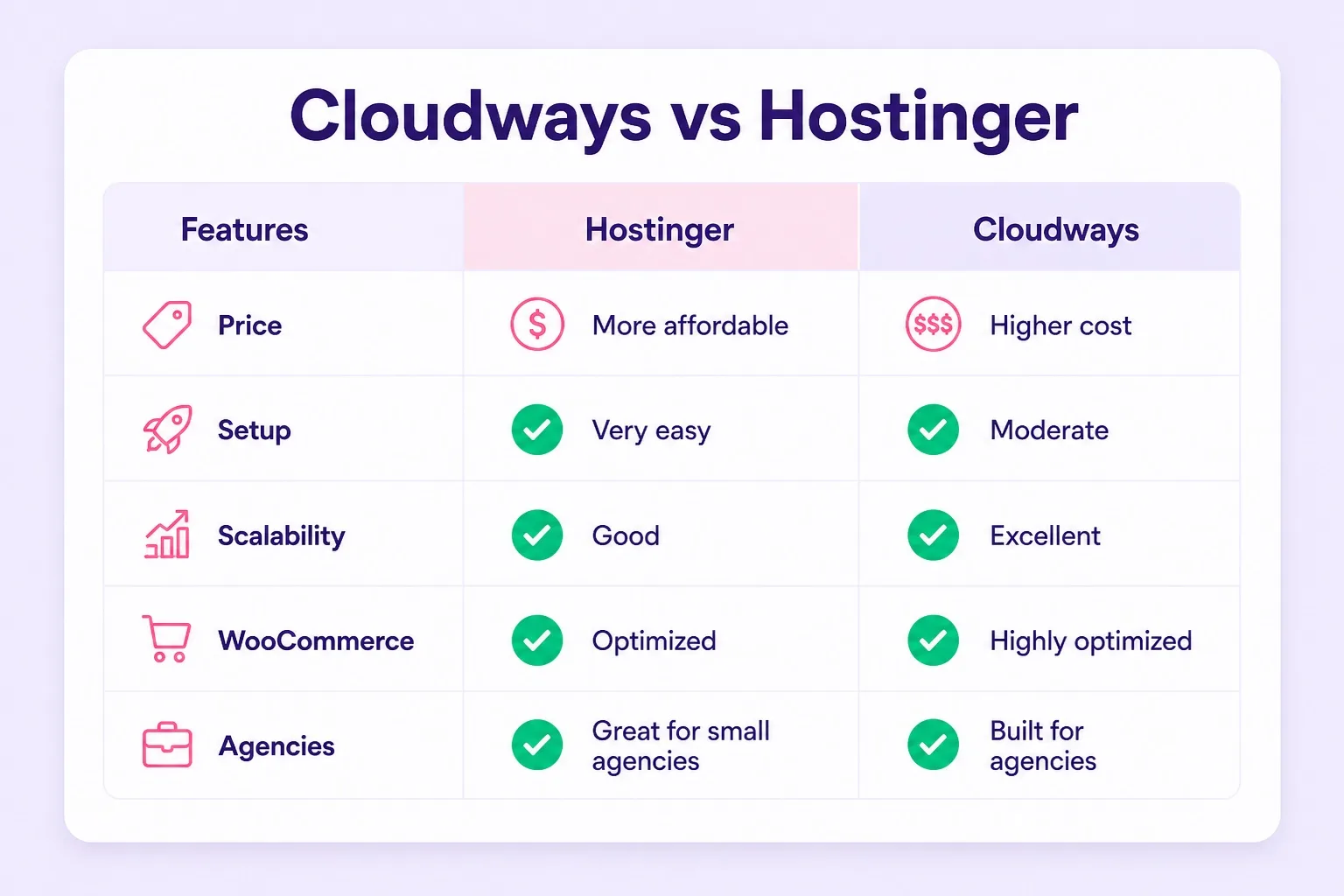
Hostinger wins beginner price and email bundling. Cloudways wins dedicated resources and growth headroom.
Pricing Compared: Cheap WordPress Hosting vs Managed Cloud Cost
Pricing is the biggest gap in the Cloudways vs Hostinger WordPress hosting choice. Hostinger sells WordPress hosting plans at low introductory rates that make a first site easy to fund. Those promo rates usually rise at renewal, so write down both numbers before you buy.
Cloudways prices managed cloud servers by resources and provider. Entry DigitalOcean style plans start higher than Hostinger WordPress hosting, but the monthly rate is closer to what you keep paying for that server size. You scale up when traffic needs more RAM or CPU.
Cheap WordPress hosting only stays cheap when the full year package matches your real needs. If your site is already slow under load, the lower Hostinger promo rate can cost more in lost leads than a Cloudways cloud server that stays fast.
Check current Hostinger numbers on the live Hostinger WordPress hosting plans page, then compare that total with Cloudways hourly and monthly invoice estimates for the same traffic level.
Performance Under Traffic: Shared Style vs Dedicated Cloud
Hostinger WordPress hosting is fast for most blogs and small business sites because it is tuned for WordPress with caching and SSD storage. For normal traffic, visitors rarely notice a problem if your theme and plugins are clean.
Cloudways performance shows its edge under concurrent load. Dedicated cloud RAM and CPU mean your site is not sharing the same pool with hundreds of other accounts. That matters for busy product launches, viral posts, and store checkout spikes.
If your analytics already show rising bounce rates during peak hours, or hPanel resource meters stay high, that is a signal to compare managed cloud hosting rather than forcing another year of shared style limits. For a broader look at cloud vs WordPress plan types, our cloud hosting vs WordPress hosting post explains the infrastructure difference in plain terms.
Neither platform replaces good WordPress hygiene. Heavy page builders, unoptimized images, and too many plugins will slow both hosts. Hosting upgrades help most when the site itself is already reasonably clean.
Ease of Use and Setup Path
Hostinger wins ease of use for first time buyers. hPanel walks you through domain connection, WordPress install, SSL, and email in a beginner friendly flow. That is why Hostinger WordPress hosting remains a strong buy WordPress hosting pick for people launching this month.
Cloudways is still manageable without being a sysadmin, but the first session asks more choices: cloud provider, server size, application install, and DNS pointing. After setup, staging and cloning make ongoing work easier than many shared hosts.
If your team has zero hosting experience and one simple site, Hostinger is the cleaner first purchase. If your team already manages client sites or expects to clone staging to production often, Cloudways pays back the learning time quickly.
For a deeper look at what Hostinger includes on WordPress plans before you compare Cloudways, our Hostinger WordPress hosting review covers features, pricing patterns, and who each Hostinger tier fits.
After that read, open both live pricing pages with the same traffic notes in hand. A fair comparison always uses the same site type, the same peak visitor estimate, and the same billing window rather than mixing a Hostinger promo month against a Cloudways annual quote.
WooCommerce Fit: Which Host Handles Store Load Better
WooCommerce turns every cart and checkout into a more dynamic WordPress workload. Hostinger Business can run a small or mid size store with a modest catalog if traffic is steady and plugins stay lean.
Cloudways is usually the stronger store pick once order volume and concurrent shoppers rise. Dedicated cloud resources, Redis style caching, and easier vertical scaling help keep checkout pages responsive during campaigns.
Buy Hostinger for an early store that needs affordable WordPress hosting plans and bundled extras. Buy Cloudways when store speed under load is tied to revenue and shared style ceilings already show up in peak hours.
If you want Hostinger specific store plan advice first, our WordPress hosting for WooCommerce article walks through Premium vs Business for online stores before you jump to a cloud sized server.
Store owners who already know checkout speed is a revenue metric should also open Cloudways WooCommerce cloud hosting and size RAM for peak campaign traffic, not average weekday traffic.
Agencies and Freelancers: Multi Site Reality
Agencies care about how many client sites they can run, how fast they can stage changes, and whether one slow client can hurt the rest. Hostinger Premium and Business support multiple websites and work for freelancers with a few lighter client projects.
Cloudways fits denser agency workloads better. Multiple applications can live on one dedicated cloud server, and staging plus cloning reduce messy copy paste deploys. Dedicated resources also keep client sites more stable under uneven traffic.
If you manage two or three small brochure sites, Hostinger can stay cost effective. If you manage a growing client list or revenue sites where downtime creates refund calls, Cloudways is usually the better WordPress hosting for agencies path.
Start pricing agency style Cloudways servers on the Cloudways managed cloud hosting page and match RAM to your combined client traffic rather than guessing from a shared plan chart.
Security, Backups, and Support Basics
Both platforms include free SSL style HTTPS for WordPress sites and 24/7 support channels. Hostinger keeps security tools and backups tied to plan tiers, with Business offering stronger backup cadence than entry tiers.
Cloudways centers security around the managed cloud stack, firewalls, and platform tools, with backup and restore workflows in the dashboard. Offsite backup storage or advanced support can add cost depending on what you enable.
Support expectations differ by buyer. Hostinger support is strong for WordPress install, DNS, and plan questions beginners ask daily. Cloudways support is stronger when the conversation moves into server resources, stack tuning, and cloud scaling.
No host removes password discipline, plugin updates, or admin access control. Buy the platform that matches your ops skill, then keep the WordPress layer clean either way.
Who Should Buy Hostinger WordPress Hosting
Buy Hostinger if you are launching a first blog, portfolio, or small business site and want affordable WordPress hosting with a short setup path. Premium is the default pick for most of those buyers.
Buy Hostinger if email hosting in the same account matters, or if free domain eligibility on a qualifying term is part of your launch budget. Those bundled extras often make Hostinger the better total package for year one.
Buy Hostinger if traffic is modest and predictable. Cheap WordPress hosting promo pricing is a smart move when you do not yet need dedicated cloud RAM and CPU every month.
When you are ready, compare current tiers and buy Hostinger WordPress hosting while promo pricing is live. Confirm plan name, billing term, and renewal rate on the order summary.
Who Should Buy Cloudways Instead
Buy Cloudways if your WordPress site already feels slow under real traffic, or if WooCommerce checkout volume makes shared style limits a business risk. Dedicated cloud resources are the product you are paying for.
Buy Cloudways if you are an agency or freelancer managing multiple client applications and need staging, cloning, and clearer resource ownership. Managed cloud hosting fits that workflow better than beginner WordPress hosting alone.
Buy Cloudways if you want provider choice across DigitalOcean, AWS, Google Cloud, Vultr, or Linode and prefer pay as you go server sizing over multi year shared promos. That flexibility is a core Cloudways advantage.
Skip Cloudways if your only goal is the lowest first month bill for a quiet site. In that case Hostinger WordPress hosting is the cleaner buy. For buyers who still need Hostinger managed features first, our managed WordPress hosting Hostinger post explains what that layer includes.
Checkout Checklist Before You Buy Either Host
Work through this checklist so Cloudways vs Hostinger WordPress hosting does not turn into a surprise invoice later.
- Write down current monthly traffic and peak concurrent visitors
- List site type: blog, business site, WooCommerce, or agency portfolio
- Decide if email hosting must be bundled
- Compare Hostinger promo price and renewal price on the same term
- Compare Cloudways server RAM, CPU, storage, and estimated monthly total
- Confirm SSL, backups, and staging needs for your project
- Confirm support expectations for your skill level
- Pick one host for the next 6 to 12 months, not forever
Most buyers who complete that list land on a clear answer in minutes. Hostinger for affordable launch. Cloudways for dedicated cloud growth.
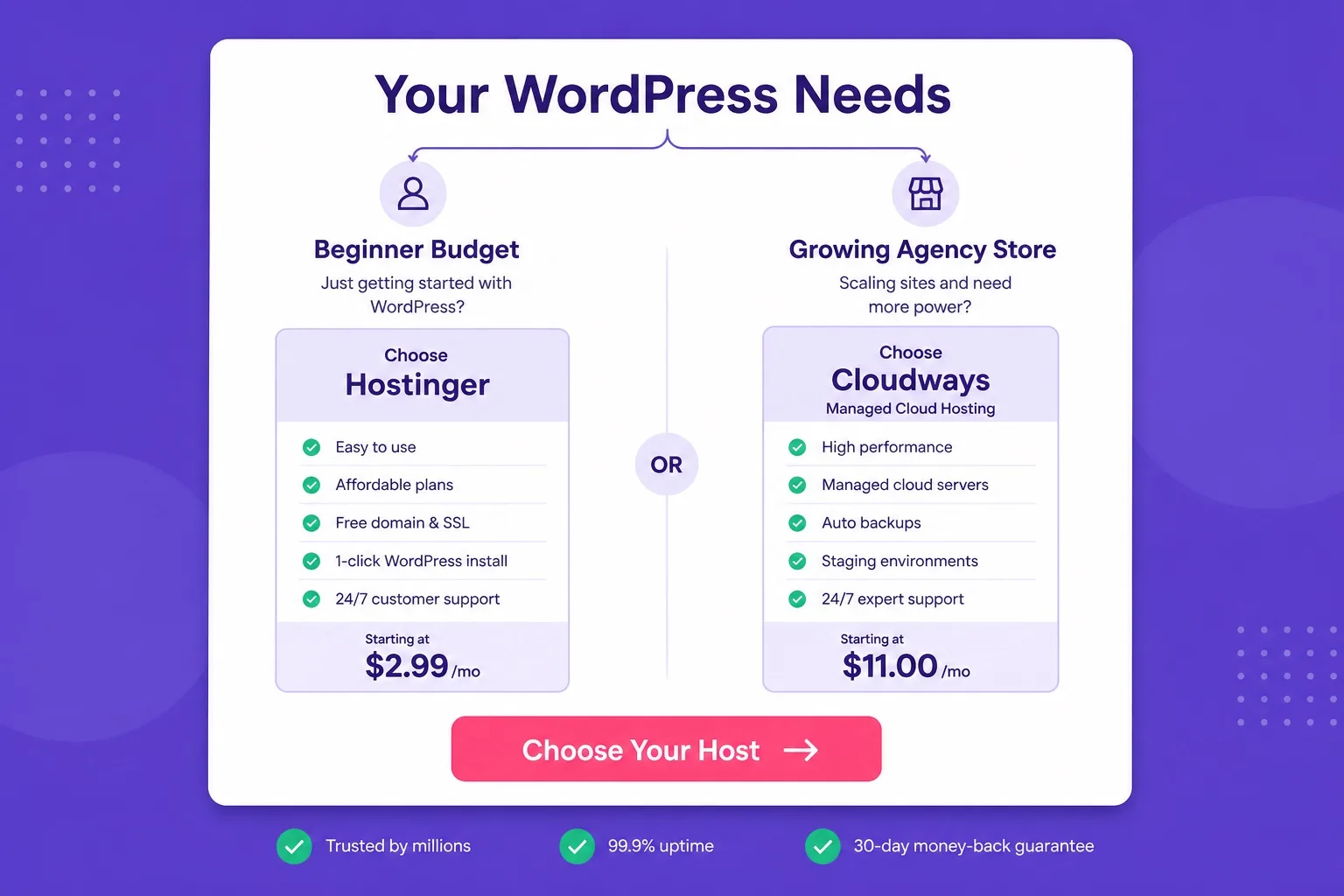
Match the host to your traffic and skill level, not to the loudest marketing claim.
Common Mistakes When Comparing Cloudways and Hostinger
Buying Cloudways for a brand new five page site on a tight budget is a common overbuy. You pay for dedicated cloud resources you may not use for months.
Staying on the cheapest Hostinger tier after traffic and store load have already grown is the opposite mistake. Promo price comfort can hide rising bounce rates and slow checkouts.
Comparing only the first month price without renewal or resource totals leads to bad decisions. Hostinger renewals and Cloudways server sizes both need a full month cost view.
Treating the two platforms as the same product also confuses buyers. Hostinger WordPress hosting is an optimized hosting plan. Cloudways is managed cloud infrastructure with a hosting dashboard. Different tools, different buyer stages.
Cloudways vs Hostinger WordPress Hosting FAQ
These are the questions buyers ask most before choosing Cloudways vs Hostinger WordPress hosting. Skim the ones that match your site type.
Which is better for beginners, Cloudways or Hostinger WordPress hosting?
Hostinger WordPress hosting is better for beginners. It costs less, includes free SSL, often offers free domain eligibility on qualifying terms, and uses a simpler hPanel setup. Cloudways is better once you outgrow shared hosting and need dedicated cloud resources.
Is Cloudways cheaper than Hostinger?
No. Hostinger usually starts cheaper on promotional WordPress hosting plans. Cloudways managed cloud hosting starts higher because you get dedicated cloud resources on DigitalOcean, AWS, Google Cloud, Vultr, or Linode. Confirm live checkout prices before you buy.
Which is better for WooCommerce, Cloudways or Hostinger?
Hostinger Business works for small to mid stores with steady traffic. Cloudways is stronger for high traffic WooCommerce stores because dedicated cloud resources and vertical scaling handle checkout load better during sales spikes.
Does Hostinger include email hosting while Cloudways does not?
Hostinger WordPress hosting plans commonly include email hosting. Cloudways focuses on application hosting and does not bundle email the same way, so many Cloudways buyers use a separate email provider.
Can agencies manage multiple client sites on both platforms?
Yes. Hostinger Premium and Business support multiple websites on one account. Cloudways is often preferred by agencies because you can run multiple applications on one cloud server with staging, cloning, and dedicated resources.
Does Cloudways renew at a higher price like Hostinger promo plans?
Hostinger promotional rates usually rise at renewal. Cloudways uses pay as you go cloud pricing that stays closer to the listed monthly rate for the resources you choose. Always confirm the live invoice details before purchase.
Should I buy Hostinger first and move to Cloudways later?
Often yes. Many buyers start on Hostinger WordPress hosting for price and simplicity, then move to Cloudways when traffic, WooCommerce load, or multi site agency work needs dedicated cloud hosting.
Do both platforms support one click WordPress install?
Yes. Hostinger and Cloudways both support easy WordPress installs. Hostinger is simpler for first time buyers. Cloudways adds managed cloud tools like staging, cloning, and server scaling after install.
Which should I buy for a first WordPress blog?
Buy Hostinger Premium for most first blogs. It covers free SSL, multi site room, and affordable promo pricing. Choose Cloudways only if you already expect heavy traffic or need dedicated cloud resources from day one.
Final Verdict: Which One Should You Buy?
Cloudways vs Hostinger WordPress hosting comes down to buyer stage. Hostinger is the better buy for beginners, budget launches, and sites that need cheap WordPress hosting with bundled extras. Cloudways is the better buy for growing traffic, agencies, and stores that need managed cloud hosting with dedicated resources.
If you are launching soon and want a simple plan, start with Hostinger Premium and monitor real traffic. If your site already needs dedicated RAM and CPU, skip the temporary shared style ceiling and buy a Cloudways server sized for peak load.
For more plan comparisons across Hostinger and managed cloud options, our wordpress hosting blog collects buying guides and feature breakdowns you can use before checkout. Reading one Hostinger plan post and one cloud hosting post side by side usually clarifies the stage you are in.
Ready for the affordable path? Compare tiers and claim Hostinger WordPress hosting plans while current promo pricing remains active. Confirm the plan name, billing term, and renewal figure before you complete payment.
Ready for dedicated managed cloud instead? Open Cloudways WordPress cloud hosting and pick a server size that matches your peak traffic rather than your quiet day average.
Either way, the goal is the same: a fast WordPress site on the host that fits your budget today and your growth path next. For a wider starting point across plan types, visit the best WordPress hosting homepage before you finalize payment.