Cloud Hosting vs WordPress Hosting: The Core Difference
Cloud hosting vs WordPress hosting is the comparison most buyers face once they move past shared hosting and start asking what their site actually needs. Both are legitimate paths to a fast, live website, but they solve different problems and price out very differently depending on your project size.
Cloud hosting refers to the infrastructure layer: your site runs across multiple servers so resources scale automatically when traffic rises. WordPress hosting refers to a plan type specifically built and optimized for running WordPress, with pre-configured caching, one-click install, and WordPress-specific support included.
The confusion comes from the fact that both can host a WordPress site. The question is not which one can do it, but which one fits your current traffic level, budget, and technical comfort. This article walks through that decision clearly so you can pick the right Hostinger plan without second-guessing yourself.
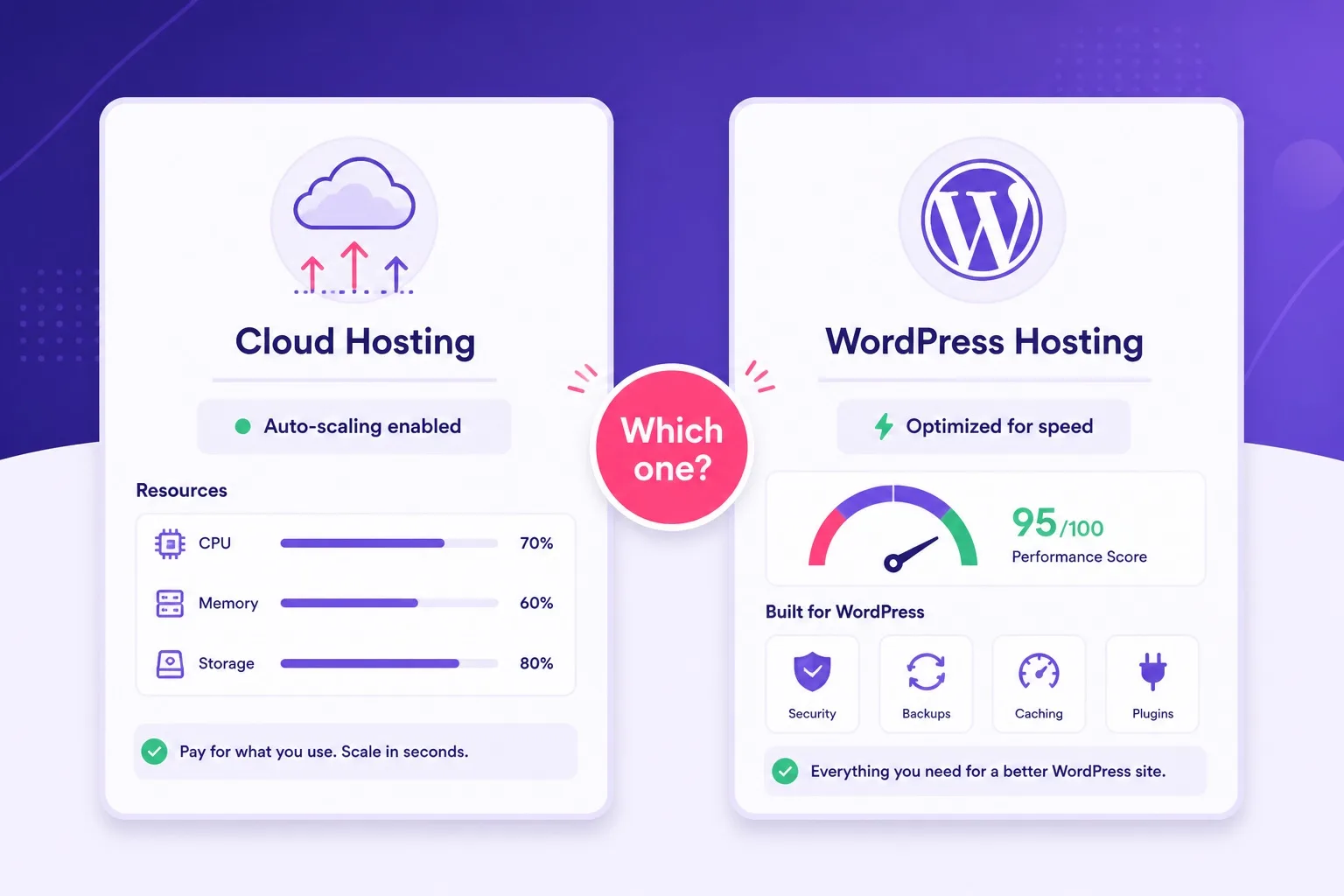
Cloud hosting scales automatically across servers. WordPress hosting is pre-optimized for WordPress sites.
What Cloud Hosting Actually Means
Cloud hosting is an infrastructure type where your site is distributed across a cluster of physical servers rather than living on a single machine. If one server in the cluster has a problem, another picks up the load automatically. This setup produces strong uptime numbers and makes traffic spikes much less likely to cause slowdowns.
The key cloud hosting advantage is scalability on demand. When a post goes viral or a campaign drives a surge of visitors, cloud infrastructure can allocate more CPU and RAM without you doing anything manually. That automatic resource adjustment is what separates cloud from shared hosting, where resources are fixed and shared with other accounts on the same physical machine.
Cloud hosting on Hostinger comes in dedicated plan tiers: Cloud Startup, Professional, and Enterprise. Each plan gives you dedicated CPU cores and RAM rather than shared allocations. You can still install WordPress on any of these plans, but you are paying for the infrastructure headroom rather than WordPress-specific pre-configuration.
The trade-off is price. Cloud hosting costs more than shared WordPress hosting because the dedicated resources cost more to provision. If your site does not regularly hit resource ceilings, you are paying for headroom you are not using yet.
What WordPress Hosting Actually Means
WordPress hosting is a plan category pre-configured to run WordPress well, rather than a raw server type. Hostinger WordPress hosting plans include LiteSpeed web server and caching, SSD storage, one-click WordPress installation, and support teams familiar with WordPress-specific questions.
The setup path on WordPress hosting is significantly shorter than on a generic cloud plan. You do not tune server settings, configure PHP versions manually, or research which caching layer works best. Those decisions are already made and baked into the plan from day one.
Hostinger WordPress plans come in three tiers: Single, Premium, and Business. Single supports one website. Premium and Business support multiple websites and include more storage and bandwidth. All three include free SSL. Premium and Business on qualifying annual terms can also include free domain eligibility.
WordPress hosting on Hostinger runs on shared infrastructure, which means resources are distributed across multiple accounts on the same server cluster. For most blogs, portfolios, and small business sites, that shared environment is more than sufficient. The performance limits only become visible once a site is consistently pulling heavy traffic or running resource-intensive plugins at scale.
Performance Compared: Cloud vs WordPress Hosting
Performance in the cloud hosting vs WordPress hosting comparison depends heavily on what type of traffic your site receives. Cloud hosting has a structural advantage when traffic spikes suddenly because additional resources allocate automatically. WordPress hosting is pre-tuned for steady WordPress performance at a lower baseline cost.
Hostinger WordPress hosting uses LiteSpeed cache and SSD storage, which already puts load times in a competitive range for most blog and small business use cases. A well-configured WordPress site on a Premium plan can return sub-two-second load times on standard traffic without any cloud infrastructure underneath it.
Cloud hosting on Hostinger provides dedicated CPU and RAM allocations, which means your site is not competing with other accounts for resources at peak times. That dedicated allocation produces more consistent performance under load rather than raw speed on an empty server.
For most new sites, the performance difference between a well-optimized WordPress hosting plan and an entry cloud plan is not the deciding factor. The deciding factor is whether your traffic patterns are predictable and modest, which favors WordPress hosting, or unpredictable and growing fast, which favors cloud.
Pricing Compared: What You Pay on Each Plan Type
Pricing is where cloud hosting vs WordPress hosting diverges most clearly. Hostinger WordPress hosting plans start at affordable introductory rates that make them accessible for beginners and small budgets. Cloud hosting plans start at a higher price point because of the dedicated resources and infrastructure involved.
WordPress hosting introductory pricing can fall well under five dollars per month on Hostinger promotional terms, making it one of the cheaper entry points for a functioning WordPress site. Renewal pricing after the first term is higher but still tends to sit below cloud plan pricing.
Cloud hosting on Hostinger is priced for buyers who need dedicated resources rather than shared pools. The entry Cloud Startup plan provides a meaningful CPU and RAM step up over WordPress hosting plans, but that step comes with a corresponding price increase. For a solo blog or a five-page business site, that cost difference is rarely justified from day one.
Always check current promotional pricing and confirm renewal rates on the live Hostinger cloud hosting page before comparing plans, since both product lines run promotions that can change the effective cost difference between them.
Side by Side Comparison Table
The table below maps the key decision points between cloud hosting and WordPress hosting directly, using Hostinger as the reference point. Use it as a quick reference before you open the plan pages.
| Factor | WordPress Hosting | Scales up Cloud Hosting |
|---|---|---|
| Infrastructure | Shared, WordPress-optimized | Multi-server, dedicated resources |
| Scalability | Fixed shared resources | Auto-scales on traffic spikes |
| WordPress setup | One-click, pre-configured | One-click, more manual config |
| Entry price | Lower introductory rate | Higher, dedicated resource cost |
| Free SSL | Included on all plans | Included |
| Best for | Blogs, small business, beginners | Growing sites, high traffic, agencies |
Confirm current plan features and pricing directly on the Hostinger plan pages before purchase.
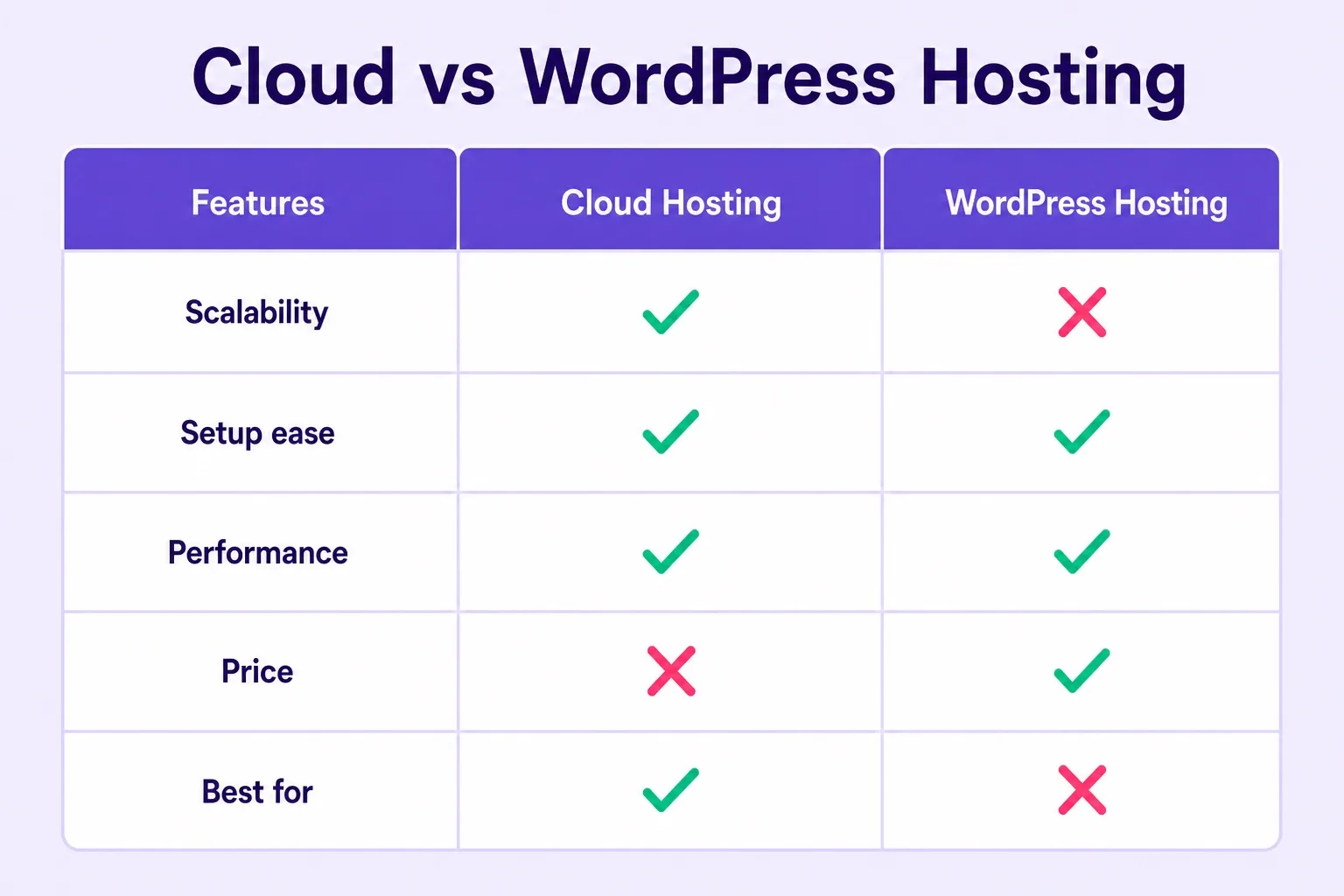
Cloud hosting wins on scalability. WordPress hosting wins on price and ease of setup for new sites.
Scalability: The Biggest Practical Difference
Scalability is where the cloud hosting vs WordPress hosting decision really matters in practice. Shared WordPress hosting allocates a fixed slice of server resources to your account. If your site suddenly receives ten times its normal traffic, those resources hit their ceiling and your load times suffer.
Cloud hosting routes that same traffic across multiple server nodes and can add capacity dynamically without requiring a manual plan upgrade from you. This is why media sites, growing ecommerce stores, and agencies managing several client sites tend to move toward cloud infrastructure once shared hosting starts showing its limits.
The important nuance is that most sites never actually hit the ceiling of a good shared WordPress hosting plan under normal operation. A blog with steady organic traffic, a local business site, or a portfolio rarely needs that kind of dynamic scaling. Cloud infrastructure is a real solution for a real problem, but only once that problem actually exists on your site.
The practical advice here is to start on WordPress hosting, monitor actual resource usage through hPanel, and upgrade to cloud when the data tells you to rather than in advance of a need that may not arrive for months or years.
Ease of Use: WordPress Hosting Wins for Beginners
Ease of use is a clear win for WordPress hosting when you are setting up your first site. Hostinger's hPanel walks you through WordPress installation in a few clicks without touching any server configuration. The plan is already tuned for WordPress before you log in for the first time.
Cloud hosting on Hostinger still supports one-click WordPress install, but the broader plan is designed for technical users who want access to server resources and configurations that go beyond what WordPress hosting exposes. If your entire plan is to publish WordPress content and grow a site, that extra technical surface area is more complexity than you need at the start.
Support quality also factors in here. Hostinger WordPress hosting support teams handle WordPress-specific questions daily: plugin conflicts, SSL activation, domain pointing, and one-click install issues. Those questions come up constantly in the first few weeks of a new site, and having support familiar with the WordPress layer saves time over a generic server support team.
For a detailed look at the hPanel setup experience and what comes pre-configured on WordPress plans, our Hostinger WordPress hosting review covers the full onboarding flow alongside performance and pricing details.
Who Should Buy WordPress Hosting Right Now
WordPress hosting is the right buy for bloggers, freelancers, and small business owners who need a fast WordPress site running under budget without managing server configuration. If you are launching your first site, writing content, or building a small business presence online, WordPress hosting covers everything you need from day one.
Hostinger Premium is the practical starting pick for most buyers. It supports multiple websites, includes free SSL, and qualifies for free domain eligibility on annual terms. The promo pricing makes it one of the most affordable ways to get a fully functional WordPress site live quickly.
Business is the right choice when you are already running more than one site or know you will need more storage and resources shortly after launch. Both tiers sit well below cloud hosting pricing, which makes WordPress hosting the default first move for most people reading this comparison.
If budget is the primary concern right now, our cheap WordPress hosting Hostinger guide breaks down what each promo price actually includes and where to find the best current deal on entry plans.
Who Should Buy Cloud Hosting Instead
Cloud hosting is the right buy once your site is outgrowing the resources a shared WordPress plan provides. Consistent slowdowns under traffic, resource limit notifications in hPanel, or a plan to run five or more active sites under one account are all signals that cloud infrastructure is worth the higher price.
Agencies managing multiple client WordPress sites benefit from cloud hosting because the dedicated CPU and RAM allocations keep individual site performance stable even when the workload across the account increases. A shared WordPress plan serving ten active client sites will behave differently than a cloud plan with dedicated resources serving the same workload.
Technical users who want root access, custom server configuration, or the ability to run non-WordPress applications alongside their site will also find cloud hosting a better fit. WordPress hosting plans are designed and locked around the WordPress use case, which is a feature for most buyers but a constraint for builders who need more flexibility.
Buyers expecting a product launch, seasonal traffic event, or content campaign that historically spikes traffic significantly should consider cloud hosting before the event rather than scrambling to upgrade during it. You can check current Hostinger cloud hosting plan pricing to compare tiers and decide which dedicated resource level fits your expected workload.
Hostinger Cloud Hosting Plans: What Each Tier Offers
Hostinger Cloud hosting comes in three main tiers: Cloud Startup, Cloud Professional, and Cloud Enterprise. Each step up increases dedicated CPU cores, RAM allocation, and the number of websites you can host under one account.
Cloud Startup is the entry point and provides a meaningful performance upgrade over shared WordPress plans for buyers who are genuinely hitting resource limits. Professional adds more CPU and RAM for teams or agencies running several active sites. Enterprise is sized for large operations with consistent high-traffic workloads across many properties.
All Hostinger Cloud plans include free SSL, a managed control panel via hPanel, and support for one-click WordPress installs. The difference from WordPress hosting is not setup convenience but the dedicated resource allocation underneath that setup. You keep the familiar hPanel interface while gaining the infrastructure advantage.
For buyers unsure whether to start on Business WordPress hosting or Cloud Startup, the honest answer is that Business on shared infrastructure usually handles a normal blog or small business site comfortably for the first year or two. Cloud Startup makes sense once your site has live traffic and you can see resource usage trending toward the ceiling on Business.
Hostinger WordPress Hosting Plans: Which Tier Fits
Hostinger WordPress hosting gives you three tiers to choose from, and picking the right one largely comes down to how many websites you need and how much traffic you expect in the first year.
Single fits one lightweight site and is priced as an entry option. It handles a personal blog or a simple landing page without issues, but the resource ceiling is low relative to Premium and Business.
Premium is where most buyers land because it supports multiple sites, includes a realistic free domain eligibility path on qualifying annual terms, and prices well during promotional windows. It is the default recommendation for anyone starting their first or second WordPress site.
Business adds more storage, weekly backups, and a higher resource ceiling that suits ecommerce sites, media-heavy blogs, and any project that publishes content regularly. If you are comparing Premium and Business and cannot decide, our Hostinger Premium vs Business breakdown walks through the exact differences so you can match the tier to your actual site plan rather than guessing.
Step-by-Step: How to Choose Between Cloud and WordPress Hosting
Working through a short decision path before buying saves you from choosing the wrong plan and regretting it at renewal time.
- Define your site type: blog, small business, ecommerce, agency, or application
- Estimate your first-year traffic: steady and modest, or expected to spike?
- Count the WordPress sites you need to host under one account
- Set your monthly budget for hosting including renewals
- Check whether free domain eligibility matters to your current launch
- If traffic is modest and budget is tight, start with WordPress hosting Premium
- If you need dedicated resources or manage multiple client sites, price Cloud Startup
- Confirm plan features and renewal rates on the live Hostinger checkout page
Running through those eight points takes less than five minutes and usually produces a clear answer. Most people reading this comparison end up on WordPress hosting because traffic, budget, and simplicity all point that way for a new or small site.
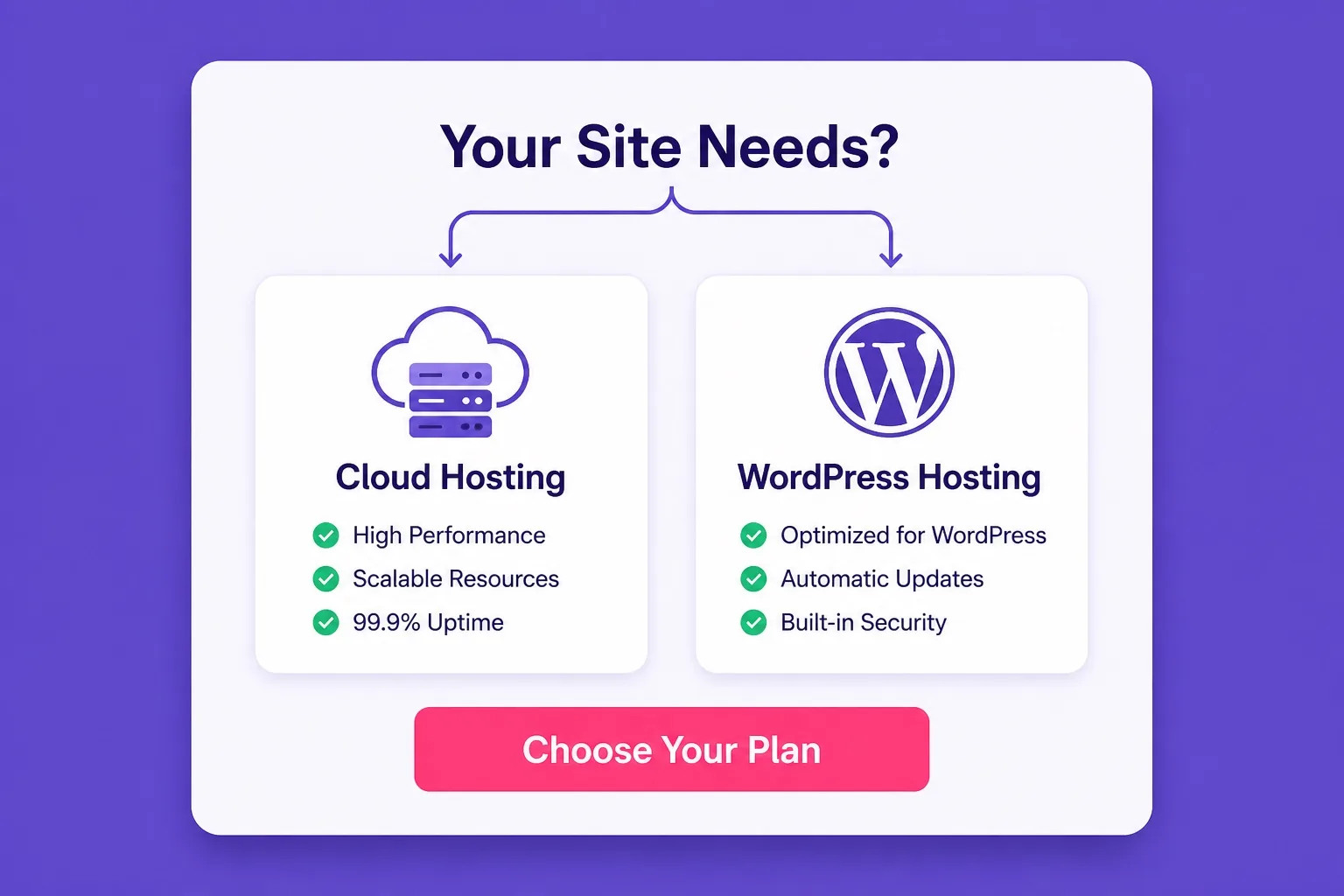
Match your plan to your actual site needs rather than the largest available option.
Mistakes to Avoid When Choosing Between Cloud and WordPress Hosting
Over-buying cloud hosting for a site that does not need it yet is the most common mistake in this comparison. Cloud infrastructure is genuinely powerful, but paying for dedicated server resources that a simple blog or five-page business site will never use is not good value.
Choosing the cheapest WordPress hosting tier without checking the resource limits is the opposite mistake. Single is very lean, and buyers who need to support more than one site or expect steady traffic growth in the first six months usually find themselves upgrading quickly. Starting on Premium avoids that friction.
Ignoring renewal pricing on either plan type is a consistent problem. Both WordPress hosting and cloud hosting carry different renewal rates after the promotional window. Write down both the promo price and the renewal rate the day you purchase so the year-two cost is not a surprise.
Treating cloud hosting and managed WordPress hosting as the same thing trips buyers up regularly. Cloud is an infrastructure category. Managed WordPress is a service model where the host handles WordPress updates, security scans, and backups. Hostinger does not offer a fully managed WordPress service in the same vein as premium managed hosts, but the WordPress hosting plans do automate install, caching, and SSL activation which covers most of what beginners actually need managed for them.
Cloud Hosting vs WordPress Hosting FAQ
These are the questions most buyers ask when comparing cloud and WordPress hosting plans on Hostinger. Read the ones most relevant to your site before you decide.
What is the main difference between cloud hosting and WordPress hosting?
Cloud hosting spreads your site across multiple servers for scalability and resilience. WordPress hosting is a plan type optimized specifically for WordPress with pre-installed tools, caching, and one-click setup. They solve different problems: cloud for scale, WordPress hosting for ease and WordPress-specific performance.
Can I run WordPress on cloud hosting?
Yes. WordPress runs on cloud hosting, but you manage more of the configuration yourself compared to a managed WordPress hosting plan. Hostinger Cloud plans support WordPress install and give you more CPU and RAM than shared WordPress plans.
Is cloud hosting faster than WordPress hosting?
Cloud hosting generally handles traffic spikes better due to auto-scaling across multiple servers. WordPress hosting on Hostinger is already optimized for WordPress speed with LiteSpeed cache and SSD storage, which is fast enough for most blogs and small business sites.
Which is cheaper, cloud hosting or WordPress hosting?
WordPress hosting is cheaper on entry pricing. Hostinger WordPress plans start lower than cloud plans. Cloud hosting costs more because of the dedicated resources and infrastructure behind it.
Who should choose WordPress hosting over cloud hosting?
Beginners, bloggers, and small business owners launching a WordPress site for the first time will find WordPress hosting simpler and more affordable. Cloud hosting suits sites with growing traffic, multiple projects, or technical users who need more control.
Does Hostinger offer both cloud hosting and WordPress hosting?
Yes. Hostinger offers dedicated WordPress hosting plans (Single, Premium, Business) and separate Cloud Startup, Professional, and Enterprise plans. Both product lines are available from the same Hostinger account.
When should I upgrade from WordPress hosting to cloud hosting?
Consider upgrading when your WordPress site consistently hits resource limits, load times increase under traffic, or you are running several high-traffic sites under one account. Cloud hosting gives dedicated CPU and RAM that shared WordPress plans do not.
Is managed WordPress hosting the same as cloud hosting?
No. Managed WordPress hosting means the host handles WordPress-specific tasks like updates, security, and caching. Cloud hosting refers to the infrastructure type. A managed WordPress plan can run on shared or cloud infrastructure depending on the provider.
Which Hostinger plan should a beginner choose?
Hostinger Premium WordPress hosting is the practical starting point for most beginners. It supports multiple websites, includes free SSL, and is priced accessibly. Cloud plans are worth considering once your site grows beyond what shared WordPress hosting comfortably handles.
Final Verdict: Cloud Hosting vs WordPress Hosting
Cloud hosting vs WordPress hosting comes down to one practical question: does your site need dedicated, scalable server resources today, or does it need a clean, affordable, WordPress-optimized setup that gets you live quickly?
For most buyers reading this comparison, WordPress hosting is the right starting point. Hostinger Premium covers the majority of launch needs at a price that makes sense for a first or second site. It includes free SSL, supports multiple websites, and runs on infrastructure already configured for WordPress performance.
Cloud hosting earns its higher price once your site is actually growing fast enough to need dedicated server resources. Starting there before that demand exists is simply paying for headroom you have not used yet.
The practical path is: launch on WordPress hosting, monitor traffic and resource usage in hPanel, and plan an upgrade to cloud hosting when the metrics tell you to rather than the marketing. For a wider look at plan options across both categories, our wordpress hosting blog covers comparison guides, plan breakdowns, and buying guides across Hostinger's full lineup.
If you are ready to move forward, you can compare and buy Hostinger WordPress hosting plans directly while current promotional pricing is still active. Confirm plan name, term, and renewal rate on the order summary before you pay.
For buyers already leaning toward cloud, check Hostinger cloud hosting current pricing and compare dedicated resource tiers side by side on the same checkout page to pick the tier that matches your actual workload rather than the largest available option.
Either way, the goal is the same: a fast, secure WordPress site on infrastructure that fits your traffic today and gives you a clear upgrade path when your site grows into needing more. For a full look at what the best WordPress hosting options include across plan types, the homepage covers plan basics and buying advice you can apply regardless of which direction you go.
If you want a fully managed cloud hosting option that gives you your choice of cloud provider (DigitalOcean, AWS, Google Cloud, Vultr, or Linode) alongside a clean managed dashboard, Cloudways managed cloud hosting is worth comparing before you commit to any plan. It sits between unmanaged VPS and premium managed WordPress hosting in both price and control level.