Cloudways Managed WordPress Hosting: Plan Buying Guide
Cloudways managed WordPress hosting plan choice is not a Premium vs Business label fight. You buy a cloud provider plus a server size, then deploy WordPress on managed infrastructure with staging, scaling, and platform tools.
That is why shoppers get stuck. They look for a named Hostinger style tier and instead see DigitalOcean, AWS, RAM options, and monthly estimates. The right buy depends on peak traffic, site type, and whether you need room for WooCommerce or multiple apps.
This guide maps which Cloudways plan shape to buy for blogs, growing sites, stores, and agencies. It stays honest on cost: Cloudways is usually higher than promo shared WordPress hosting, and that higher invoice only makes sense when dedicated resources are the real need.
The short answer: buy a small DigitalOcean size for a lean WordPress site, a mid size for growth and light stores, and a larger size when campaigns or multi app load demand headroom. Confirm live estimates on Cloudways managed WordPress hosting before you deploy.
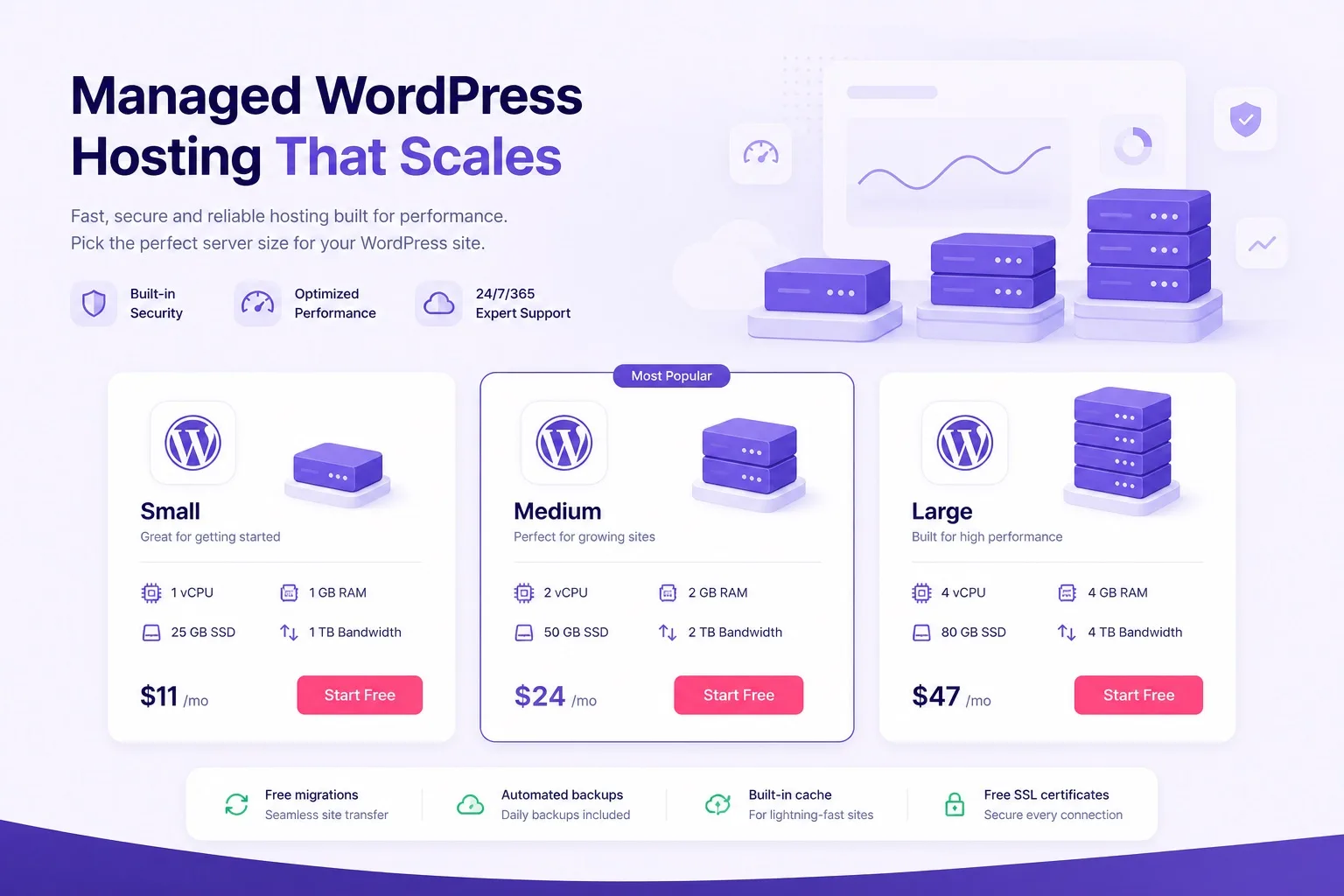
Cloudways plans are provider plus server size. Match RAM to peak traffic, not quiet day averages.
How Cloudways Plans Actually Work
A Cloudways plan is a managed cloud server. You pick the provider, choose region, select RAM and related resources, then install WordPress as an application. Platform features like staging and backups sit on top of that server.
There is no forever shared promo rate hiding the true product. Monthly cost follows the size you keep running. That honesty is useful once you outgrow shared limits, and confusing if you expected a beginner Hostinger style checkout.
You can often run more than one WordPress app on the same server when resources allow. That is powerful for agencies and multi brand owners. It also means one undersized server can slow every app at once if you guess wrong.
Think in three buying levers every time: provider, region, and RAM tier. Change any one of those and the monthly estimate can move. Write all three down before you click deploy so the plan decision stays auditable later.
Experience note: treat the first Cloudways buy as a capacity decision. Write your peak scenario first, then open pricing. Starting from the cheapest card and hoping is how people recreate shared hosting pain on cloud hardware.
For product context beyond plan picking, our Cloudways WordPress hosting review covers features, tradeoffs, and who should buy the platform at all.
Ready to view live sizes? Open Cloudways WordPress hosting plans and note provider plus RAM options side by side.
Choose Cloud Provider Before Server Size
Provider choice comes before size for many buyers. DigitalOcean is a common first pick for WordPress because price and performance balance works for a wide set of blogs and small stores.
AWS and Google Cloud fit teams that already prefer those clouds or need specific regions and ecosystem habits. Vultr and Linode remain options when region or pricing at launch time fits better.
Pick a region close to your audience when possible. Latency and local user experience can matter more than a small monthly gap between two providers at the same RAM tier.
Expertise rule: compare the same RAM tier across two providers before you fall in love with a brand name. Live estimates decide the buy, not a social media thread.
Our Cloudways vs Hostinger guide helps if you are still deciding whether managed cloud is the right product class versus Hostinger WordPress hosting.
When provider shortlist is ready, compare cards on Cloudways cloud hosting and lock region intent before sizing RAM.
Small Plans for Blogs and Brochure Sites
Buy a small Cloudways size when WordPress is a blog, portfolio, or brochure site with a lean plugin stack and modest concurrent traffic. You still get managed cloud tools, but you should not overpay for unused RAM.
Small does not mean careless. If you run heavy page builders, many tracking scripts, and image heavy posts, a too small server will feel slow even with light visitor counts. Clean the stack or size up.
Beginners who only need the cheapest launch path should usually buy Hostinger first. Cloudways small plans make sense when you specifically want managed cloud habits early, or when you already know growth is near.
Free domain and bundled email are not the Cloudways story the way they are on shared WordPress checkouts. Plan domain and email separately so launch day is not a surprise.
A fair small plan test is simple: can you name your peak hour and still feel calm about RAM? If the answer is no, start mid instead of forcing a bargain size.
Our WordPress hosting for beginners guide covers the Hostinger path if budget and simplicity matter more than cloud sizing today.
If a small managed cloud start still fits, pick DigitalOcean style entry sizing on Cloudways managed WordPress hosting and confirm the monthly estimate before install.
Mid Size Plans for Growing WordPress Sites
Buy a mid size Cloudways plan when traffic is rising, editors work at the same time, or the plugin stack is heavier than a basic blog. This is the practical default for many serious content sites moving off shared hosting.
Mid sizes also fit light WooCommerce catalogs with steady orders and occasional campaigns. If your store already runs big flash sales, skip ahead to larger sizing instead of hoping mid tier RAM holds every spike.
Vertical scaling later is easier when you start honest. Buying too small mid growth creates stress during the exact week you need stability. Buying one step above quiet traffic often costs less than an emergency resize mid campaign.
Trust tip: write average traffic and peak traffic as two numbers. Size for the peak week you already experience, not the fantasy month you hope for. Cloudways plans reward honest capacity planning.
Also count background jobs. Image optimization, backup plugins, and cron heavy membership tools can consume RAM even when public traffic looks calm. Mid tier headroom helps those invisible loads.
Growing site owners should compare mid RAM tiers on Cloudways WordPress hosting plans and keep staging enabled before plugin update nights.
For the upgrade timing from cheap WordPress hosting, our cheap WordPress hosting vs managed cloud hosting post shows the signals that usually mean it is time.
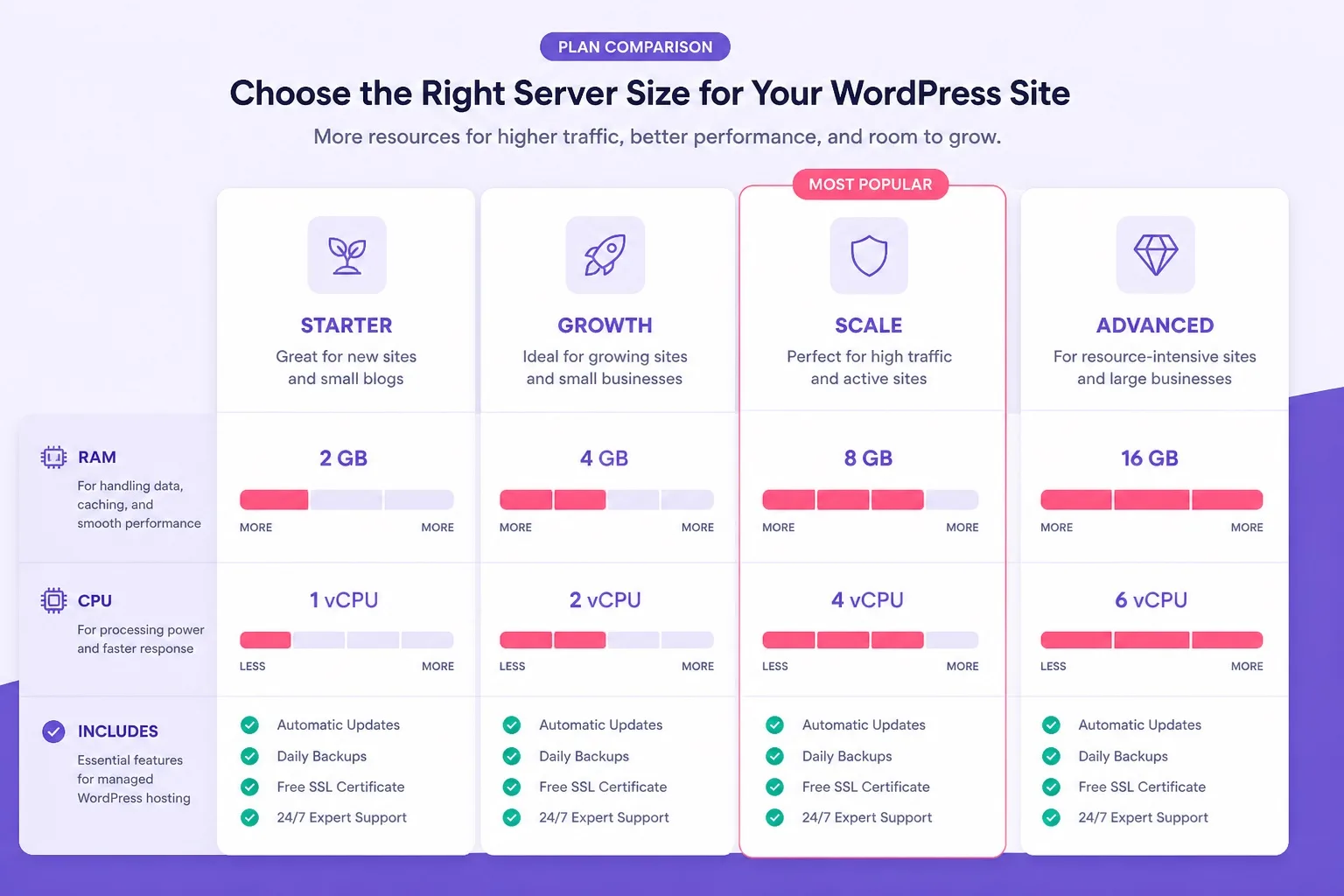
Small for lean blogs. Mid for growth. Larger for stores and multi app peaks.
Larger Plans for WooCommerce and High Traffic
Buy a larger Cloudways plan when WooCommerce checkout speed during campaigns is a revenue metric. Carts, sessions, and product queries need RAM headroom that quiet brochure sites never touch.
High traffic content sites with sudden affiliate or email spikes also belong here. If shared hosting resource meters already stay high, do not buy the smallest cloud size as a lateral move.
Size for launch weeks and promo hours. If you only size for Tuesday mornings, cloud hardware will still choke when the campaign lands. That is a plan pick error, not a mystery.
Larger plans also help when you run search heavy catalogs, complex shipping rules, or many simultaneous admins during merchandising weeks. Those workloads stack on top of public traffic and deserve explicit RAM budget.
Our WordPress hosting for WooCommerce guide helps store owners compare shared WordPress tiers versus managed cloud before they spend.
Store and high traffic buyers should open Cloudways WooCommerce cloud hosting and pick a size for peak campaign traffic, then confirm the monthly estimate.
After purchase, use staging for plugin and theme tests before every major store update. Larger plans buy capacity. Staging buys fewer emergency restores.
Agency and Multi App Plan Picks
Agencies should buy Cloudways plan capacity for combined client peaks, not for one quiet demo site. Multiple WordPress apps on one server share the same RAM pool.
Cloning and staging help client workflows when the server is sized correctly. Undersizing turns every client deploy into a slow afternoon for everyone on that box.
Some agencies prefer separate servers for heavy clients and a shared mid server for small brochure projects. That split can cost more monthly and still be cheaper than support chaos.
Experience tip: document which apps live on which server. Plan picks fail when nobody remembers why three busy stores share a mid size box that was meant for portfolios.
Also set a resize rule in the agency SOP. When monitoring shows sustained high memory on a shared client server, upgrade before the next launch week instead of during client panic.
Agency buyers can start sizing on Cloudways managed cloud hosting with a written list of apps and peak hours before checkout.
DigitalOcean vs AWS for Your First Plan
DigitalOcean is the practical first Cloudways plan path for many WordPress owners. It is familiar, widely used for this workflow, and easy to compare across small mid and larger sizes.
AWS can be the better first plan when your team already works in that ecosystem or needs a region and compliance preference that fits AWS better at launch time. Do not pick AWS only because the logo feels enterprise.
Compare the same RAM tier on both when possible. The monthly estimate difference is a real buying signal. Region availability for your audience is another.
Google Cloud, Vultr, and Linode can win on specific region or pricing days. Keep them in the shortlist if DigitalOcean or AWS do not fit your location needs.
Switching providers later is possible but adds migration work. Choose the provider you are willing to keep for at least the next year unless region constraints force a change.
Lock the provider on Cloudways plans only after you compare live estimates for the RAM tier your site type needs.
Our cloud hosting vs WordPress hosting article clarifies why cloud provider choice exists on Cloudways but not on typical shared WordPress plan cards.
What to Check on the Pricing Estimate
Before you buy any Cloudways managed WordPress hosting plan, read the full monthly estimate. Include add ons you know you will enable, such as CDN or extra backup options when relevant.
Confirm RAM, storage, and bandwidth style limits for the size you selected. Confirm region. Confirm whether the estimate matches the provider you intended.
No fake forever prices belong in this decision. Cloud cost follows the server you keep. If the estimate is unclear, wait. Urgency is a weak reason to undersize.
Also plan email and domain costs outside Cloudways if needed. A plan can look complete until mailboxes and DNS work appear on launch week.
Save a screenshot of the estimate with provider, region, and size visible. That record helps later when someone asks why the invoice differs from a blog post memory.
When the estimate is clear, buy Cloudways WordPress hosting at the size that covers peak traffic with a little room, not the size that only looks cheap on paper.
For budget alternatives still on shared WordPress hosting, our cheap WordPress hosting Hostinger guide keeps the lower cost path honest.
Plan Mistakes to Avoid Before You Buy
Buying the smallest cloud size after leaving shared hosting is the most common mistake. If shared limits already failed at peak, a tiny cloud server often fails the same way.
Sizing for average traffic instead of peak traffic is the second mistake. Campaigns and viral posts do not ask permission before they arrive.
Stacking too many busy client apps on one mid server without monitoring is an agency mistake. Combined peaks are the real plan requirement.
Ignoring staging after paying for managed cloud wastes platform value. Create staging before risky updates so larger RAM is not your only safety net.
Comparing Cloudways to Hostinger only on first month promo price is also unfair. Different products solve different stages. Use Cloudways plan pricing when dedicated resources are the need, not when you only want the lowest invoice.
Our Hostinger Premium vs Business guide remains useful if you are not ready for cloud sizing and still need a shared WordPress tier pick.
Who Should Buy Which Cloudways Plan
Buy a small plan if you want managed cloud for a lean blog or brochure site and you accept separate email and domain workflows. DigitalOcean is a sensible first provider for many of these buys.
Buy a mid plan if content growth, concurrent editors, or light WooCommerce load is already real. This is the most common Cloudways managed WordPress hosting sweet spot for sites leaving shared hosting.
Buy a larger plan if store campaigns, high concurrency, or multi app agency load need serious RAM. Confirm live sizes rather than copying someone else server screenshot.
Buy Cloudways managed WordPress hosting only after Hostinger style plans no longer match your peak traffic or staging needs. Otherwise keep the budget plan and optimize the site first.
Skip Cloudways plans for now if you need free domain eligibility and beginner bundled extras above all else. That buyer should stay on Hostinger WordPress hosting until the project proves it needs cloud capacity.
When your who should buy path is clear, deploy on the matching size and schedule a resize review after the first real traffic month. That review date turns plan picking into an ongoing capacity habit instead of a one time guess.
Checkout Checklist Before You Pay
Run this checklist before you complete a Cloudways managed WordPress hosting plan purchase.
- Write peak traffic and site type: blog, store, agency multi app
- Choose cloud provider and region
- Pick small, mid, or larger RAM tier for that peak
- Confirm monthly estimate including planned add ons
- Confirm staging and backup workflow needs
- Plan domain DNS and SSL cutover steps
- Plan email outside Cloudways if mailboxes are required
- Write a resize review date after the first busy month
Most buyers who finish that list stop guessing between random server cards. They buy a size with a reason and a written peak traffic note they can revisit later.
Ready to checkout? Open Cloudways plan checkout and verify provider, size, and monthly estimate.
Visit the wordpress hosting homepage if you still need a broader comparison first.
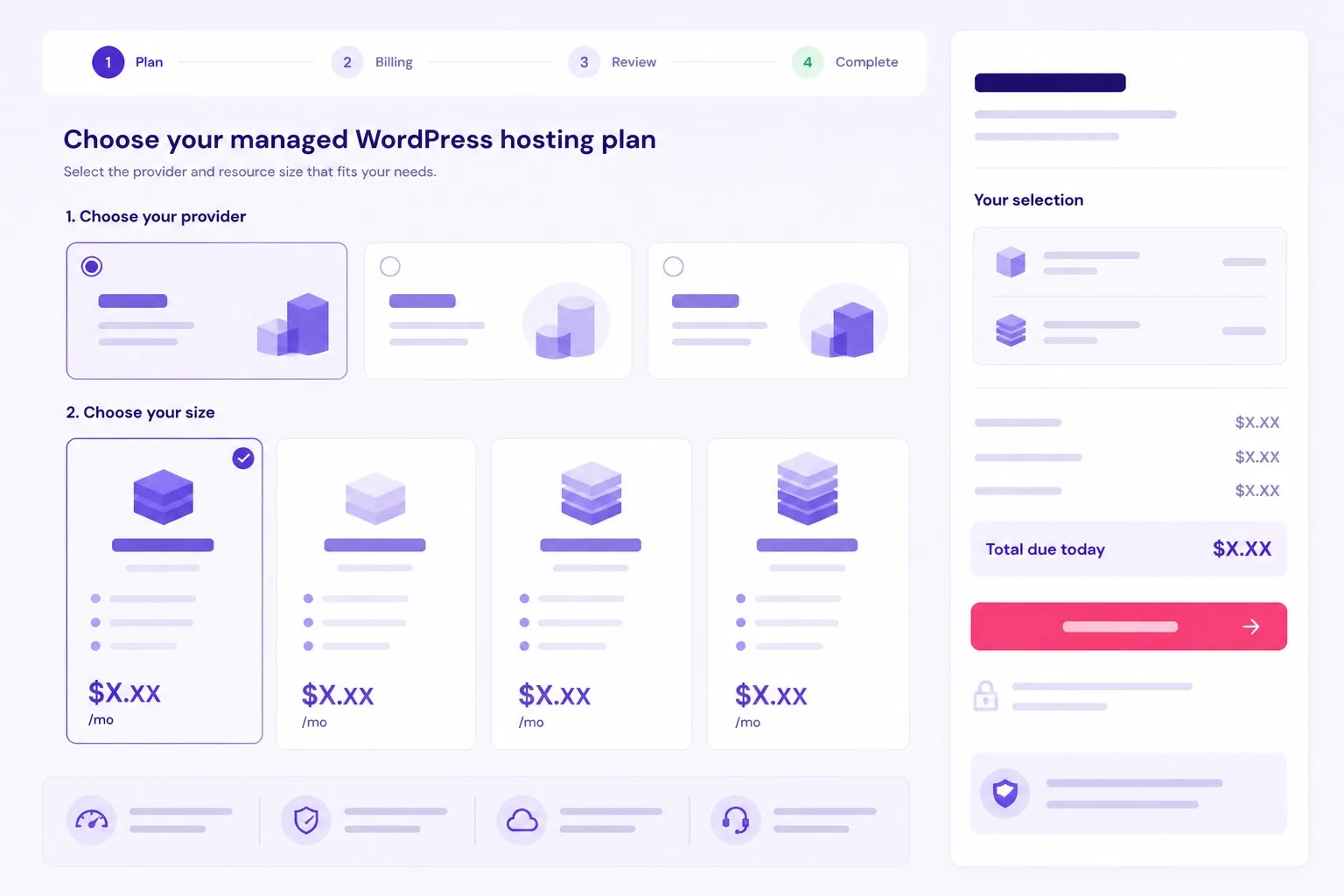
Confirm live cloud pricing by provider and size. Estimates change by region and configuration.
Cloudways Managed WordPress Hosting Plan FAQ
These are the plan questions buyers ask most before they choose a Cloudways size. More platform detail lives on our wordpress hosting blog and the Cloudways review post.
Does Cloudways have named plans like Premium and Business?
No. Cloudways managed WordPress hosting is sold by cloud provider and server size. You choose DigitalOcean, AWS, Google Cloud, Vultr, or Linode, then pick RAM and storage that match your traffic. Confirm live sizes and monthly estimates before you buy.
Which Cloudways plan should beginners buy?
Most beginners should start on Hostinger WordPress hosting first. If you still want Cloudways for a simple blog, pick a small DigitalOcean size with honest RAM for your plugin stack, then scale up when peak traffic needs it.
Which Cloudways server size is best for WooCommerce?
Buy a mid or larger size based on peak checkout traffic, not quiet weekday averages. WooCommerce needs RAM headroom for carts, sessions, and plugins. Confirm live estimates for your catalog size and campaign weeks.
Should I buy DigitalOcean or AWS on Cloudways?
DigitalOcean is a common first pick for many WordPress and small store launches. AWS fits teams that already prefer that ecosystem or need specific regions. Compare live monthly estimates for the same RAM tier before you decide.
Can I change Cloudways plan size later?
Yes. Vertical scaling is a core Cloudways advantage. Start with a size that covers your current peak, then upgrade RAM when monitoring shows sustained pressure. Confirm current scale options inside your Cloudways account.
How many WordPress sites can I run on one Cloudways plan?
You can run multiple applications on one server when resources allow. Agencies often do this. Size the server for combined peak load across all apps, not for one quiet site alone.
Is Cloudways cheaper than Hostinger plans?
Usually no at the start. Hostinger promo WordPress plans cost less for beginners. Cloudways costs more because you buy dedicated cloud resources. Pay for Cloudways when shared limits are no longer enough.
What should I check before I buy a Cloudways plan?
Check provider, region, RAM, storage, monthly estimate including add ons, staging needs, email plan, and peak traffic assumptions. Write those numbers down before you deploy WordPress.
Final Verdict: Which Cloudways Plan Should You Buy?
Cloudways managed WordPress hosting plan choice comes down to peak load. Small sizes fit lean blogs. Mid sizes fit growing WordPress sites and light stores. Larger sizes fit WooCommerce campaigns and multi app agency work.
DigitalOcean is the practical first provider for many buyers. AWS can win when ecosystem or region needs say so. Always confirm live monthly estimates for the RAM tier you actually need.
For most owners leaving shared hosting with real growth signals, a mid size Cloudways managed WordPress hosting plan is the sensible default. Size up for stores and busy agency stacks.
Keep E-E-A-T habits: honest sizing, clear who should buy which plan, related internal guides, and no fake forever prices. That is how a plan post stays trustworthy after checkout.
Ready to pick a size? Compare providers and start Cloudways with peak traffic written down. See our Hostinger WordPress hosting review if you still belong on a budget shared plan first.
Still unsure? Visit the best WordPress hosting homepage for more comparisons, then return to Cloudways when your site type and peak assumptions are clear. Buy the plan that matches the busy week, then scale with evidence. Keep this plan map beside checkout so provider, region, and RAM stay aligned with the job your WordPress site must do.