Cloudways WordPress Hosting Review: What Matters Before You Buy
Cloudways WordPress hosting review starts with a clear product definition: Cloudways is managed cloud hosting for WordPress, not a cheap shared plan with a long promo term. You pick a cloud provider, choose server size, deploy WordPress, then scale resources when traffic grows.
That model is why Cloudways shows up when shared WordPress hosting starts to feel tight. Peak hours slow down, WooCommerce checkout lags, or agencies need staging and dedicated capacity for client sites. Cloudways solves those problems with cloud servers and a managed platform layer.
It is not the best first buy for every beginner. If you want the lowest promo price, free domain eligibility, and bundled email in one simple checkout, Hostinger WordPress hosting is usually the smarter start. Cloudways wins when performance headroom and managed cloud tools matter more than entry price.
The short answer: buy Cloudways WordPress hosting when you need dedicated cloud resources, staging, and room to scale. Skip it when a simple blog on a budget plan still covers your traffic and feature list.
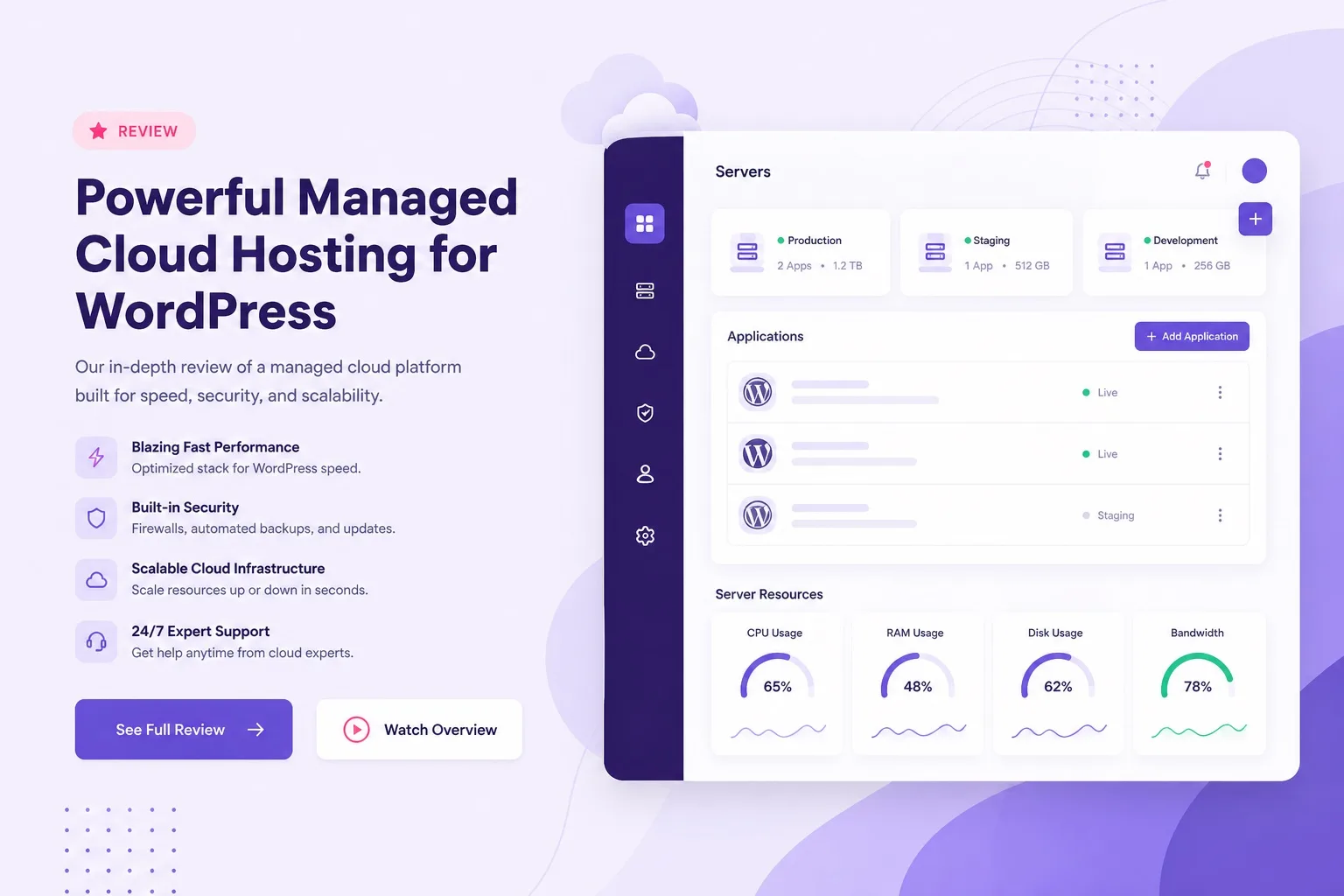
Cloudways is managed cloud for WordPress. Price follows server size, not a forever shared promo rate.
What Cloudways WordPress Hosting Actually Is
Cloudways sits between raw cloud servers and fully closed managed WordPress platforms. You get DigitalOcean, AWS, Google Cloud, Vultr, or Linode style infrastructure with a Cloudways dashboard for apps, staging, backups, SSL, and scaling controls.
You are not buying an unmanaged VPS where you patch everything yourself. You are also not buying a beginner shared plan where one click and free domain are the whole story. Cloudways is for owners who want cloud power with less server admin work.
WordPress installs as an application on your chosen server. You can run more than one application on a server when resources allow, which agencies and multi site operators use often. That flexibility is a core Cloudways advantage over single site shared tiers.
Experience note: the first Cloudways decision that matters is server size, not a marketing plan name. RAM and CPU choices decide whether WooCommerce spikes stay smooth. Guessing from a shared hosting visitor chart is the wrong mental model.
For a side by side with budget WordPress hosting, our cheap WordPress hosting vs managed cloud hosting guide shows when the upgrade timing usually makes sense.
Ready to see the platform live? Open Cloudways managed cloud hosting and review provider options before you size a server.
Key Features That Matter for WordPress
The Cloudways features that matter for WordPress are staging, backups, SSL, server monitoring, cloning, and vertical scaling. Those tools support real publishing and store workflows better than a bare cloud VM with no platform layer.
Staging lets you test plugin and theme updates before they touch the live site. That alone prevents many emergency restores after a bad update night. Agencies and store owners should treat staging as a must have, not a luxury.
Backups and restore options reduce risk when migrations or plugin experiments go wrong. Still verify backup schedule and retention inside your account. Do not assume defaults match every project need.
SSL, caching options, and CDN style add ons help WordPress performance when configured correctly. Cloudways gives the platform controls; you still need a clean theme and lean plugin stack for fast pages.
Our cloud hosting vs WordPress hosting comparison explains how cloud products differ from WordPress labeled shared plans. Use it if your checkout language feels confusing.
Feature checklist done? Compare live tools on Cloudways WordPress hosting and confirm staging and backup options for the server size you want.
Performance and Scaling Experience
Performance on Cloudways depends on server size, region, caching, and how heavy your WordPress stack is. Dedicated cloud resources usually hold up better under concurrent traffic than shared style limits.
Vertical scaling is the practical growth path. When peak hours fill RAM or CPU, you can move to a larger size instead of rebuilding on a new host. That is the experience difference owners feel after campaign weeks.
A quiet brochure site can feel fast on cheaper WordPress hosting too. Cloudways shines when concurrency rises: multiple editors, checkout bursts, affiliate traffic spikes, or many plugins that need real memory.
Trust tip: size for your peak week, not your average Tuesday. Undersizing a cloud server to chase a low monthly estimate recreates the same slow checkout problem you left shared hosting to escape.
Also watch object cache and page cache behavior after deploy. A correctly sized server still feels slow if the theme loads oversized images and unused builders on every page view.
For agency and multi site load patterns, start pricing on the Cloudways server plans page and match RAM to combined traffic, not one site alone.
If you are still on Hostinger and only starting to hit limits, our Hostinger WordPress hosting review helps you decide whether to optimize first or move to managed cloud.
Cloudways Pricing: What You Pay For
Cloudways pricing is server based. You pay for the cloud size and provider you choose, plus platform value from managed tools. It is not a single forever WordPress hosting promo rate, and that honesty matters before you buy.
Expect a higher starting cost than Hostinger Premium style plans. You are buying dedicated resources and managed cloud controls. The value shows when shared limits would have forced an emergency migration during a sales spike.
Add ons can change the monthly total. CDN, extra backups, or other platform extras should be counted in your estimate. Write the full monthly figure before you call Cloudways affordable for your stage.
No fake forever prices belong in this review. Live estimates change by provider, region, and size. Open checkout style pricing and confirm the number for the exact stack you will run. If the estimate is unclear, wait before you deploy.
Our Cloudways vs Hostinger comparison helps when budget and performance are both on the table. Hostinger wins entry cost. Cloudways wins dedicated cloud headroom.
Ready to check real numbers? Open Cloudways pricing and compare DigitalOcean and other providers for the RAM tier you need.

Features matter only when sized to your traffic. Pricing follows the server, not a shared promo badge.
DigitalOcean, AWS, and Other Cloud Choices
Cloudways lets you choose the underlying cloud. DigitalOcean is a frequent first pick for WordPress because many buyers find the price to performance balance practical for blogs and small stores.
AWS and Google Cloud fit teams that already live in those ecosystems or need specific regions and enterprise style preferences. Vultr and Linode are additional options depending on region and pricing at the time you launch.
Pick region close to your audience when possible. Latency and compliance needs can matter more than a small monthly gap between providers. Confirm live region availability for your target market.
Expertise rule: choose provider for fit, then size RAM honestly. Switching providers later is possible but adds migration work. Start with the provider you are willing to keep for the next year.
Compare provider cards on Cloudways cloud hosting and write down monthly estimates for two sizes before you deploy WordPress.
Staging, Backups, and Security Tools
Staging is one of the strongest Cloudways WordPress hosting features for serious sites. Clone the live app, test updates, then push changes when the test looks clean. That workflow is hard to fake on the cheapest shared plans.
Backups should be verified, not assumed. Check schedule, retention, and restore steps after your first deploy. A backup you have never restored is only a theory until you practice once on staging.
Security on managed cloud still needs WordPress hygiene: strong admin passwords, limited plugins, and timely updates. Platform tools help. They do not replace basic site care.
SSL should be enabled before you send public traffic. Point DNS carefully during migration so certificates and redirects do not fight each other on cutover day.
When staging and backups are must haves on your list, buy Cloudways WordPress hosting sized for your apps, then create a staging copy before heavy plugin work.
WooCommerce and High Traffic Fit
Cloudways is a strong WooCommerce option when checkout speed during campaigns matters. Dedicated resources handle concurrent carts better than crowded shared environments when the server is sized correctly.
Small stores with light traffic can still succeed on Hostinger Business. Move to Cloudways when product catalogs grow, ads increase concurrent users, or peak hours regularly stress the current plan.
Size RAM for launch weeks and email campaign hours. If you only size for quiet nights, you will recreate slow checkout on cloud hardware. That is a planning error, not a Cloudways failure.
Our WordPress hosting for WooCommerce guide covers store hosting fit across plan types if you are still choosing between shared WordPress and managed cloud.
Store owners ready for dedicated capacity should open Cloudways WooCommerce cloud hosting and pick a size for peak campaign traffic.
Setup Experience: From Signup to WordPress Live
Setup on Cloudways starts with account creation, provider choice, server launch, then WordPress application install. It is guided, but it has more decisions than a beginner Hostinger one click flow.
Expect to choose cloud provider, server size, and region before WordPress is live. Those choices are the price and performance foundation. Rushing them to finish faster often costs more later.
After WordPress is installed, connect your domain, enable SSL, and verify the site URL settings. Migration from another host should be tested on staging when possible before DNS cutover.
Experience tip: keep email on a separate provider if needed, because Cloudways focuses on app hosting. Plan that before launch day so contact forms and transactional mail are not an afterthought.
Compared with Hostinger install simplicity, Cloudways asks more up front and gives more control after. Our how to install WordPress on Hostinger guide shows the simpler path if you are not ready for cloud sizing yet.
Ready to deploy? Launch a server on Cloudways WordPress hosting and install WordPress only after provider, region, and RAM are chosen on purpose.
Pros and Cons of Cloudways WordPress Hosting
Pros: dedicated cloud resources, managed platform tools, staging workflows, vertical scaling, and strong fit for growing WordPress and WooCommerce sites. Agencies like multi app flexibility on one server when resources allow.
Cons: higher starting cost than promo shared WordPress hosting, more setup decisions, and less beginner style bundling for free domain and email. Cloudways is not trying to be the cheapest first host.
Another tradeoff is learning the dashboard. It is usable, but owners coming from hPanel style simplicity may need a short learning week. That is fair for the control you gain.
A second trust tradeoff is billing clarity. Because price follows server size and add ons, you must read the monthly estimate carefully. Treat that estimate as part of the buying decision, not a detail to check later.
Trust summary: Cloudways is excellent when you need managed cloud performance. It is a weak buy when your only goal is the lowest possible hosting invoice for a quiet site.
Weigh both sides on live pricing at Cloudways plans before you decide. Pair that with our Hostinger Premium vs Business guide if you are still on shared WordPress tiers.
Who Should Buy Cloudways
Buy Cloudways if shared WordPress hosting already shows strain during peak hours, or if you know a campaign will create concurrent traffic your current plan cannot hold.
Buy Cloudways if staging and safer update workflows are non negotiable for a store or client site. Testing on staging before live pushes is daily professionalism, not optional polish.
Buy Cloudways if you run an agency or manage multiple WordPress apps and want dedicated resources with cloning and scaling tools. Confirm server size against combined load.
Buy Cloudways managed WordPress cloud hosting if WooCommerce revenue depends on checkout speed during sales. Size for the busy hour, then launch.
Affiliate and content sites with sudden traffic spikes from social or email can also fit Cloudways once cheap WordPress hosting resource meters stay high. Upgrade with evidence, not hype.
When those conditions match, start Cloudways while you still have time to migrate cleanly, not during an outage week. Calm migrations beat emergency moves every time.
Who Should Skip Cloudways
Skip Cloudways if you are launching a first simple blog and need the lowest promo hosting price with free domain eligibility. Hostinger WordPress hosting fits that stage better.
Skip Cloudways if you need bundled email and a beginner hPanel path above all else. Cloudways can host WordPress well, but the extras model differs from shared hosting checkouts.
Skip Cloudways if your site is quiet, your plugin stack is light, and you have no near term traffic plan that would stress shared limits. Paying for unused cloud RAM is not smart thrift.
Skip for now if you have not compared Hostinger Business and Cloudways against the same traffic assumptions. Our cheap WordPress hosting Hostinger guide covers the budget path.
When you are ready for managed cloud later, return to Cloudways WordPress hosting with peak traffic notes and a migration plan already written.
Checkout Checklist Before You Buy Cloudways
Run this checklist before you complete a Cloudways WordPress hosting purchase. It keeps pricing and sizing honest.
- Write your peak traffic scenario, not only average traffic
- Choose cloud provider and region for your audience
- Pick RAM and storage for peak week needs
- Confirm monthly estimate including planned add ons
- Confirm staging and backup options for your workflow
- Plan domain DNS cutover and SSL timing
- Plan email separately if you need mailboxes
- Decide migration date and staging test steps before go live
Most buyers who finish that list either buy with clear numbers or wait with a clear reason. Both outcomes beat impulse cloud sizing.
Ready to buy? Open Cloudways checkout plans and verify provider, size, and monthly estimate.
Visit the wordpress hosting homepage if you still need a broader host comparison first.
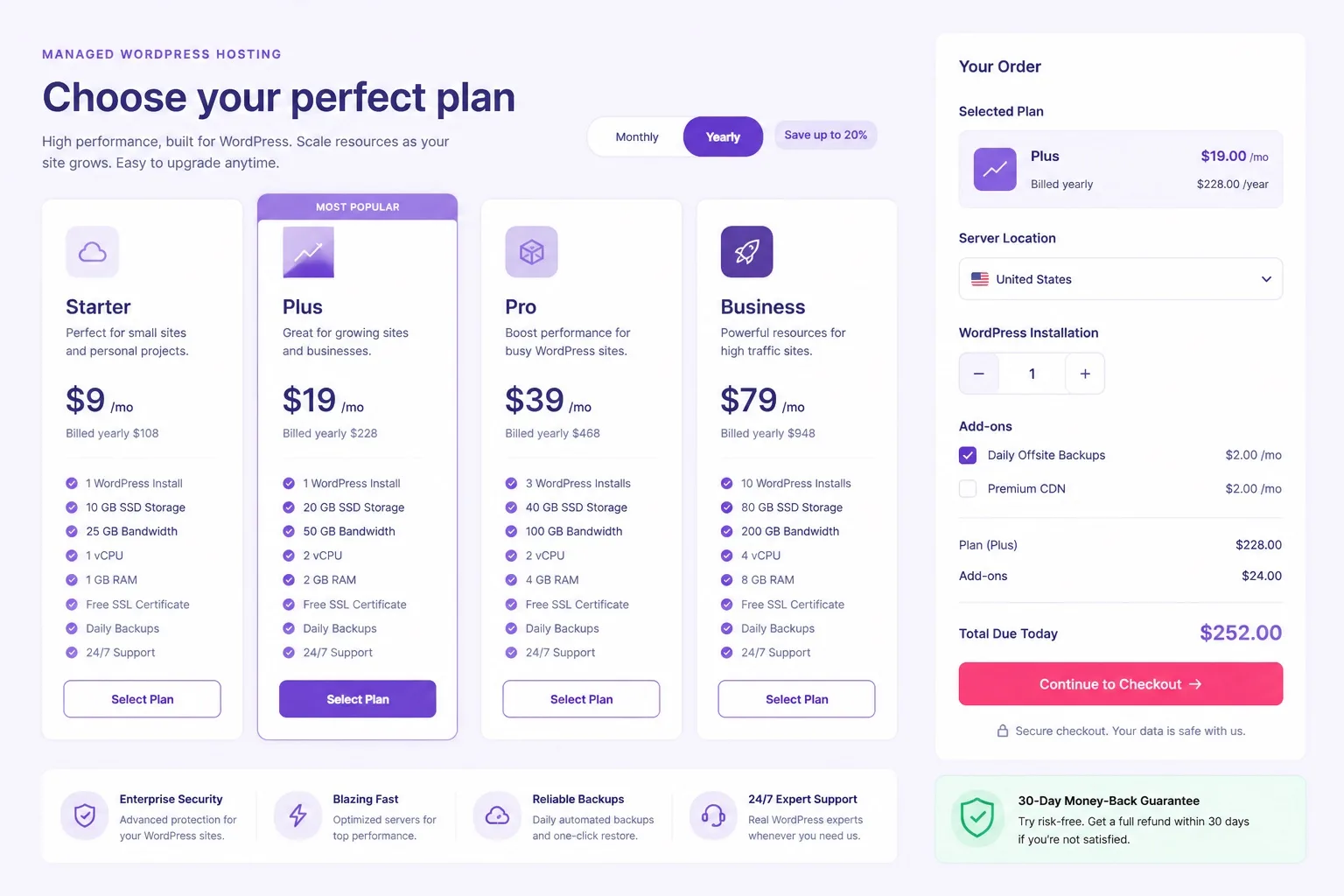
Confirm live cloud pricing by provider and size. Estimates change by region and configuration.
Cloudways WordPress Hosting FAQ
These are the questions buyers ask most in a Cloudways WordPress hosting review cycle. Skim the ones that match your stage. More comparisons live on our wordpress hosting blog.
Is Cloudways good for WordPress?
Yes for owners who need managed cloud resources with staging, scaling, and stronger peak performance than shared WordPress hosting. Cloudways runs WordPress on DigitalOcean, AWS, Google Cloud, Vultr, or Linode with a managed dashboard. It is usually overkill for a brand new brochure site on a tight budget.
How does Cloudways pricing work?
Cloudways pricing is based on the cloud provider and server size you choose, plus platform features you enable. It is not a single cheap shared hosting promo rate. Always confirm the live monthly estimate for RAM, storage, and bandwidth before you buy.
Does Cloudways include free domain and email?
Cloudways focuses on application and server hosting. Free domain bundles and email mailboxes are not the same as typical shared WordPress hosting extras. Many buyers keep domain and email with separate providers.
Is Cloudways better than Hostinger for WordPress?
Hostinger is usually better for beginners and budget launches. Cloudways is better when shared style limits feel tight and you need dedicated cloud capacity, staging workflows, or stronger WooCommerce peak handling. Compare both against your traffic and budget.
Which cloud provider should I pick on Cloudways?
DigitalOcean is a common first pick for WordPress because it balances price and performance for many blogs and small stores. AWS or Google Cloud can fit buyers who already prefer those ecosystems. Confirm live region and size pricing before you launch.
Can I migrate an existing WordPress site to Cloudways?
Yes. Cloudways supports WordPress migrations through its migration tools and workflows. Plan DNS cutover, SSL, and a staging test before you point the live domain. Confirm current migration options inside your Cloudways account.
Is Cloudways good for WooCommerce?
Yes for stores that need dedicated resources during campaigns and checkout spikes. Size RAM for peak traffic, not quiet weekdays. Small stores with light traffic can still start on Hostinger Business and upgrade later.
Who should not buy Cloudways?
Skip Cloudways if you only need a simple first blog, want the lowest promo hosting price, or need bundled email and free domain in one beginner checkout. Those buyers usually fit Hostinger WordPress hosting better.
Final Verdict: Should You Buy Cloudways?
Cloudways WordPress hosting is a strong buy when managed cloud performance, staging, and scaling matter more than the cheapest shared promo. It is a weak buy when your site is quiet and your budget needs beginner WordPress hosting extras.
For growing blogs, WooCommerce stores, and agencies, Cloudways WordPress hosting is worth the higher monthly estimate if you size RAM for peak traffic and use staging before risky updates.
Keep E-E-A-T habits here: real sizing advice, honest pricing structure, related internal comparisons, and clear who should buy versus skip. No fake forever prices and no hype claims.
Ready to move to managed cloud? Compare providers and start Cloudways with a server size that matches your busy week. Confirm the monthly estimate before you deploy. See our Hostinger WordPress hosting review if you want the budget alternative documented side by side.
Still unsure? Visit the best WordPress hosting homepage for more guides, then return to Cloudways checkout when peak traffic and feature needs are written down.
Final trust check: cloud provider chosen, RAM sized for peaks, staging planned, email planned separately, monthly estimate confirmed. If all five pass, Cloudways is a fair buy for your WordPress stage. Keep this review checklist when you resize the server after your first real traffic month too for honest capacity planning.