Does Hostinger WordPress Hosting Include a Free Domain?
Buy Hostinger WordPress hosting with free domain when your checkout shows a clear free domain line on a qualifying annual Premium or Business term. That perk covers the first domain registration period bundled with hosting, not lifetime ownership.
Most serious first launches should shortlist Premium on a twelve month or longer term. Business fits the same free domain path when you also need stronger backups, staging style testing, or more resource headroom.
Single and many monthly terms usually skip free domain eligibility. Treat those as narrow test lanes, not the default buy for a public WordPress site that needs a branded address.
Short verdict: confirm the free domain line on the order summary, screenshot promo and renewal for hosting, and budget domain renewal after the included year before you celebrate savings.
Ready to check live eligibility? Open Hostinger WordPress hosting plans and read the domain row beside Premium and Business annual cards.
Keep this guide open during checkout. Free domain marketing is easy to misread if you only glance at the tile price.
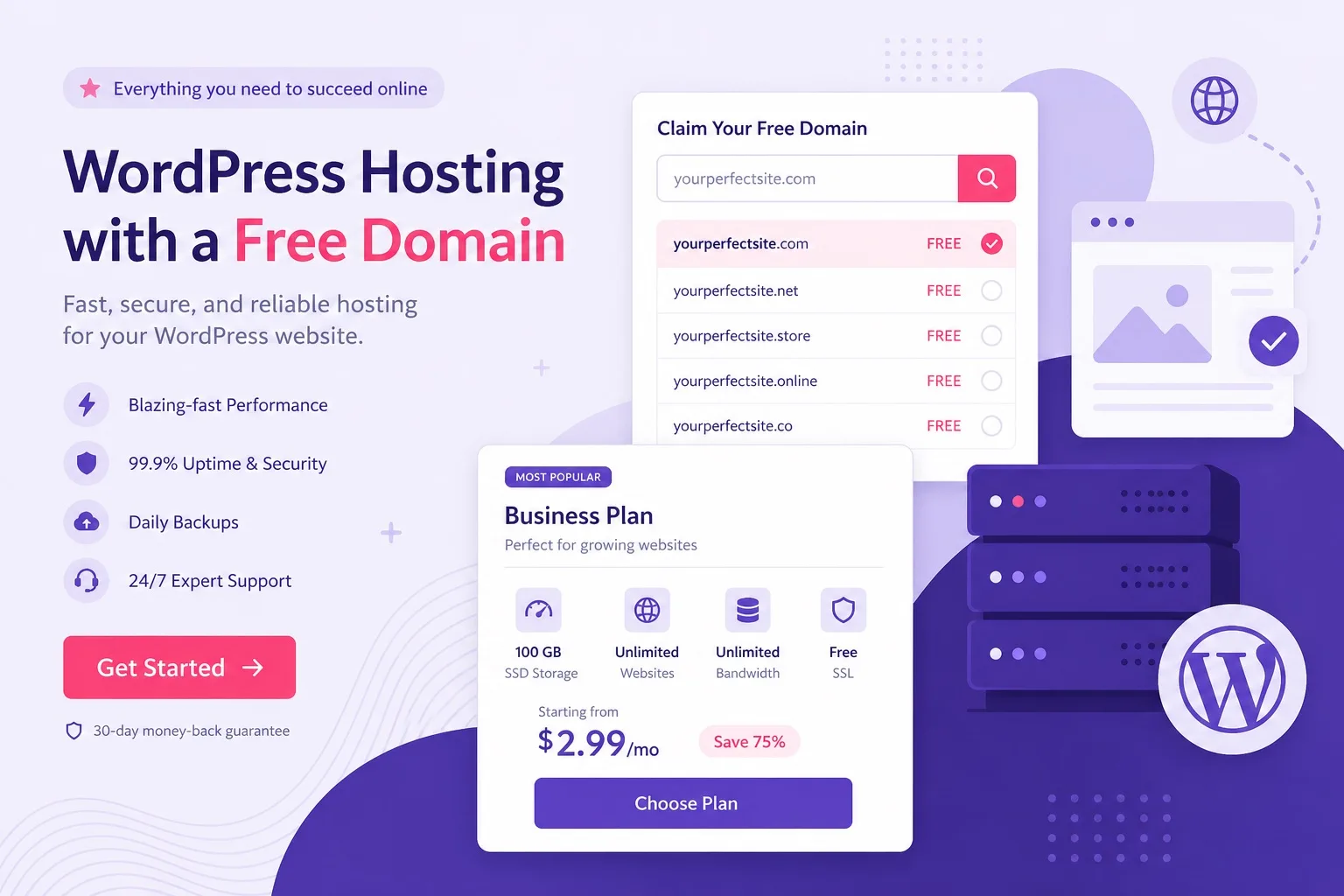
Free domain eligibility appears on qualifying annual terms, not on every plan tile.
What Free Domain Actually Means (First Year, Not Forever)
WordPress hosting free domain language sounds permanent in ads. In practice it means Hostinger credits the first registration period for one eligible domain when your plan and billing term qualify.
After that included period, domain renewal bills at the standard registrar rate inside your Hostinger account. Hosting promo pricing and domain renewal pricing follow different rules.
Trust rule: never tell yourself the domain is free forever. Write domain renewal on your year two budget the same day you claim the name.
Experience note: buyers who treat free domain as lifetime savings often feel misled at renewal. Buyers who screenshot renewal pricing on day one stay calm later.
Free domain also does not replace thoughtful naming. Pick a name you are willing to renew at standard rates, not a throwaway string you will abandon when billing starts.
Some premium TLDs cost extra even when a free domain perk is active. The domain search screen at checkout shows which extensions are fully covered and which need an add on payment.
For honest first year math after you understand the perk, read how much WordPress hosting costs on Hostinger with your order summary beside that guide.
Cost guides and free domain guides work best together. One explains hosting renewals. This one explains domain eligibility and claim timing.
When the definition is clear, compare live WordPress hosting plans and look for the free domain row on annual Premium or Business terms only.
Premium and Business: Which Plan Gets You the Free Domain
Hostinger Premium plan and Hostinger Business plan both commonly show free domain eligibility on qualifying annual terms. The difference is not usually the domain perk. The difference is hosting headroom and workflow tools.
Premium is the default buy for blogs, portfolios, local business brochure sites, and affiliate niche sites that need a clean first year with multi site room.
Business fits when staging style testing, stronger backup frequency, WooCommerce load, or client heavy workflows are already on your ninety day must have list.
Do not buy Business only because you want a free domain. Premium already covers that perk on the same qualifying term in most campaigns.
Expertise tip: write your site type before you compare tiles. Free domain savings should not push you into Business if Premium already matches workload.
| Plan | Free domain on annual term | Best for Typical buyer |
|---|---|---|
| Single / entry | Usually no | Temporary practice sites |
| Premium | Often yes on qualifying annual | Most blogs and small business launches |
| Business | Often yes on qualifying annual | Stores, staging needs, higher load |
Exact eligibility lines change by campaign and region. Trust the live order summary, not a static screenshot.
If Premium versus Business feature depth is still unclear, use our Hostinger Premium vs Business comparison after you confirm both plans show free domain on your chosen term.
That post covers staging, backups, and load. This page stays focused on buying WordPress hosting with free domain eligibility handled correctly.
When Premium fits your map, open Hostinger Premium plan on an annual term and confirm the domain line before payment.
Annual Term Rules You Must Confirm Before Checkout
Free domain eligibility on Hostinger WordPress hosting usually ties to annual or longer prepaid terms. Monthly billing often shows a lower entry price but drops the free domain line entirely.
That trade is intentional. Hostinger rewards longer commitment with bundled domain savings and deeper hosting promos. Shorter terms buy flexibility, not the full launch bundle.
Before you switch to monthly because the prepaid total feels high, calculate separate domain registration cost plus hosting. Sometimes annual still wins on first year value.
Experience detail: beginners who pick monthly to reduce today’s charge often pay for a domain separately and lose multi year promo depth on hosting at the same time.
Step one at checkout: select Premium or Business. Step two: select twelve months or longer. Step three: look for a free domain or included domain line on the summary.
If the line is missing, change term length before you assume the campaign removed the perk globally. Region and plan version can change what you see.
Screenshot hosting promo, hosting renewal, and domain renewal estimate in one note. Annual term buys are easier to defend when all three numbers sit together.
When the term and plan both qualify, buy Hostinger WordPress hosting only after the free domain row is visible on the order summary.
Single Plan and Why It Usually Skips Free Domain
Single is Hostinger’s entry lane for one website tests. It often lacks free domain eligibility even on longer terms, which is one reason serious launches skip it.
Single can still run WordPress with one click install and free SSL on common setups. What it usually will not give you is the bundled domain savings path Premium buyers expect.
If your goal is buy WordPress hosting with free domain in the same cart, Single is the wrong default unless live checkout proves otherwise in your region.
Practical scenario: you want a practice install for two weeks. Single may be fine. You can use a temporary subdomain or a domain you already own.
Practical scenario: you want a public business site with branded email this month. Premium on an annual term is the rational buy, not Single plus separate domain shopping.
For the narrow Single versus Premium fork on one website, read buy WordPress hosting on Hostinger which plan after you decide whether free domain matters to your budget.
That plan picker covers Single, Premium, and Business together. Return here when free domain eligibility is the main question blocking payment.
Compare entry versus Premium cards on cheap WordPress hosting checkout and read domain lines before you treat Single as a launch plan.
Step-by-Step Checkout Checklist for Free Domain Buyers
Use this checklist every time you buy Hostinger WordPress hosting with free domain intent. It prevents paying for a term that drops the perk silently.
Step 1: Write your site type and whether you need branded email in launch week.
Step 2: Shortlist Premium or Business on an annual or longer term, not monthly, unless live checkout proves free domain on monthly in your region.
Step 3: Search your desired domain in the checkout domain picker. Confirm the price shows zero or included for eligible TLDs.
Step 4: Write hosting promo price and WordPress hosting renewal price for the same billing term.
Step 5: Note domain renewal pricing for year two from the domain screen or account help docs.
Step 6: Confirm free SSL is included on the hosting plan and that mailbox extras match your launch needs.
Step 7: Screenshot the full order summary, then pay only if plan, term, and domain line still match this checklist.
Experience note: this checklist takes five minutes and prevents the most common free domain regret stories in support forums.
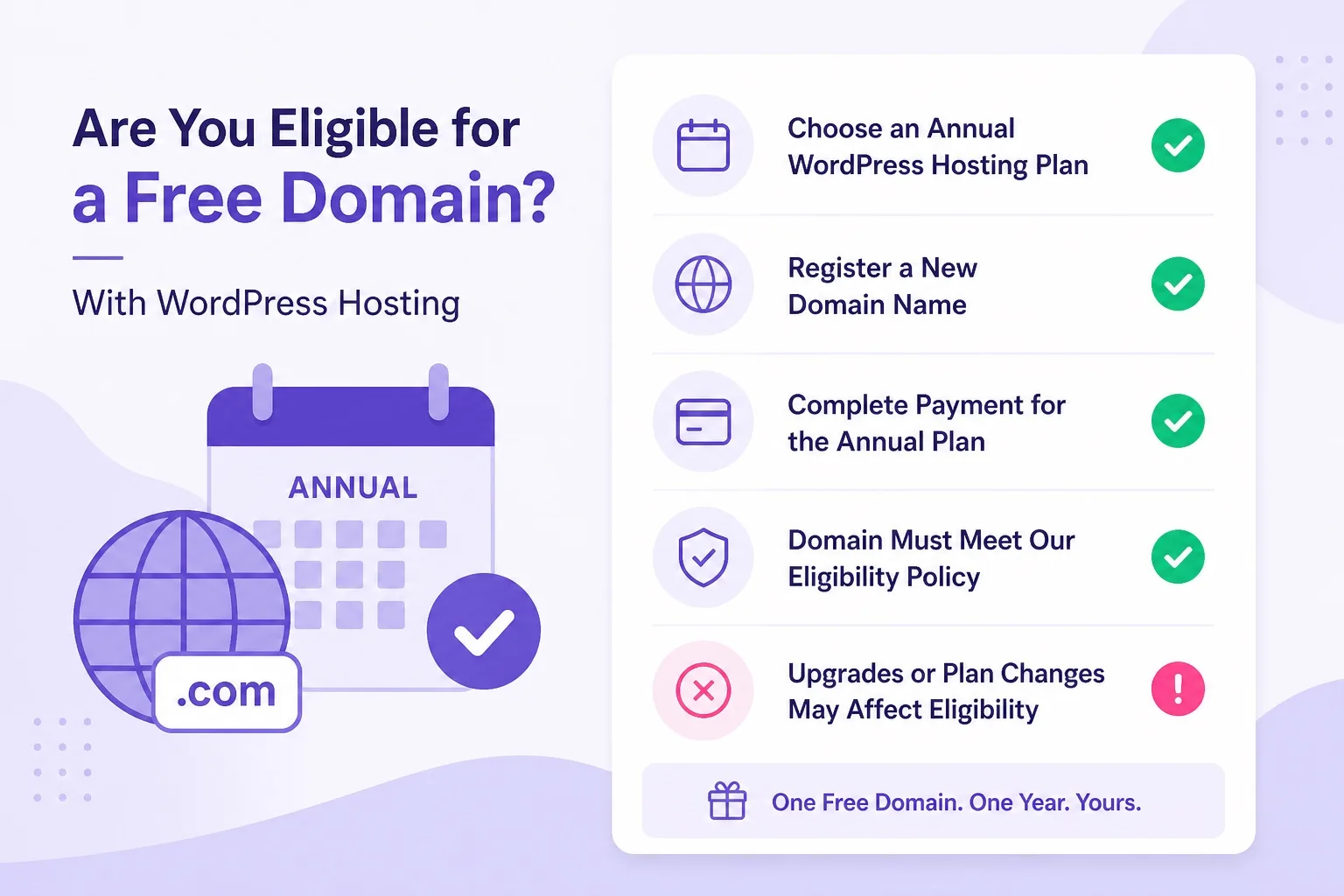
Screenshot plan, term, domain line, and renewal before you enter payment details.
If renewal is missing from the summary, change term or plan until both hosting numbers are visible. Do not guess from an old blog screenshot.
When every line is green, start WordPress hosting checkout and claim the domain in the same session when possible.
How to Claim Your Free Domain After You Buy
Claim timing matters. The cleanest path is selecting your free domain during checkout when Hostinger prompts you on a qualifying order.
If checkout skips domain selection, open hPanel immediately after payment and use the domain registration or claim tool while eligibility is active on the account.
Search several name options before you commit. Good names disappear quickly, and changing later costs attention even when hosting stays the same.
Prefer .com when available for broad trust, unless your project clearly fits a niche extension like .store or .blog and you accept renewal pricing for that TLD.
After registration, confirm the domain appears attached to your hosting account. Then run one click WordPress install on that domain, not on a leftover temporary URL you will abandon.
Enable SSL right after install so the public site serves HTTPS on the new domain. Free SSL is a hosting inclusion separate from the domain perk, but both belong in launch week.
Set permalinks, create strong admin credentials, and publish a simple Home page before you chase theme demos for three days.
Need a visual walkthrough of the payment screen? Open get WordPress hosting on a qualifying annual term and pause on the domain step before you submit card details.
Domain Renewal Costs After the Free Year
Domain renewal after the included period is the trust test for every free domain offer. Hostinger bills domain renewal at standard registrar rates, not at the hosting promo rate you enjoyed in year one.
Hosting renewal and domain renewal are separate line items in billing. A great first year hosting promo does not automatically mean a discounted domain renewal.
Open the domain management area after claim and read renewal pricing for your exact TLD. Save that number beside your hosting renewal screenshot.
Set a calendar reminder thirty days before domain expiry. Auto renew is convenient, but you should still know the charge before it hits.
If the renewal price feels high for a experimental project, that is a signal to pick a simpler TLD at purchase time, not to ignore renewal until panic sets in.
Trustworthiness means saying clearly: free domain saves first year registration when eligible. It does not remove ongoing ownership costs for a live brand.
Budget year two as hosting renewal plus domain renewal plus any plugin or mailbox extras you added during year one.
When renewal math is written down, choose Hostinger plan with eyes open on both hosting and domain cycles.
Free Domain vs Bringing Your Own Domain
You do not have to use the Hostinger free domain perk. Connecting a domain you already own is normal, especially for rebrands or migrations.
Free domain shines when you start from zero and want one cart for hosting plus first registration on a qualifying annual plan.
Bring your own domain when you already paid for a name elsewhere, when your brand string only lives on a premium TLD, or when legal naming requires a registrar you already use.
DNS connection steps live in hPanel after you buy hosting. Point nameservers or A records depending on where the domain is registered.
Experience tip: do not register the same brand twice because checkout felt faster. Pick either free claim or external DNS, then commit.
If you migrate an existing WordPress site, free domain may be irrelevant this purchase. Focus on plan headroom and migration backups instead of chasing a perk you will not use.
For broader WordPress hosting context beyond domain choice, browse guides on the WordPress hosting blogs hub after your domain decision is written down.
Hub articles cover installs, comparisons, and plan picks. This page keeps domain eligibility and claim timing in one place.
When you need a fresh name with the perk, buy WordPress hosting on annual Premium or Business and register during checkout.
Common Mistakes Before You Buy With Free Domain
Mistake one: assuming every Hostinger plan includes free domain. Single and many monthly terms break that assumption.
Mistake two: treating free domain as free forever. Year two domain renewal still belongs in your budget.
Mistake three: picking Business only to unlock a perk Premium already includes on the same qualifying term.
Mistake four: delaying domain claim for weeks, then discovering the name you wanted is gone or eligibility rules changed on a support edge case.
Mistake five: installing WordPress on a temporary URL and forgetting to switch site address after the real domain connects.
Mistake six: ignoring mailbox limits while celebrating domain savings. Branded email may need plan extras.
Avoid those six, then open best WordPress hosting Hostinger plans with your checklist beside the pricing table.
Write site type, term length, and domain intent in one line before checkout. That line prevents most impulse plan picks driven only by a promo badge.
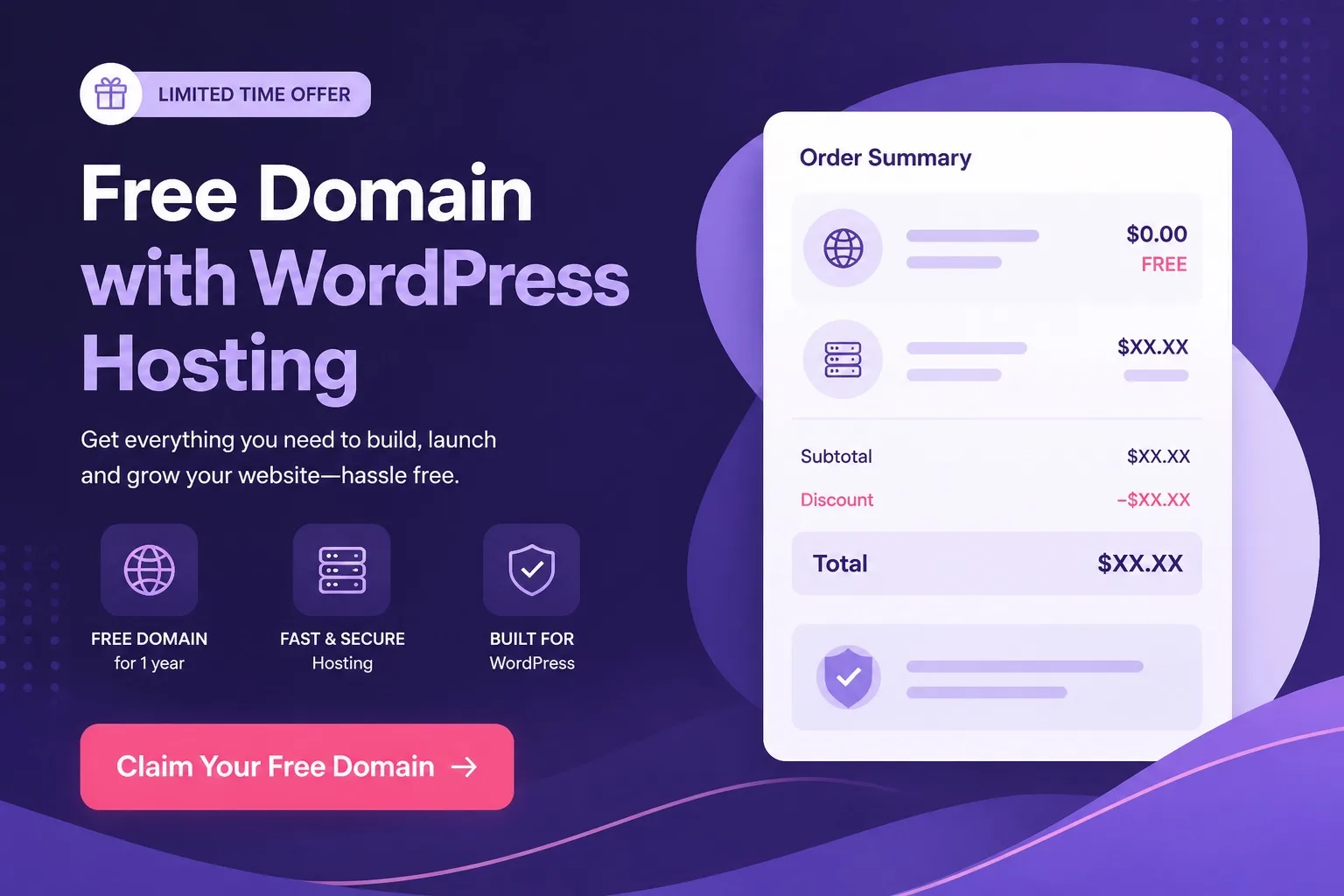
Pause on the domain step until eligibility, TLD price, and renewal notes are saved.
Who Should Buy Hostinger WordPress Hosting With Free Domain
Buy now if you will launch a real WordPress site in the next weeks, you need a new domain name, and annual prepaid hosting fits your cash flow.
Premium on a qualifying annual term is the default for first blogs, portfolios, local business brochure sites, and affiliate niche sites that start from zero.
Business on the same qualifying term fits when free domain savings matter but you also need staging style testing, stronger backups, or WooCommerce headroom soon.
Wait if you only want to bookmark prices without content plans. Buying hosting with free domain before you know the site topic creates renewal guilt later.
Skip the free domain path if you already own the perfect domain elsewhere. Buy hosting for headroom and connect DNS instead of registering a second name you will not use.
Authoritativeness here means staying consistent with our other Hostinger guides and telling you to trust live checkout over any static quote on a blog.
When you are ready to launch, launch WordPress website hosting on Premium unless Business is already justified by workload, not by domain marketing alone.
SSL, Email, and DNS After You Claim the Domain
Free SSL on common Hostinger WordPress hosting plans protects visitors once enabled on the claimed domain. Domain registration and SSL activation are related but separate steps.
After install, open SSL settings in hPanel and confirm the certificate is active. Test HTTPS in a private browser window before you share the URL publicly.
Branded email under your new domain helps small business launches look credible. Check whether your plan includes mailboxes or whether you need an add on.
DNS propagation can take time when you connect external domains. Plan a short waiting window before you assume something is broken.
Experience note: buyers who enable SSL on day one avoid mixed content warnings later when they add plugins that force HTTPS redirects.
Keep DNS changes minimal during launch week. One domain, one hosting account, one WordPress install is the simplest path for beginners.
For site wide WordPress hosting context after DNS is stable, visit the wordpress hosting homepage and pick follow up guides from there.
Homepage links help you find install and migration content. They do not replace checking SSL and mail settings inside hPanel on your live domain.
If SSL or mail setup is still pending, finish those tasks before you start WordPress hosting experiments with heavy plugin stacks on the public domain.
Promo Pricing, Hosting Renewal, and the Full First Year Budget
Free domain is one line in a larger first year budget. Hosting promo pricing, hosting renewal pricing, domain renewal after the included year, and optional extras all belong on the same sheet.
Promo pricing applies to the first hosting billing term you select. Renewal uses the standard rate shown at checkout for that same term length.
Do not compare a forty eight month promo tile against a one month renewal quote from a different plan. Keep comparisons fair or your math will lie to you.
Plugins, premium themes, and paid email tools are not hosting. A low hosting tile with a heavy builder budget still becomes an expensive launch.
Write four numbers before payment: hosting promo total, hosting renewal estimate, domain year two renewal, and a small buffer for extras you already know you need.
Trust line: the best deal is the plan and term you can renew honestly, not the lowest marketing number on the page.
When the sheet balances, claim Hostinger offer on Premium or Business annual terms with screenshots saved in your notes app.
After Purchase: First Week With Your New Domain
Week one goal is simple: live Home page on the claimed domain with HTTPS active and admin access secured.
Day one: confirm domain appears in hPanel, run one click WordPress install on that domain, enable SSL.
Day two: set permalinks, create a basic menu, publish Home and About pages with real copy, not placeholder lorem text you will never replace.
Day three: add only essential plugins. Caching, security, and backup basics beat installing fifteen tools because a blog list recommended them.
Day four: configure branded email if your plan includes it, or connect a trusted external mail provider if you skipped mailbox extras.
Day five: test mobile layout and form submissions if lead capture matters to your business site.
Experience note: buyers who publish in week one keep the host. Buyers who redesign without publishing often cancel during refund windows for the wrong reason.
If you still need to purchase, open managed WordPress hosting on a qualifying annual term and claim the domain before you leave checkout.
FAQs: Buying Hostinger WordPress Hosting With Free Domain
Which Hostinger WordPress hosting plans include a free domain?
Premium and Business on qualifying annual terms usually include free domain eligibility. Single and short monthly terms often do not. Confirm the free domain line on the live Hostinger WordPress hosting order summary before you pay.
Is the Hostinger free domain free forever?
No. Free domain means the first registration period is included with a qualifying hosting purchase, not lifetime ownership. Budget standard domain renewal after that included period.
Do I need an annual plan to get a free domain on Hostinger?
Usually yes. Free domain eligibility commonly requires an annual or longer billing term on Premium or Business. Monthly terms rarely show the same free domain line at checkout.
Can I use my own domain instead of the Hostinger free domain?
Yes. You can connect a domain you already own or buy one separately. The free domain perk is optional savings on a new registration when your plan and term qualify.
What TLDs qualify for the Hostinger free domain offer?
Common extensions like .com and .net often qualify. Premium TLDs may cost extra even when a free domain line appears. Check the domain picker at checkout for the exact price per extension.
When should I claim my free domain after buying Hostinger hosting?
Claim during checkout or immediately after payment in hPanel while eligibility is active. Delaying can cause name conflicts or confusion about which domain belongs to the hosting account.
Does Hostinger free domain include free SSL?
Free SSL is a separate hosting inclusion on common WordPress plans. After you claim the domain and install WordPress, enable SSL in hPanel so visitors see HTTPS on your site.
What happens to my domain renewal price after the free year?
Domain renewal uses the standard registrar rate shown in your Hostinger account, not the promo hosting rate. Screenshot domain renewal pricing when you claim the name so year two is planned.
Is Premium or Business better if I want a free domain and WordPress hosting?
Both can qualify on annual terms. Choose Premium for most blogs and small business sites. Choose Business when staging, stronger backups, or higher load justify the upgrade beyond free domain savings.
Final Verdict: Buy With Free Domain the Right Way
Buy Hostinger WordPress hosting with free domain when annual Premium or Business shows a clear free domain line at checkout, your launch timeline is real, and you accept hosting plus domain renewal math after the promo window.
Treat free domain as a first year perk, not lifetime ownership. Confirm the free domain line on checkout, save hosting renewal and domain renewal the same day, and skip forever free claims that do not match the order summary.
Default path: Premium on a qualifying annual term, domain claimed during checkout, SSL enabled in week one, renewal numbers saved the same day.
Next step: open live WordPress hosting plans, verify the free domain line, screenshot promo and renewal, then buy only when the order summary matches this checklist.
Upgrade to Business when workload proves you need it, not because the words free domain made Business sound like the only serious choice.
Next step: open live plans, run the checklist, screenshot promo and both renewal types, then buy once your sheet looks honest for year one and year two.
Keep those screenshots. Renewal season is when trustworthy buying advice pays off.
Pick a name you will renew, publish quickly on HTTPS, and treat free domain as a smart first year bundle, not a permanent waiver of domain ownership costs.
That mindset keeps Hostinger WordPress hosting with free domain a genuine launch advantage instead of a year two surprise.